


Cant use 'message filter' to delete emails by BODY in the junk folder.
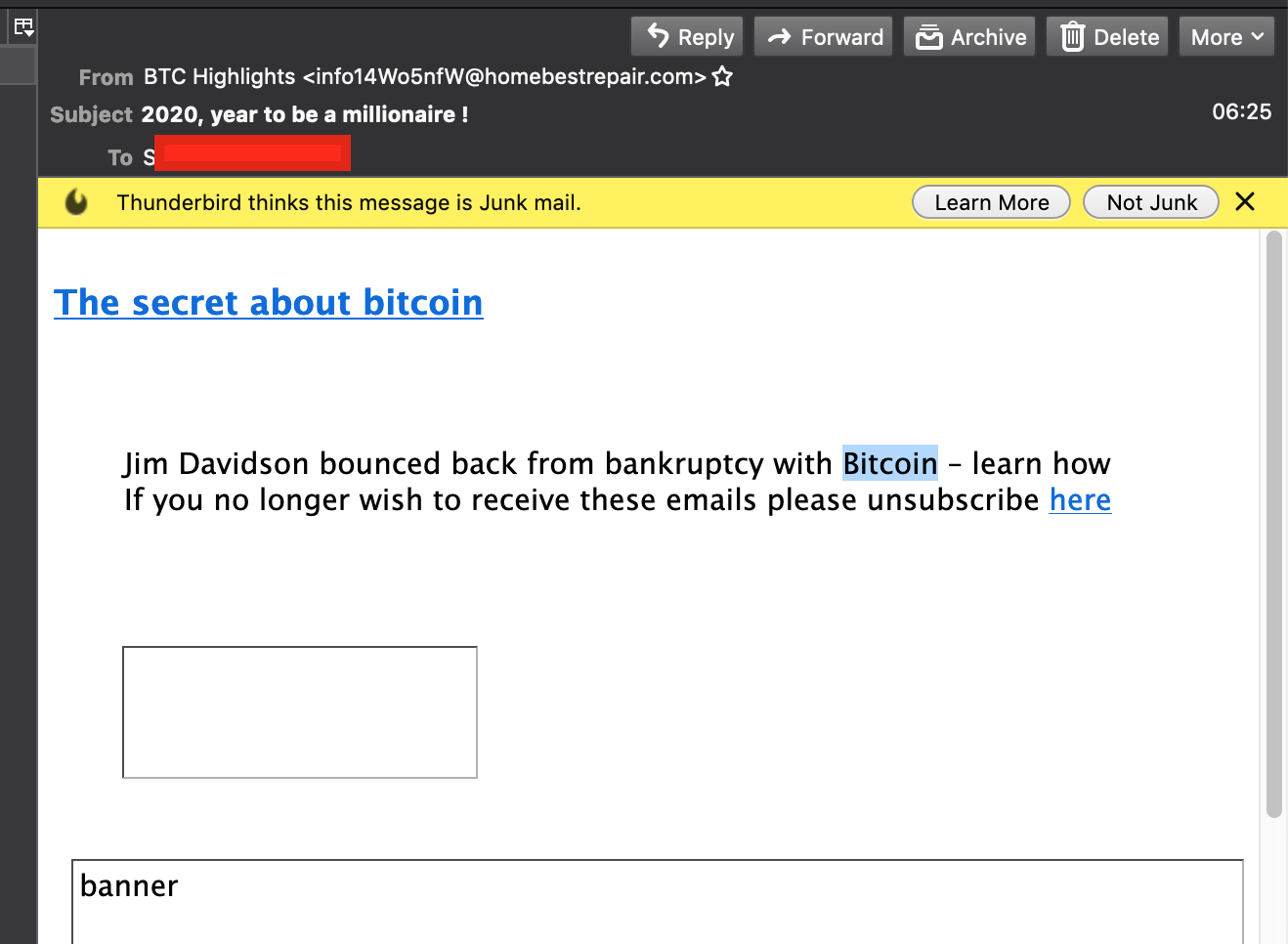
HI I try to delete emails with certain words, that are already in the junk folder. ie bitcoin. If any emails in my junk have that, i want them deleted. Ive tried Message Filters and it just wont do it, via BODY , it will via SUBJECT, but thats not enough. I have 'blocked remote content' ON by default but i can still select these words in the junk emails so they should be detectable?
See screenshot of a junk email that has a BODY word that is selectable (ie not an image, but proper text)
Has anyone else got this to work?
Vybrané riešenie
I am assuming your account in an IMAP one.
Thunderbird does not download the body of junk mail unless it is selected. You will probably have to right click the folder, select properties and select the folder for offline use in the synchronization settings. You will also need to set the folder to be included when getting messages for the account, as that is off by default as well.
Všetky odpovede (4)
Any feedback?
does anyone do this? nobody?
Vybrané riešenie
I am assuming your account in an IMAP one.
Thunderbird does not download the body of junk mail unless it is selected. You will probably have to right click the folder, select properties and select the folder for offline use in the synchronization settings. You will also need to set the folder to be included when getting messages for the account, as that is off by default as well.
Hi Matt, Yes IMAP That seems to fix it. Brilliant thank you.