


Installing a second email address

I use 2 email addresses and installed one when I downloaded and installed Thunderbird. I’m trying to add the other email address to Thunderbird. Both addresses previously have worked OK with Outlook.
I on click Account Settings in the Tools menu, then Account Actions and then Add Mail Account. I enter the relevant information and click on Continue and what I get is ‘Thunderbird failed to find the settings for your email account’.
What am I doing wrong?
Všetky odpovede (3)
Vybrané riešenie
re :what I get is ‘Thunderbird failed to find the settings for your email account’.
Thunderbird tends to auto look for imap server, but maybe you need pop. when you see the failure notice, click on 'Manual Config' so you can manually enter data. Make sure you are choosing the correct server Type POP or IMAP.
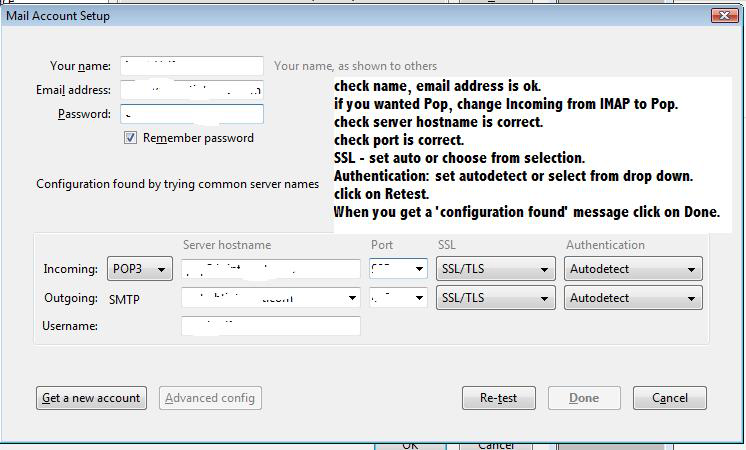
After several attempts at manually entering data I think its all working now.
Many thanks Toad-Hall.
If my instructions to set info manually helped to solve the issue, could you mark that comment as 'Chosen solution' to set this question as solved.
Good to hear all is up and working.