


Firefox 57 tabs on bottom , there are solution, don't work correctly with private browsing. Tabs are moved above content-deck. Is there way to correct it?

Base solution https://support.mozilla.org/en-US/questions/1189624#answer-1039600 working well with base browsing mode. But there are problem with private browsing. Tabs are moved above content-deck. Is there way to correct it?
Vybrané riešenie
With #tabbrowser-tabs { width: 96%; } working well.
  #TabsToolbar:not([inFullscreen="true"]) {
 position: fixed;
 bottom: 0;
 width: 100%;
}
#tabbrowser-tabs { width: 96%; }
  #main-window:not([inFullscreen="true"])
  #content-deck { margin-bottom: 3.0em; }
/* For Windows */
  #TabsToolbar:not([inFullscreen="true"]) > .private-browsing-indicator {
 position: absolute !important;
 right: 0;
 bottom: 1px;
} Thank to all of you very much !
Čítať túto odpoveď v kontexte 👍 1Všetky odpovede (8)
You can try the version I posted in this thread if that works better.
cor-el said
You can try the version I posted in this thread if that works better.
That works, assuming I display the Menu Bar or Title Bar, but I needed to add this so the tabs don't get bumped up by the mask icon in the private window (on Windows 7):
.private-browsing-indicator {
  position: absolute !important;
  right: 0;
  bottom: 1px;
}
On Linux this mask icon is always at the left end of the tab bar.
If that code is supposed to work when on Windows this icon is moved to the tab bar, wouldn't be better to make the code more specific and add #TabsToolbar or is this icon positioned elsewhere in the DOM?
How does the code work on Windows in Full Screen mode? Does that allow auto-hide to work properly?
I think the absolute positioning works because the tab bar is back on top and scrolls up in full screen. However, no harm making the selector more specific:
#TabsToolbar:not([inFullscreen="true"]) {
  position: fixed;
  bottom: 0;
  width: 100%;
}
#main-window:not([inFullscreen="true"]) #browser-bottombox {
  margin-bottom: 2em;
}
/* For Windows */
#TabsToolbar:not([inFullscreen="true"]) > .private-browsing-indicator {
  position: absolute !important;
  right: 0;
  bottom: 1px;
}
jscher2000
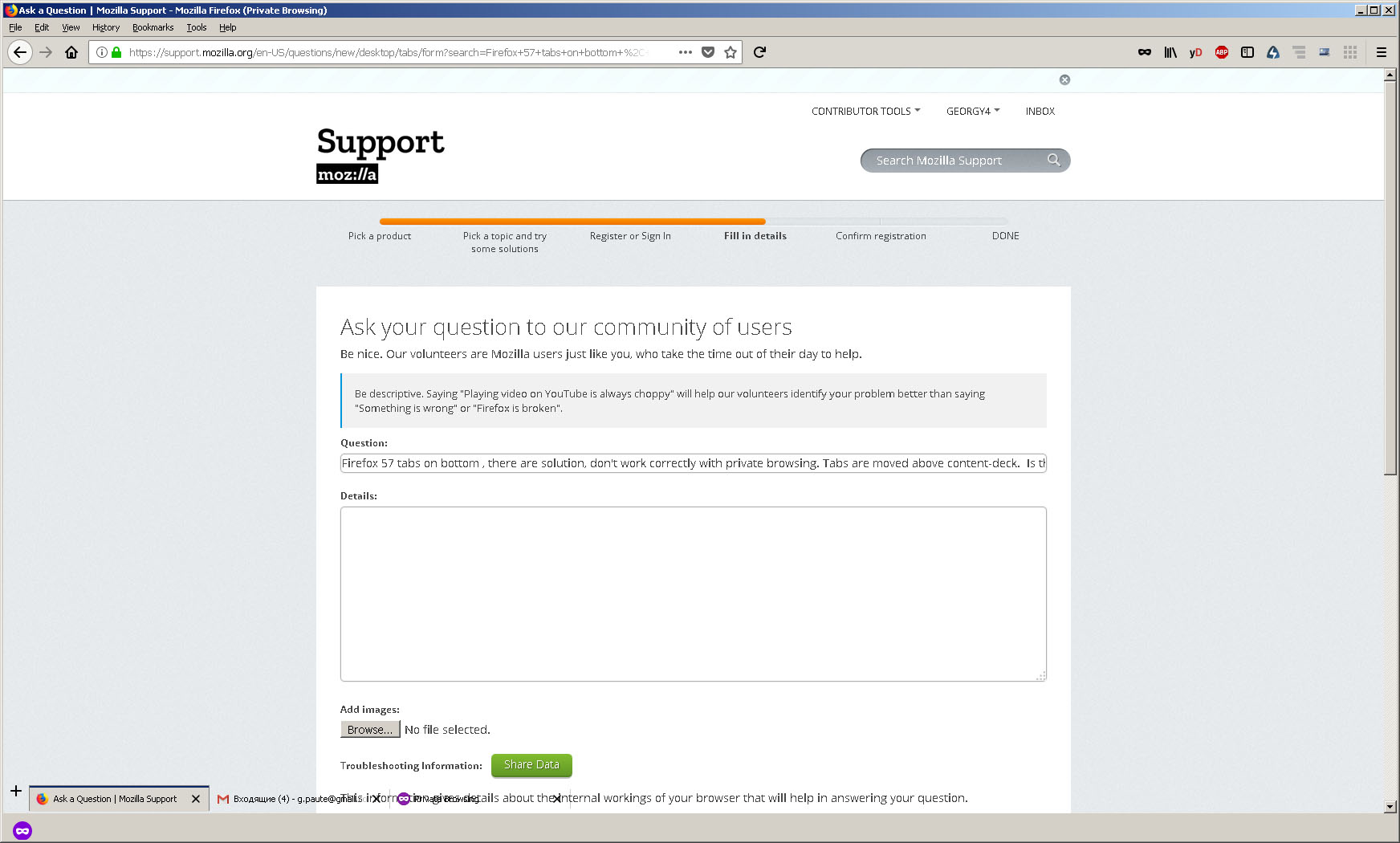
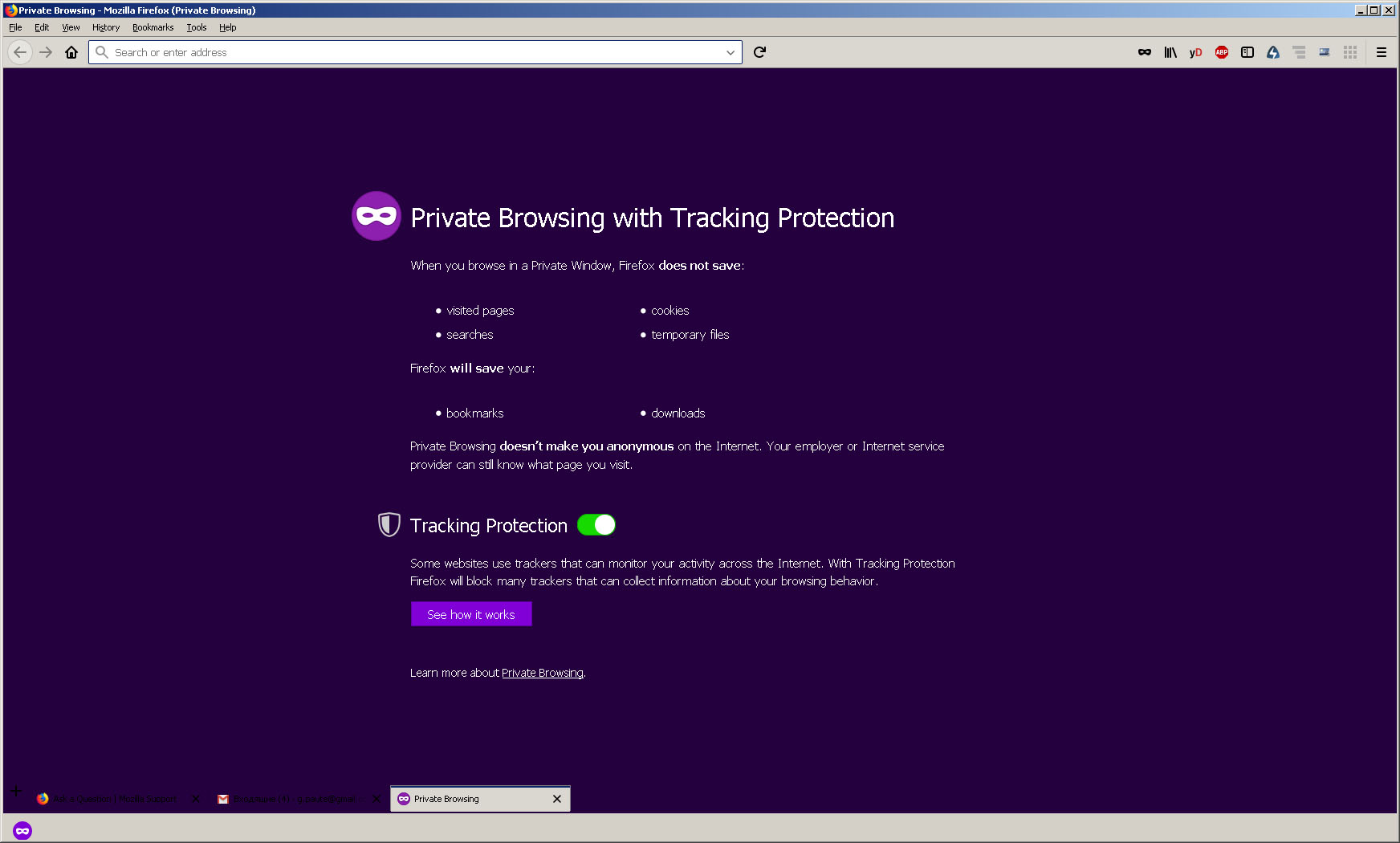
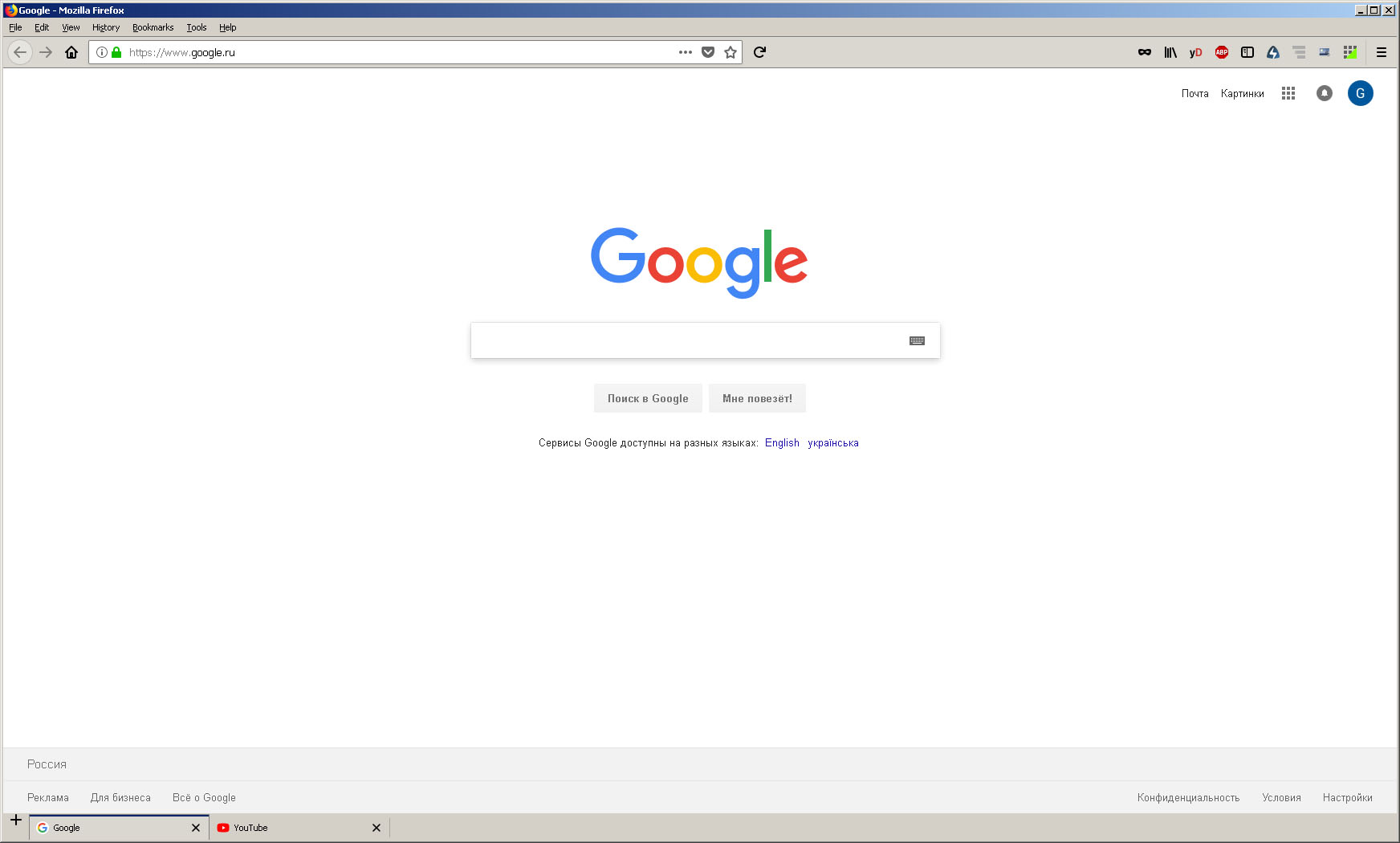
Thank you very much. This work pretty well. Now the tabs placed at the bottom in private browsing mode too. But there are side effect. The tabs become very narrow compared to base one. You can see it at the shot. Do you have ideas how to avoid this ?

Vybrané riešenie
With #tabbrowser-tabs { width: 96%; } working well.
  #TabsToolbar:not([inFullscreen="true"]) {
 position: fixed;
 bottom: 0;
 width: 100%;
}
#tabbrowser-tabs { width: 96%; }
  #main-window:not([inFullscreen="true"])
  #content-deck { margin-bottom: 3.0em; }
/* For Windows */
  #TabsToolbar:not([inFullscreen="true"]) > .private-browsing-indicator {
 position: absolute !important;
 right: 0;
 bottom: 1px;
} Thank to all of you very much !
Upravil(a) georgy4 dňa
I need to use 93% to make it work with opening that many tabs that the "List all tabs" button appears.
#tabbrowser-tabs { width: 93%; }
Upravil(a) cor-el dňa
Thank you cor-el.
Usually I don't open that much tabs (didn't know about this button :)), but yes this work good.