You just updated me to "The New Firefox" and I can't find an extension that puts my tabs on the bottom WHERE THEY BELONG. I can't work like this. Please fix it!

All the previous versions of Firefox had an extension available to put tabs on the bottom. This one doesn't seem to. Why? Firefox has been my main browser for years, but I can't use it like this. Please do something about it!
Všetky odpovede (34)
Hello, follow this video guide: https://www.youtube.com/watch?v=3Xo-OeVjnjs
I'm hesitant to mess with the registry until I know more. And this is for an earlier version of Firefox, that had an available extension to solve the problem. Would it even work with this new version?
This has nothing to do with the Windows registry! And, yes userChrome.css still works with Firefox 57 (Quantum).
A related problem is that there is no extension to compress the bookmarks toolbar to icons only.
What do you mean by this?
There was a addon that could reduce the width of bookmarks to only their favicon. Which was really impressive & saved a ton of space. I'm hopeful this addon can make a comeback.
Upravil(a) NoahSUMO dňa
Yes, it was called "Roomy Bookmarks Toolbar" and it was really useful. All the names of the bookmarks being up there plus having them where the tabs are supposed to be is very confusing.
For now try this: https://addons.mozilla.org/en-US/firefox/addon/bookmarks-organizer/
I tried to follow the instructions in that video but didn't get very far. The video quality isn't that clear and it's difficult for me to follow instructions in videos, anyway - it would be much better to have everything printed out so I could copy and paste the relevant lines. I'm just hoping someone comes up with an extension before I give up and just switch to Chrome.
Here are the relevant lines:
Put these lines in userChrome.css:
- TabsToolbar { -moz-box-ordinal-group: 2;
}
- nav-bar{ border-top-width: 0px !important;
}
Bookmarks Organizer doesn't seem to do anything about removing the names of the bookmarks. It has other functions that I was not looking for. (I tried it.)
Create a thread on https://reddit.com/r/FirefoxCSS
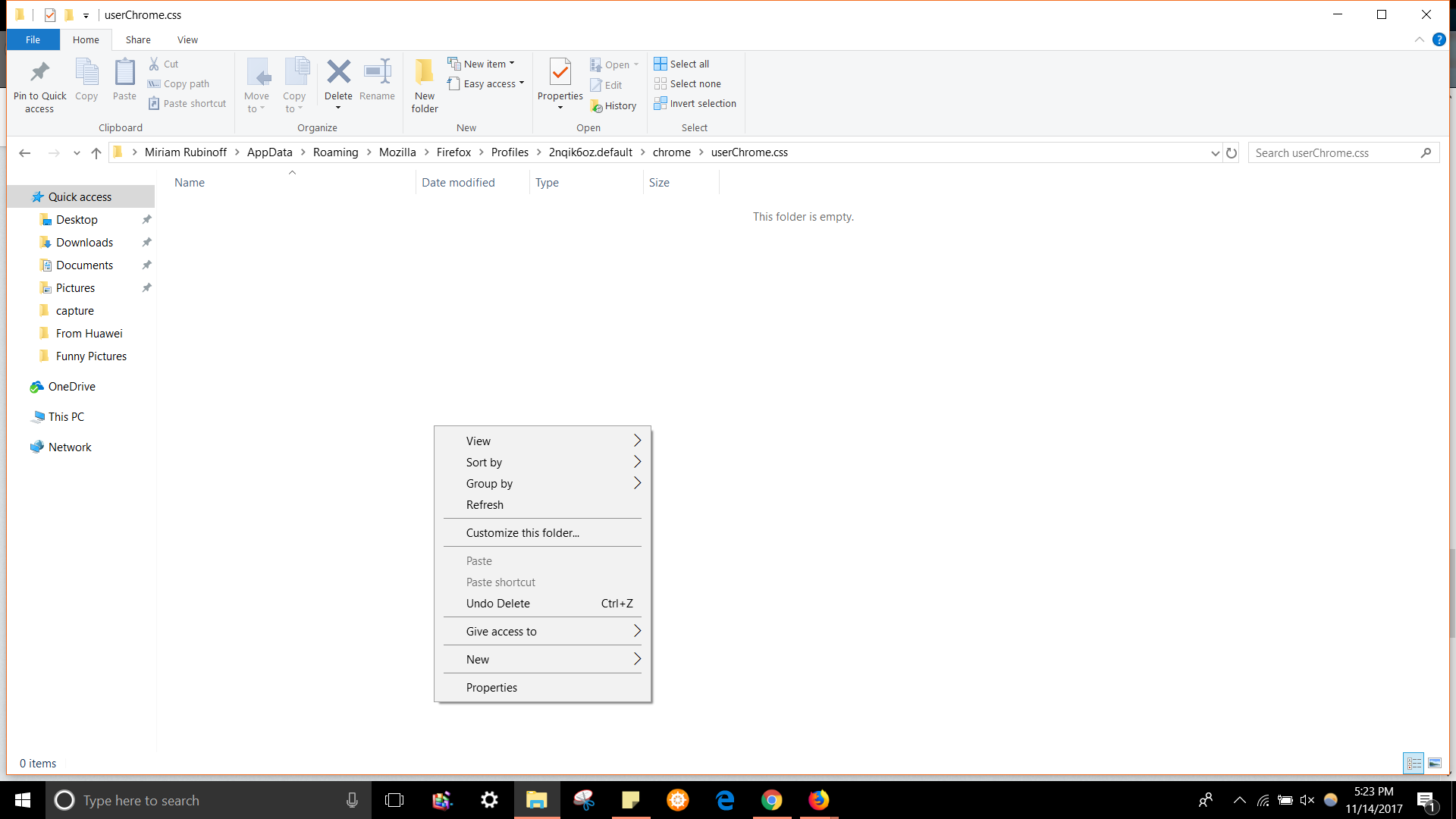
Mkll, I'm up to the added file "userChrome.css" How do I add the lines to it? There doesn't seem to be any way to write in anything. And on the video there are three lines of text, above you just have two.
Just copy and paste my lines into the file -- right click -- edit, copy and paste -- then save. Restart Firefox! This should work.
There's no way to paste anything in that I can find.
You might try adding this to userChrome.css, it specifies the position of the bookmarks toolbar, too:
/* Tab bar below Navigation & Bookmarks Toolbars
   For best results, show Title Bar or Menu Bar */
#nav-bar { /* main toolbar */
  -moz-box-ordinal-group: 1 !important;
  border-top-width: 0 !important;
}
#PersonalToolbar { /* bookmarks toolbar */
  -moz-box-ordinal-group: 2 !important;
}
#TabsToolbar { /* tab bar */
  -moz-box-ordinal-group: 3 !important;
}
To edit userChrome.css, you can use Notepad (terrible editor), Wordpad (slightly less bad), or another editor. If you prefer video demos: https://vimeo.com/user73872986
selkie305 said
There's no way to paste anything in that I can find.
Oh... userChrome.css shouldn't be a folder. It should be a new file. Do you want to download a blank one into the chrome folder? I have one on my website (right-click > Save Link As):
Now I'm totally lost. I've got all that on WordPad but don't know what to do with it, and don't know how to make a file on that last thing.
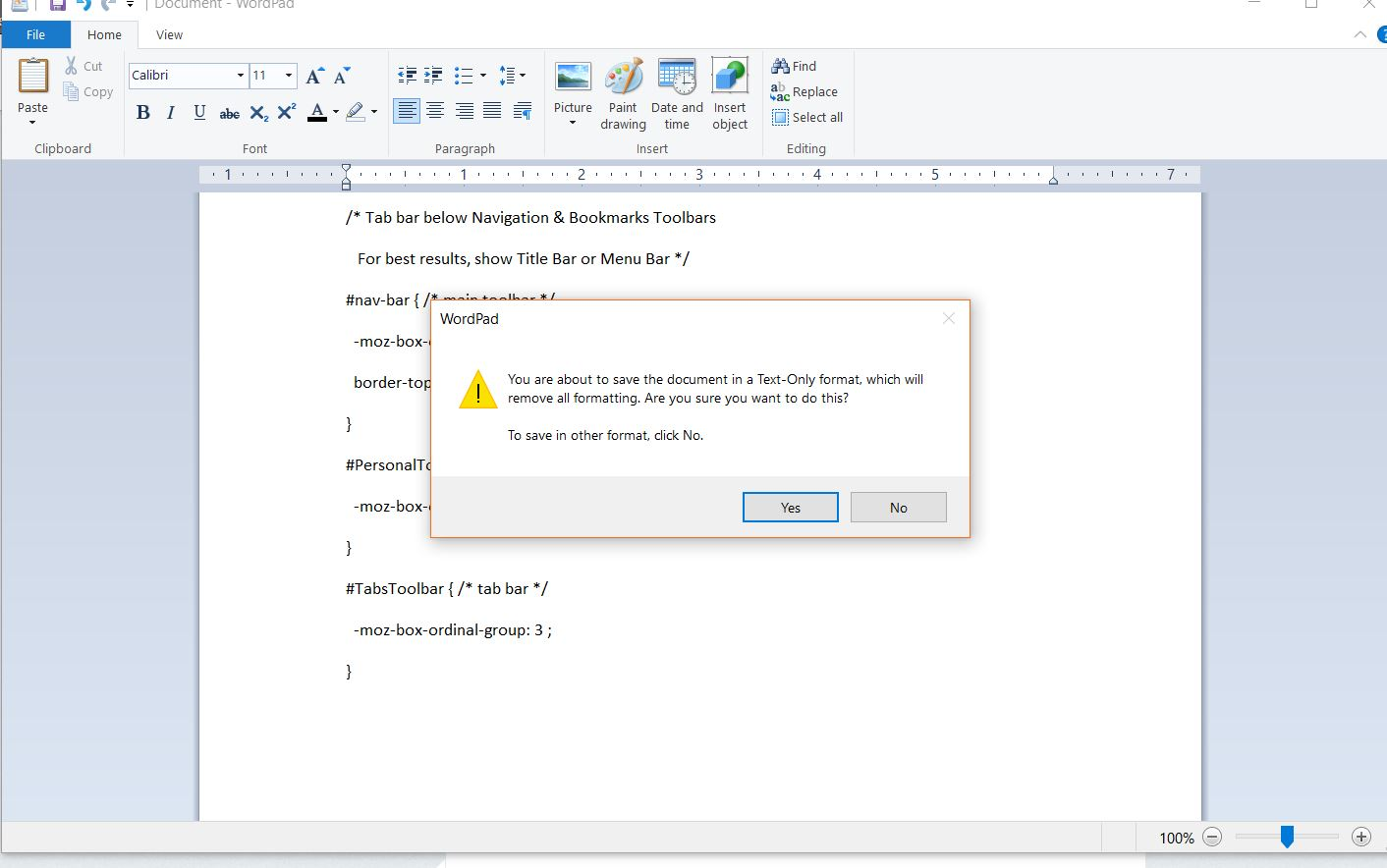
Hi selkie305, go ahead and use Save or Save As in WordPad. If there is a selector for the file format, change it to text. Then in the file name, put userChrome.css in quotation marks:
"userChrome.css"
That overrides the natural tendency of the program to add .txt at the end.
Save that in your chrome folder. Or you can save it in Documents, then drag it over to your chrome folder, whichever is easier.
Should it look like this?