


how do i increase the font size in message pane?

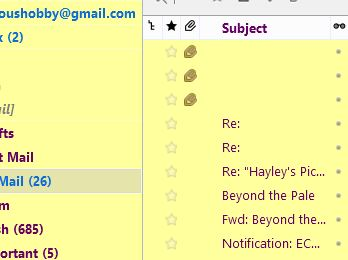
I used a theme add in to increase the size of the menu font on the left. I cannot change the font size of the message pane. See attached. How do I enlarge this print size?
I used a theme add in to increase the size of the menu font on the left. I cannot change the font size of the message pane. See attached. How do I enlarge this print size?
Vybrané riešenie
You can put any of these in with the font size declaration:
 font-family : Arial !important;
 font-weight: bold !important;
 font-style: italic !important;
 color:blue !important;
etc.
Čítať túto odpoveď v kontexte 👍 1Všetky odpovede (4)
Try the userChrome.css solution offered here.
I know we can also insert a font face definition here, and probably a style; bold, italic etc.
Vybrané riešenie
You can put any of these in with the font size declaration:
 font-family : Arial !important;
 font-weight: bold !important;
 font-style: italic !important;
 color:blue !important;
etc.
Upravil(a) Zenos dňa
Where do I find the font size declaration for Thunderbird