


firefox 41.0.2 long lines do not wrap when viewing source code

When I try to view the source code of a web page, I have to use the horizontal scroll. How can I make the text like it does on my IE6?
Vybrané riešenie
If necessary, you can change the setting this way as well:
(1) In a new tab, type or paste about:config in the address bar and press Enter/Return. Click the button promising to be careful.
(2) In the search box above the list, type or paste wrap and pause while the list is filtered
(3) Double-click the view_source.wrap_long_lines preference to toggle its value from false to true
Všetky odpovede (4)
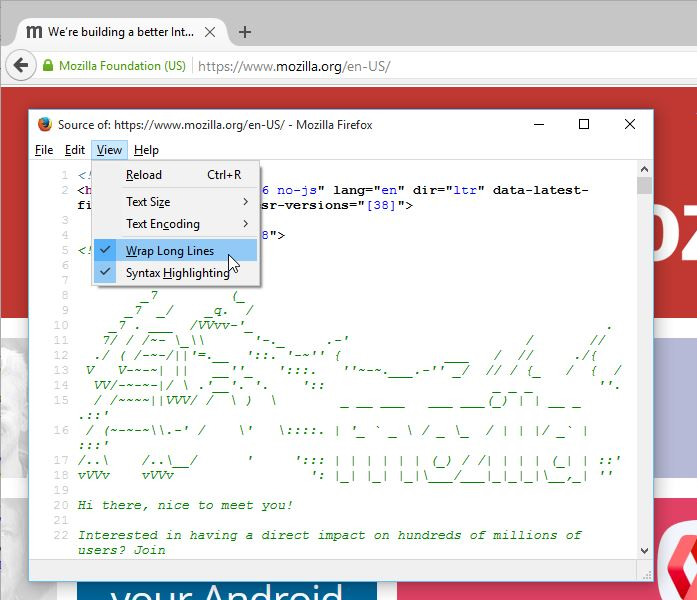
hi, you can go to view and select the option to wrap long lines...
Thanks, but that option does not exist under View.
hmm, it does here in firefox 41.0.2...
Vybrané riešenie
If necessary, you can change the setting this way as well:
(1) In a new tab, type or paste about:config in the address bar and press Enter/Return. Click the button promising to be careful.
(2) In the search box above the list, type or paste wrap and pause while the list is filtered
(3) Double-click the view_source.wrap_long_lines preference to toggle its value from false to true