


I deleted account but did not check to delete data and I can't find it after setting up account again.

I changed POP3 email password to an app password and Thunderbird would not recognize it even though I updated in Security. I was told to delete the Thunderbird account then set it back up which I did--I did not check the box to delete files. Finally the new account was able to bring in new emails (POP3) but the old folders/emails are not there.
I read that I should go to %appdata%, roaming, Thunderbird but the dates are from years ago--do I go further to find my data or is there another path or something else I should do?
Unless they were backed up somewhere within Thunderbird, I don't think I have any backup.
Can you please help? Thank you.
Wszystkie odpowiedzi (14)

Type %APPDATA% into the Windows Search box and hit 'Enter'. This will open a new Windows Explorer Window. Navigate to 'Thunderbird\Profiles'. Post a screenshot with the contents of the 'Profiles' folder visible. https://support.mozilla.org/kb/how-do-i-create-screenshot-my-problem
Thank you for your response Christ1. The middle profile is dated the day I lost my files and also tried to set up the account once again. The new account with what I believe was the same account information did work as far as pulling new emails via pop3. The other emails are no where to be found. I did notice my contacts are there.
In going into that middle profile it shows: Parent lock, 9-29-26, Lock file, 0KB and also times.json, 2-3-2020, json file, 1 KB
I had over 1000 emails so I don't know if this is where my emails are or not but the date of 9-29-26 is correct.
Thanks for any help you can provide.
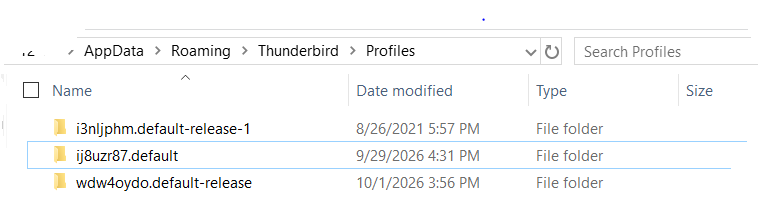
So ij8uzr87.default is the profile you'd expect to have the missing messages of your POP account. What's underneath the ij8uzr87.default folder? Both, POP accounts, and the Local Folders account should be underneath ij8uzr87.default\Mail. Look there for your missing messages.
Going into ij8uzr87.default folder, there is parent lock 9-29-lock file, 0 KB which is empty once opened.
There is also times.json, 2-3-2020, json file, 1 KB and it shows:
{ "created": 1580756598155, "firstUse": null }
That's it? What about the other two profiles?
I think you may have found it under profile wdw4. Should I try to import from that profile? I have to leave for an appointment but I thank you so much for helping. I will try what you suggest when I return.
I think you may have found it under profile wdw4.
Please post a screenshot of what you've found.
Should I try to import from that profile?
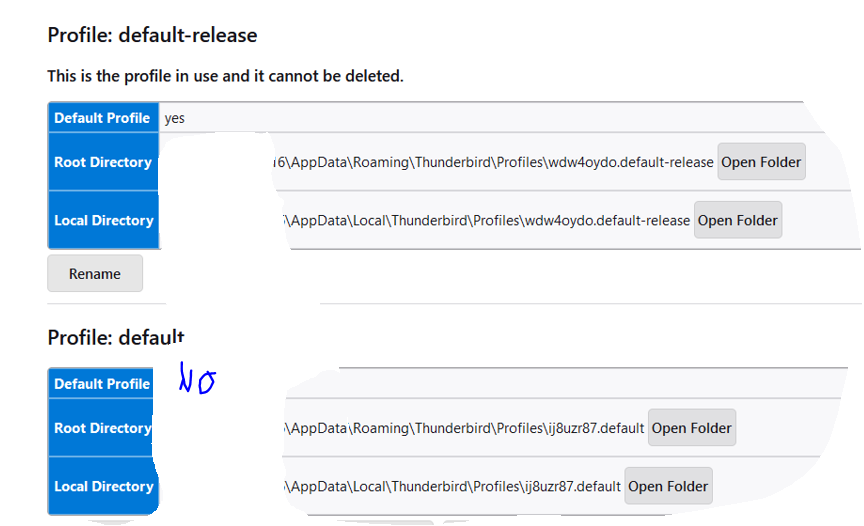
No. What profile are you using right now? At the top right of the Thunderbird window, click the menu button ≡, then select Help > Troubleshooting Information. Locate the line 'Profiles' at the bottom of the "Application Basics" information and click the about:profiles link. This will open a new tab showing the about profiles information. Which one is the profile 'in use'? Please post a screenshot.
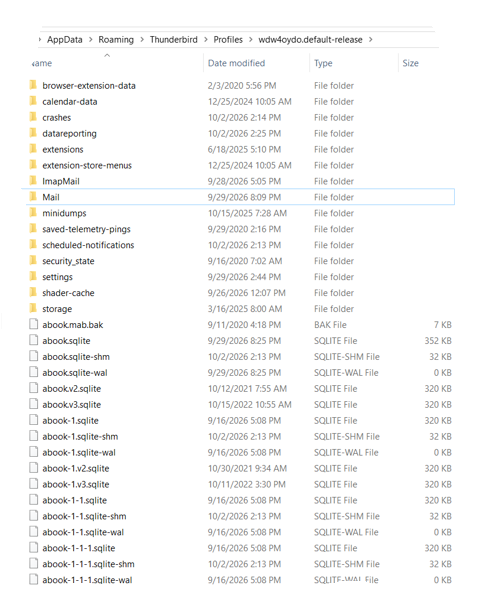
There are over 6 pages on Profile WDW4..... so I included only the first page which does have a MAIL folder. Hopefully that is what you need.
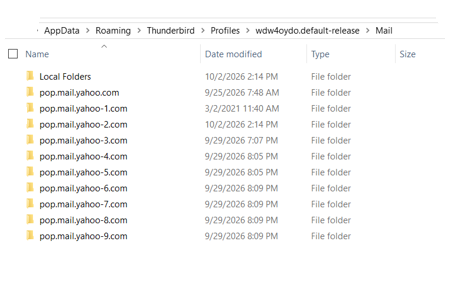
I opened that MAIL folder and included what is inside. 9-29-26 is when the data disappeared between 3 and 5 pm if this helps and then I tried several times to set up an account which would work with the app password, again using POP3 and the same email address.
What do I do next? Thanks again.
Attached is the Profile info you requested.
Your missing messages should be in one of those pop.mail.yahoo*.com folders underneath the wdw4oydo.default-release\Mail folder.
How you managed to create that many folders, I don't know. Check each of them whether any one contains your missing messages, particularly the ones with a timestamp from before you deleted the Yahoo account.
I'd expect the pop.mail.yahoo-9.com folder to be the one in use now for this profile. So it should have your new mail, but not the missing messages.
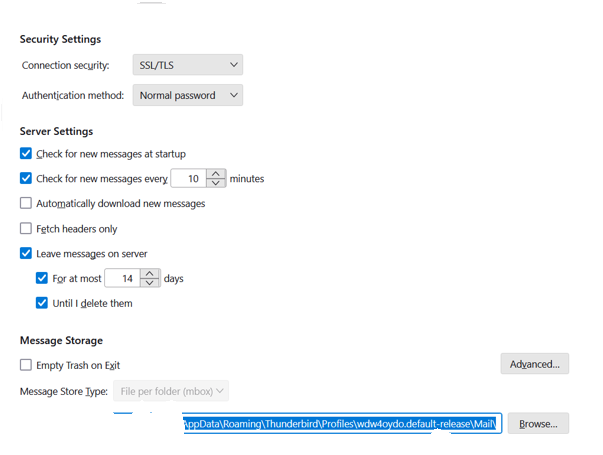
To verify this, check your Account Settings. At the top right of the Thunderbird window, click the menu button ≡ > Account Settings In the left pane select 'Server Settings' for the Yahoo account. At the bottom of the page look for the 'Local Directory' setting. Copy the entire path, and post it into your reply.
Good morning,
Please find requested information below. The button to upload a screenshot is no longer visible on this end, but here is the path...
AppData\Roaming\Thunderbird\Profiles\wdw4oydo.default-release\Mail\
I opened and the path said, AppData\Roaming\Thunderbird\Profiles\wdw4oydo.default-release\Mail\pop.mail.yahoo-2.com. It is empty.
The option to upload images reappeared after sending so here it is.
It is empty.
Well, that explains the missing messages. Have you checked the wdw4oydo.default-release\Mail\pop.mail.yahoo.com folder whether it has your missing messages/folders? That seems to be the most likely one.
Thanks for your patience. Yes, you are correct. The pop.mail folder without a pop number does seem to hold the missing data. How do I pull that into the current email account?