


Firefox taken over by 'windows defender security center pop up scam'

My Firefox was taken over by a 'windows defender security center pop up scam. I closed Firefox by using task manager but everytime I reopen Firefox: get the same thing. Have had to use Epic, much to my dismay. What to do? should I uninstall Firefox and start over? Help. Thanks.
Wszystkie odpowiedzi (5)
Taken over as in there's some scam content that blocks your tabs, can't be dismissed, and you're unable to navigate, or deny any further prompts, or even switch to other pages and tabs?
Or you're describing something like support.mozilla.org/questions/1593257 which is system notifications cropping in the corner of the screen with content from sites previously granted such permission? (The link has the steps necessary to revoke the permissions.)
Thank you for your reply: Entire screen is taken over. Unable to dismiss or minimize. I am hesitant to push any buttons like allow, close, cancel. I see my full ip address etc with message to call Windows support at an 800 number. I did a ctrl/alt/del and got my task manager and was able to shut down Firefox and get back to my Windows 11 environment. Rebooting did nothing. When I open Firefox (and I have done it a couple times to see if process gone) same thing happens. So no use doing this. I would like to get my Firefox running. Will uninstalling work or is that a futile effort. Thanks ANT.
I went back today and reopened Firefox. I was in a calmer mood ! Surveyed the entire screen and saw that I was able to close the specific tab that the page was loaded on and that page only closed and the rest of my tabs were as they should be. Reopened again and do not see the problem page again. So for now all is well and hope will be so will hold my breath and continue w the Firefox. Unless you think something else should be done. ANT
Yeah this is mostly only done via psychological engineering, not real security engineering;) so the actual elements and everything is just harmless page content that can't do anything, and you can basically navigate normally like this was your daily crosswords newspaper page;) — it's just to scare people by its looks and presentation to scam them into calling the number and then scamming them over bogus services etc., you've done the best thing — step back, inhale, exhale, and look again what the page actually claims to be, and how it tries to persuade you it's got some superpowers… it mostly doesn't have. And then you just click the × to close the tab or use arrows or address bar to navigate elsewhere;)
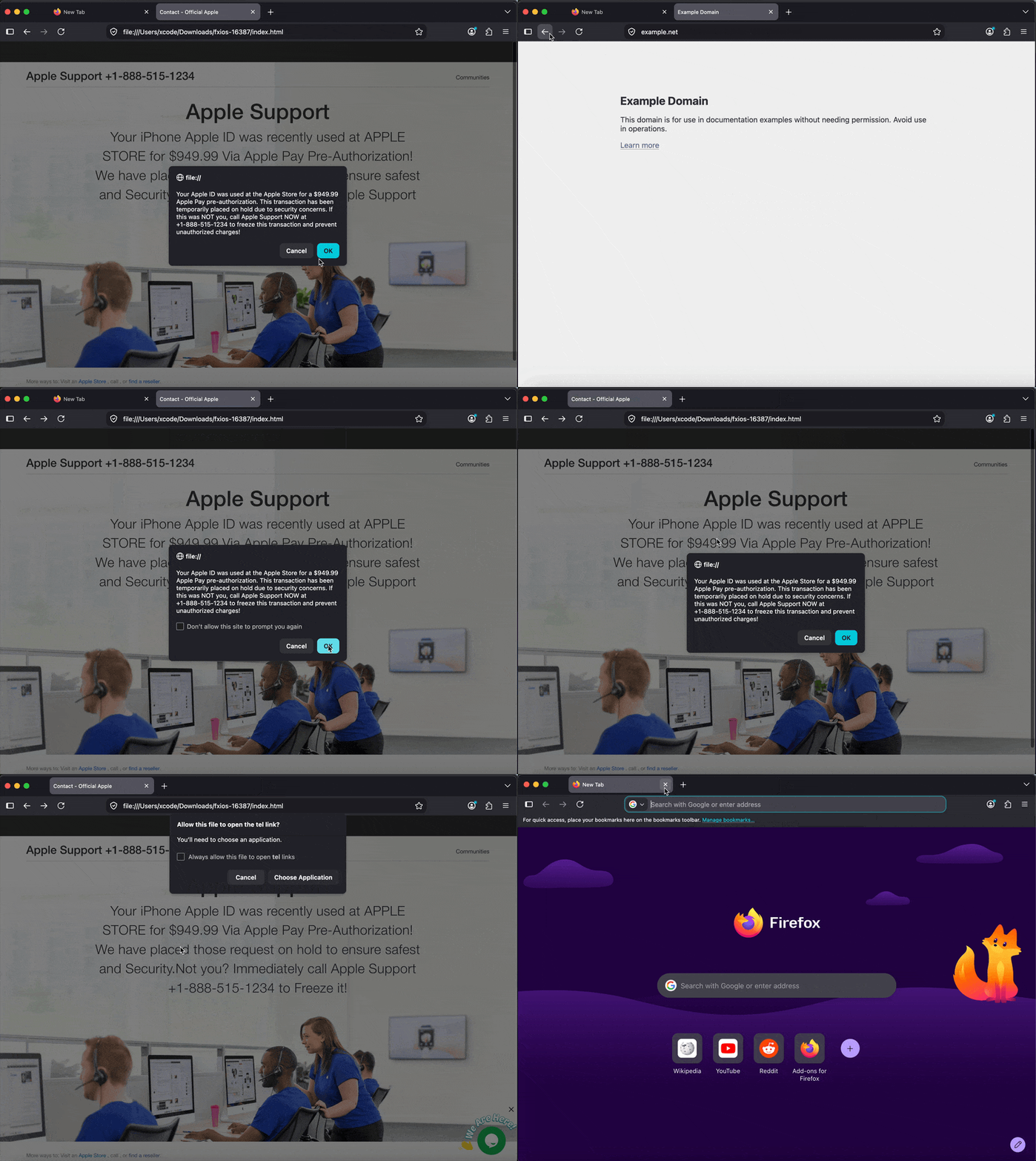
If you still have the address in browsing history, it could be worth copying it and reporting it to safebrowsing.google.com/safebrowsing/report_phish/?tpl=mozilla so others can get protected when accessing it next time.
You can also use the address domain to search through your history and site data and remove any mentions of it to get any cached artifacts from this encounter wiped clean.
But that's all basically nice–to–have, you should be fine just closing it out.