


Rozwiązane
Can I edit/remove columns in Thunderbird for more space?

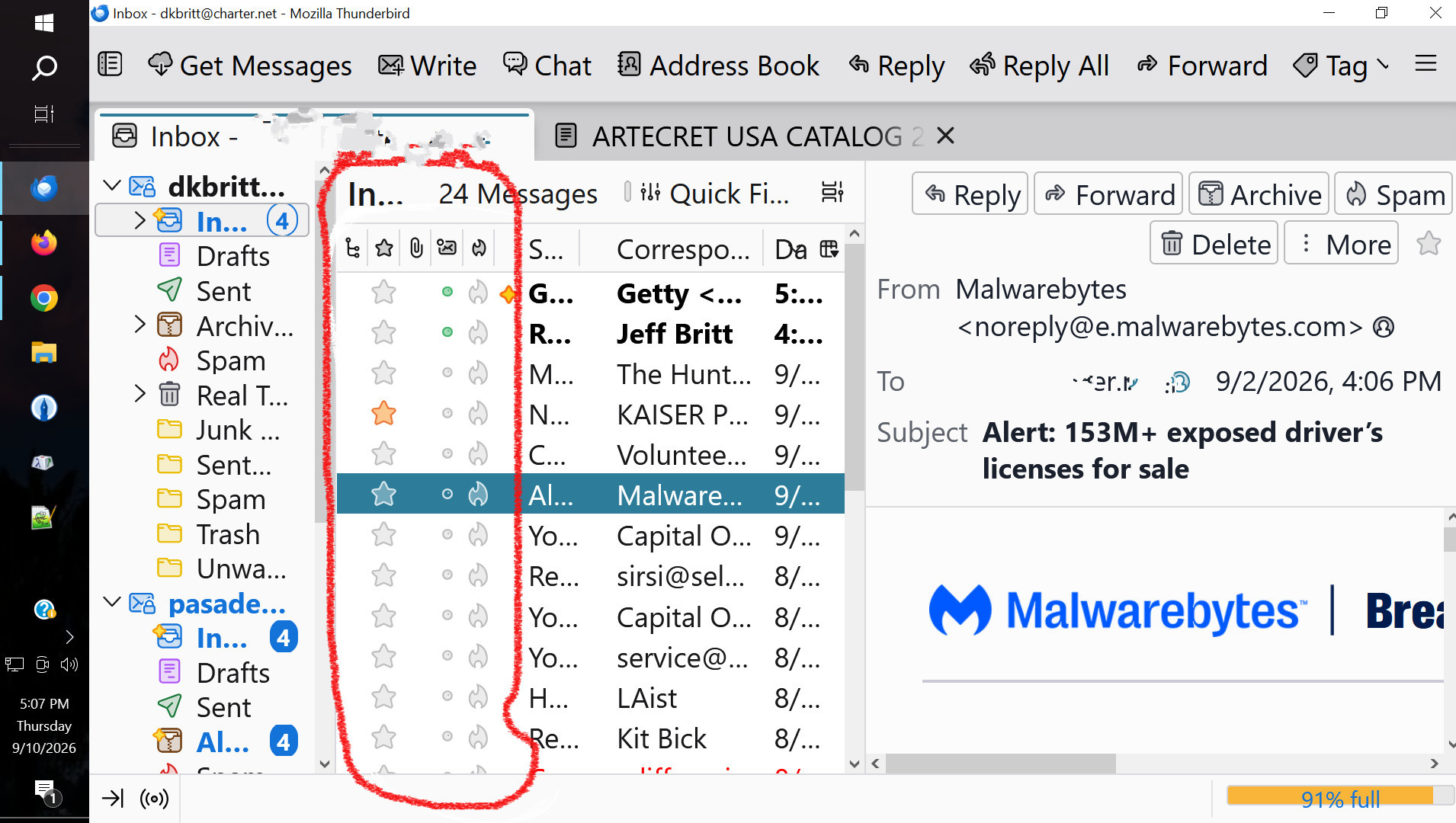
With my new monitor, I've run into a problem with the space available for the actual message. On the attached image, I'd like to completely delete the stuff circled in red. I don't use it and it takes up a lot of space. I've resized the first two columns as much as I can, but I still can't see any of my full messages unless I open them in a new window or tab, which is inconvenient.
Thanks for any help you can give me!
Wszystkie odpowiedzi (2)
right+click in the column header line to expose column selections
Wybrane rozwiązanie
Thank you so much, Wayne -- and so easy to do, too!!