


Windows 10 reached EOS (end of support) on October 14, 2025. If you are on Windows 10, see this article.

Przeszukaj pomoc

Unikaj oszustw związanych z pomocą.Nigdy nie będziemy prosić Cię o dzwonienie na numer telefonu, wysyłanie SMS-ów ani o udostępnianie danych osobowych. Zgłoś podejrzaną aktywność, korzystając z opcji „Zgłoś nadużycie”.

Więcej informacji
Otwarte

Why are bookmarks toolbar and bookmarks menu treated as separate entities?

schlauer fuchs

Hi,

In "Bookmarks in Firefox" I can't find answer on this question:

Why is the bookmarks toolbar not a part of the bookmarks menu? If that would be the case, the entire bookmarks toolbar would be part of a bookmarks backup!

However, by default, Firefox handles the bookmarks menu and toolbar totally separately, and by this, the bookmark backup only includes the bookmarks menu, but not the toolbar ! this is really a pity ! For that, in order to include the bookmarks toolbar in a backup, each time I backup, I firstly need to copy all folders and bookmarks of the toolbar into an extra created folder a la "bookmarks toolbar copy" located inside the bookmarks menu folder! And this copying takes time, if you have thousands of bookmarks in the bookmark toolbar !

Would it be not much better (to avoid duplicates) to just link bookmarks and also bookmark folders from the bookmarks menu into the toolbar? In other words: no extra folder for the toolbar. And a simple backup process too !

Or, simply, why does the backup just includes the entire top folder called "All Bookmarks" (which then would include Toolbar, Menu, Other and Mobile in the backup)

Thanks !
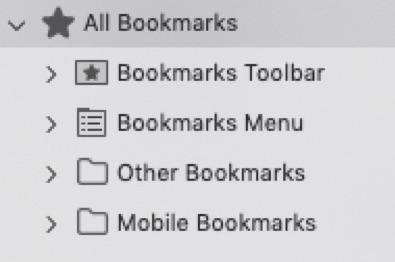
Hi, In "Bookmarks in Firefox" I can't find answer on this question: Why is the bookmarks toolbar not a part of the bookmarks menu? If that would be the case, the entire bookmarks toolbar would be part of a bookmarks backup! However, by default, Firefox handles the bookmarks menu and toolbar totally separately, and by this, the bookmark backup only includes the bookmarks menu, but not the toolbar ! this is really a pity ! For that, in order to include the bookmarks toolbar in a backup, each time I backup, I firstly need to copy all folders and bookmarks of the toolbar into an extra created folder a la "bookmarks toolbar copy" located inside the bookmarks menu folder! And this copying takes time, if you have thousands of bookmarks in the bookmark toolbar ! Would it be not much better (to avoid duplicates) to just link bookmarks and also bookmark folders from the bookmarks menu into the toolbar? In other words: no extra folder for the toolbar. And a simple backup process too ! Or, simply, why does the backup just includes the entire top folder called "All Bookmarks" (which then would include Toolbar, Menu, Other and Mobile in the backup) Thanks !
Załączone zrzuty ekranu

Wszystkie odpowiedzi (2)

These are sort of developer questions, not user forum ones.

The place for design queries is https://connect.mozilla.org/

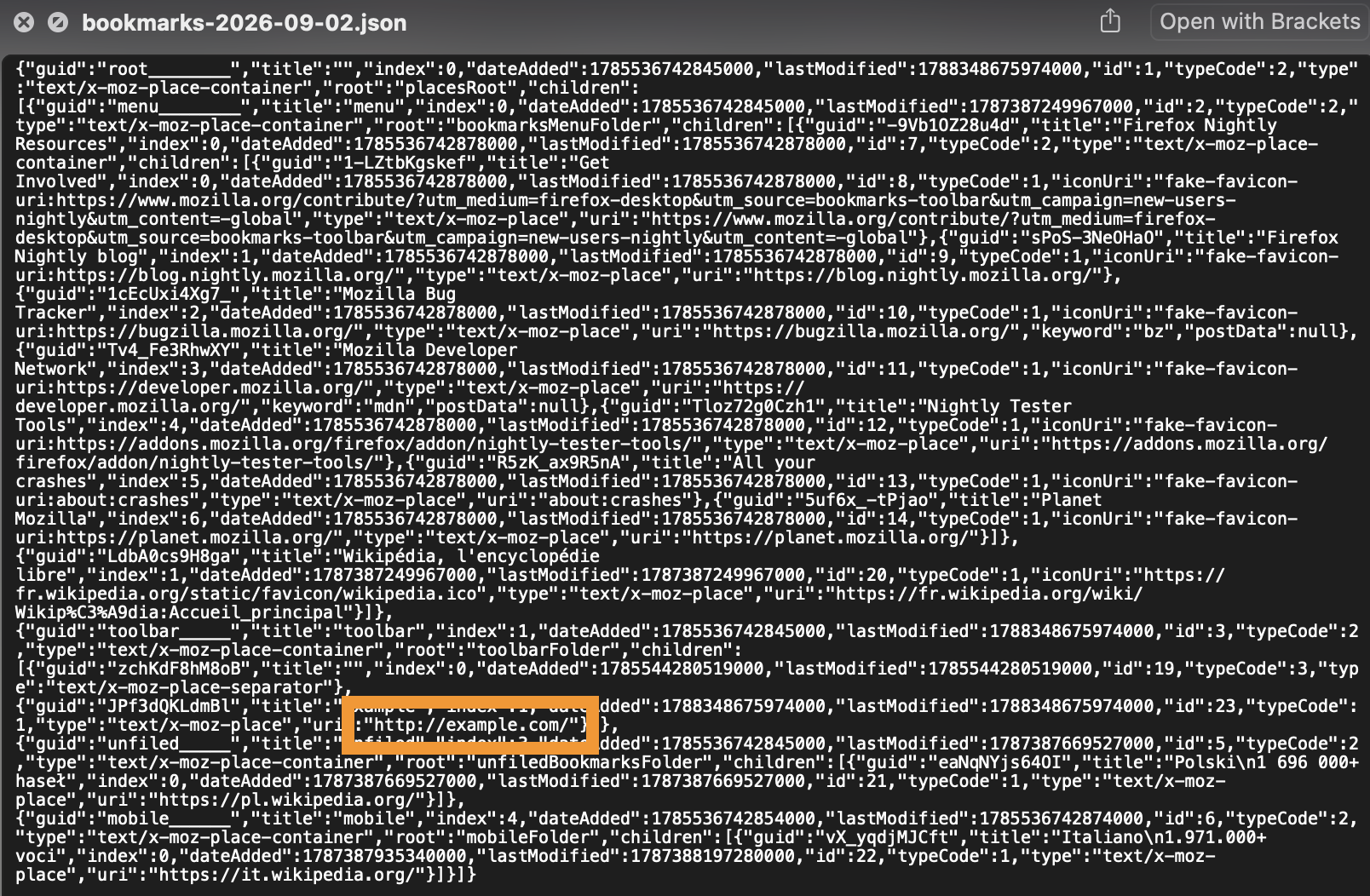
All bookmarks folders are included in a backup. If you don't have yours in there, it's a bug.

I just added an example one to the toolbar and ran the "Backup…" command form the Bookmarks library, and it's included there:
Zmodyfikowany przez jbr w dniu

Zadaj pytanie

Aby odpowiadać na posty, musisz zalogować się na swoje konto. Zadaj pytanie, jeśli nie masz jeszcze konta.