


Cannot turn VPN on

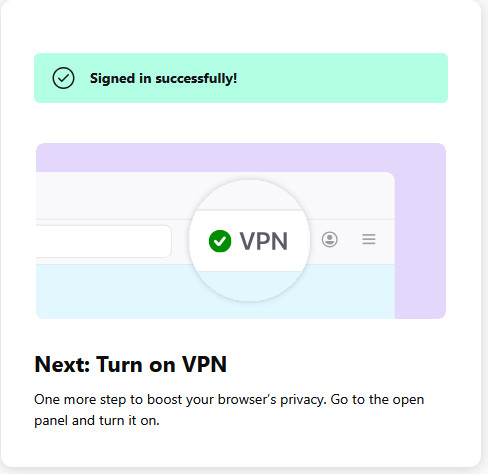
I have the VPN button on my toolbar but cannot turn it on. I click on it then log in to my account and get as far as the attached and the can go no further.
Wybrane rozwiązanie
Hello
Maybe, please, check, browser.ipProtection.guardian.endpoint https://support.mozilla.org/en-US/questions/1580378#answer-1823120 https://support.mozilla.org/en-US/questions/1597913#answer-1838653
Wszystkie odpowiedzi (8)
Hi Vic,
This looks really similar to /questions/1598932. Can you tell me what happen when you click on the Turn on VPN button?
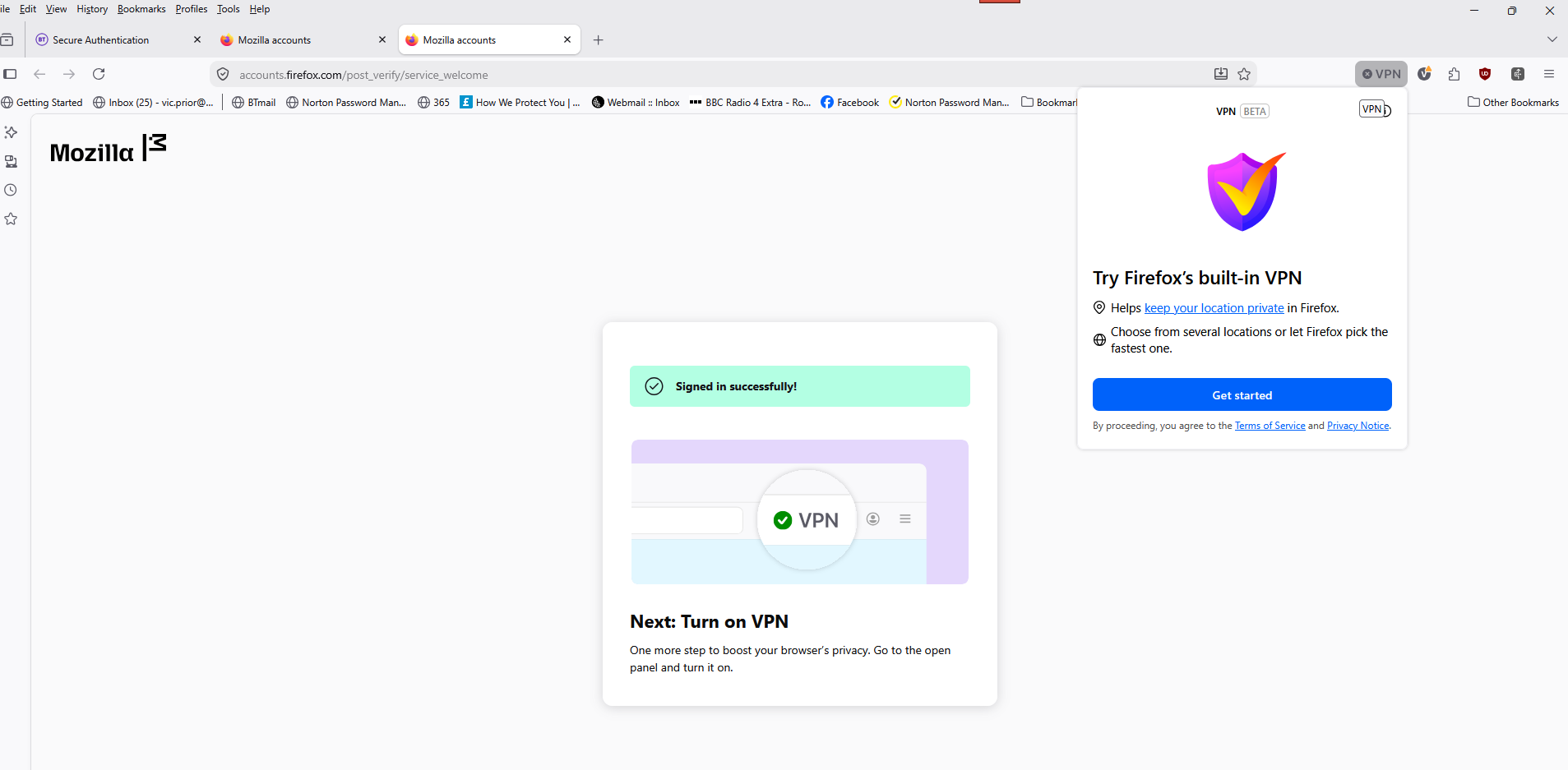
Hi Kiki, I cannot find a 'turn on' button or indeed which is the 'open panel' clicking on the VPN button in the toolbar just takes me round in the same circle. I have tried restarting my computer with the same results. I am using Windows 11 and Firefox 153.0.4 Thanks Vic
That doesn't sound right, indeed. Anyway, we just released Firefox 154 yesterday. Would you please update and see if it help?
Thanks Kiki, Installed the latest Firefox upgrade still the same. Same message - when I click on he VPN button the same reply! Any other suggestions please? Thanks Vic
That definitely doesn't sound right. What happen if you log out of Mozilla account and try to log back in?
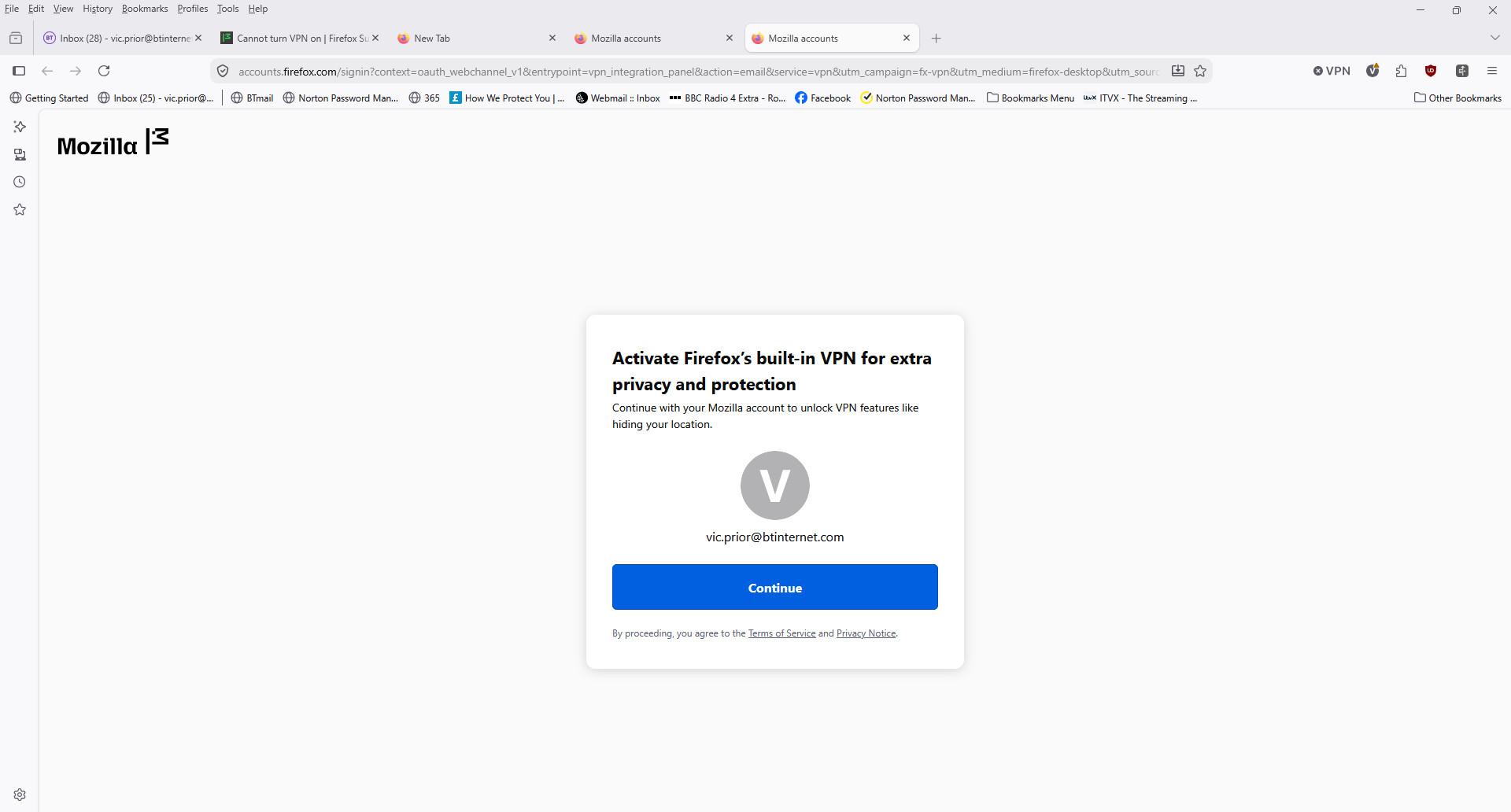
I get a slightly different message but when I click continue I get back to the same screen as my last email!!
Wybrane rozwiązanie
Hello
Maybe, please, check, browser.ipProtection.guardian.endpoint https://support.mozilla.org/en-US/questions/1580378#answer-1823120 https://support.mozilla.org/en-US/questions/1597913#answer-1838653
Hi Vic,
Do you still experience the problem?
I see that Agent virtuel's reply above is chosen as a solution. If it was you who chose it, could you please share some more details about what you did to resolve the issue? We are currently investigating it, and any info will help.