


is anyone else upset that firefox no longer actually deletes all cookies even though they say they do?

you have to delete over 5 times to get history and cookies to clear. Selecting "everything" never removes everything :( Used to be the best for privacy now its seemingly deceptive..
Wszystkie odpowiedzi (14)
Can you elaborate a bit more, or upload before/after screen shots? Are you saying that you're unable to purge "Cookies and site data" to "0 bytes"? Have you tried checking via the settings site data pane to see which domains from the list apparently stuck around?
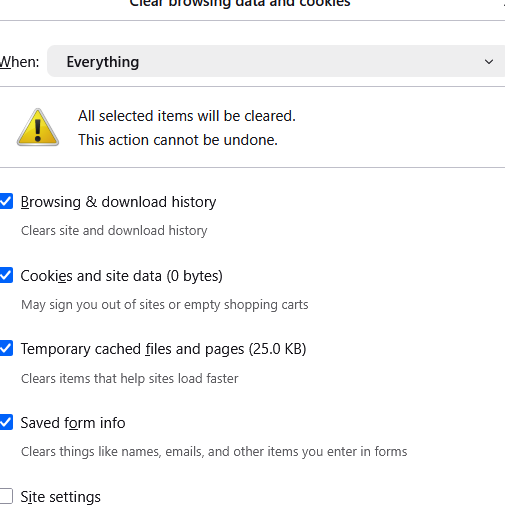
sure. first a screenshot of what it says after i have browsed for awhile (with strict browsing selected even) then after deleting browsing data once, then after deleting twice, then after deleting the THIRD TIME!!! and its super deceptive because if you choose to delete browsing data for lets say the last hour or the last two hour options, or since 12 am, it will say zero cookies left but then you go to 'delete everything' and find there's all kinds of cookies still there and they stay no matter how many times you click 'delete browsing data'.
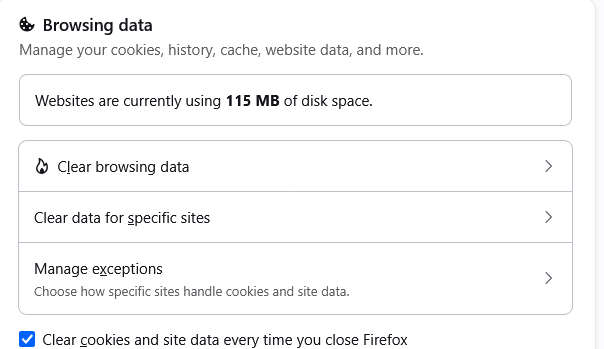
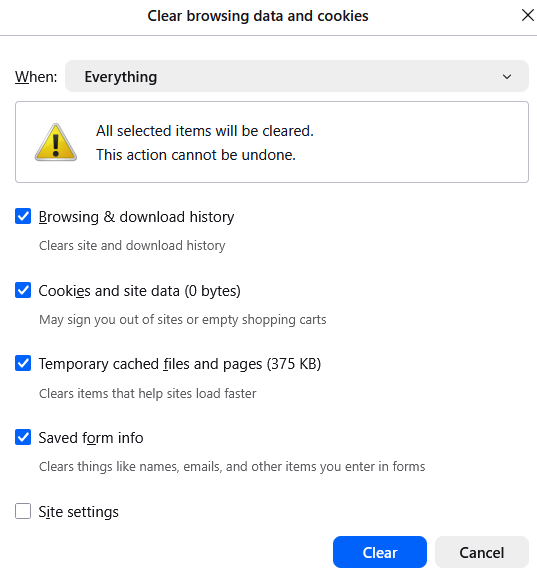
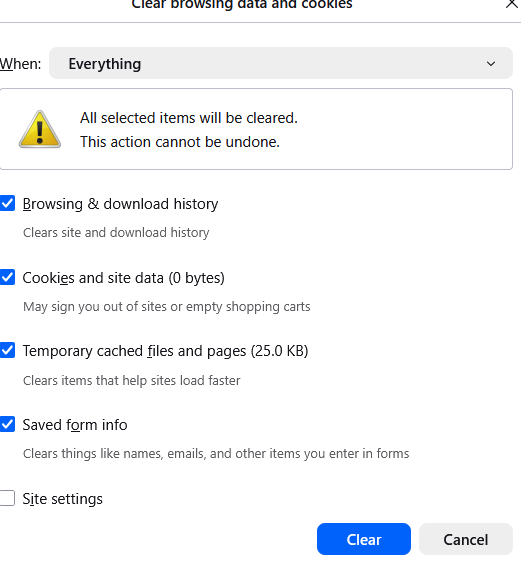
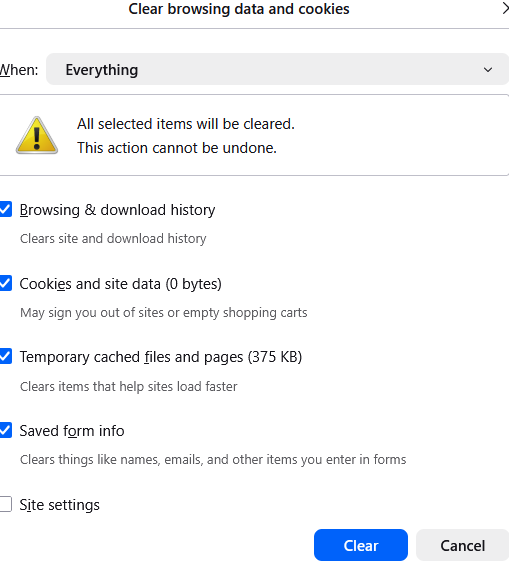
it happens even when i select delete site settings preferences
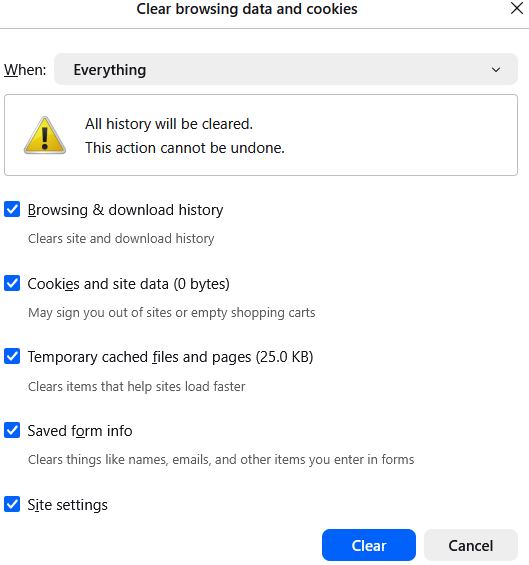
but then you go to 'delete everything' and find there's all kinds of cookies still there and they stay no matter how many times you click 'delete browsing data'.
You say the cookies are there but none of your screenshots show any cookies ...
oh you're right amoun, the problem was that i worded my response wrong
"unable to purge "Cookies and site data" to "0 bytes"
big fat eye roll
Third time the charm. Your "Cookies and site data" show "0 bytes" in all the screenshots.
Did you find any when you went into the per–site partitioned data panel? Or how you can tell some were not removed?
Please draw in your screen shots if necessary.
It still shows its retaining temporary cached files and pages info even though i have selected clear EVERYTHING!
   I realize that i can get it to clear almost everything if i do it 5 to 10 times but that was never my question.  The original question i posed is "is anyone else upset that firefox no longer actually deletes...."
 What used to be a trustworthy company is now just like all the others and what's even worse is that every time i open this page it also gives itself the ability to use cross site cookies even though i have never allowed that and chose 'enhanced tracking protection' !!! I am looking for a different browser that actually doesnt track me and store info when i say not to.
You might be confusing terms, different features and some networking essentials here.
It does not "retain" temporary cached files and pages — they just fill right after clearing with fresh data — as even the browser with zero tabs and no user traffic needs to have some basic assets pulled from the delivery networks for its use (so what you see even without navigating anywhere is things like homepage content, regional search engine availability, their cached favicons etc. for the builtin features), and any service workers that you might have registered with sites.
I recommend cutting off any network, pulling cords, turning off routers — and then when you clear the data, you'll see that with no downlink there will be no new cache created, as the content is unavailable.
… but that was never my question. The original question i posed is "is anyone else upset that firefox no longer actually deletes...
I guess the answer is no. Being open source everyone can check the code responsible and make an opinion based on that.
to tech geeks like you its always the users fault, even though this is a recent phenomenon, firefox always entirely deleted everything as recently as about 6 months ago. And they have removed the option to clear history as a separate feature as well now. And did you forget to chastise me for saying they also override users choices on allowing cross site tracking cookies here?
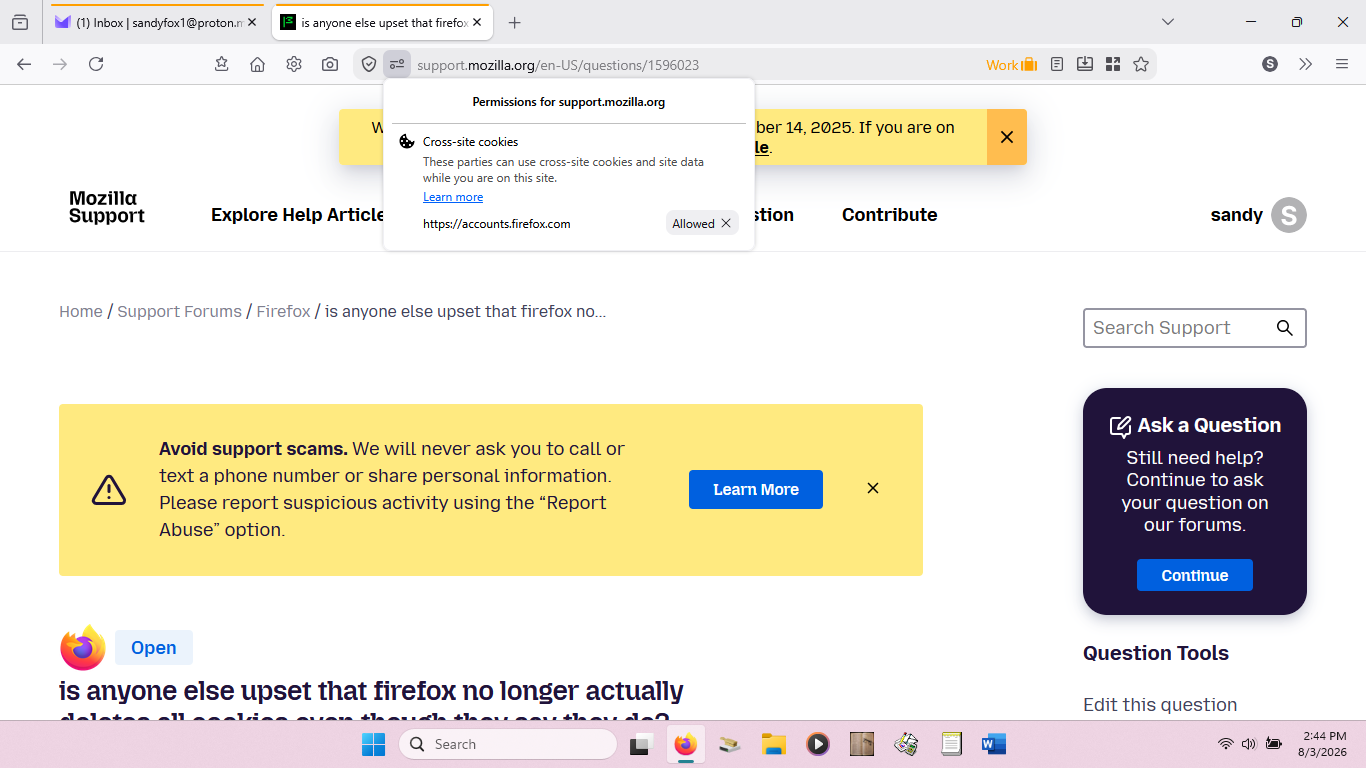
Im done being insulted by you, your answer was that i am stupid because I dont know that the browser wont work unless there are retained temporary cached files and pages blah blah blah but if you click your heels, stand on your head and snap your fingers then click delete everything 4 times and then click delete the past 2 hours once and then click delete everything again poof! A MIRACLE, the thing still works with no data stored at all! and it didnt even crash the whole internet!! shocked face
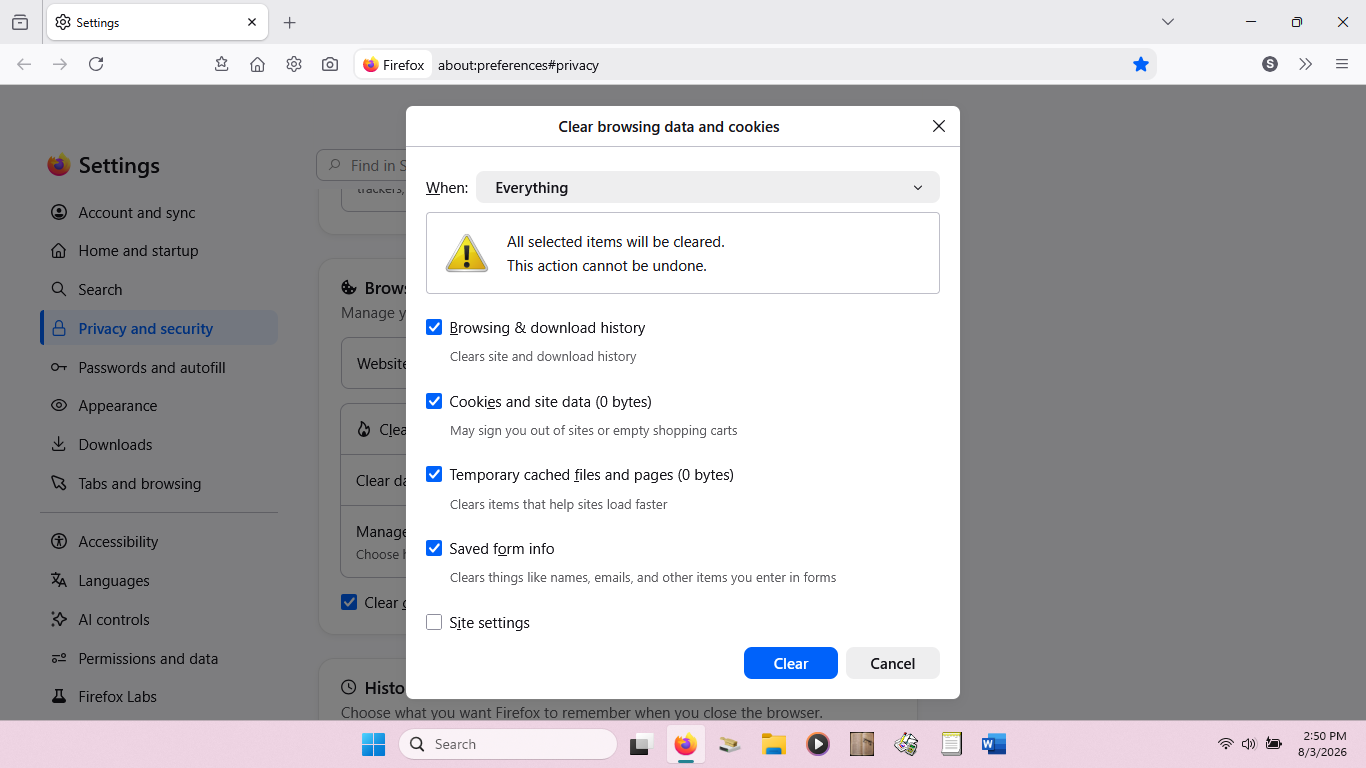
Sadly I don't want to delete all my cookies as I use a strict option and only allow named sites, so it would be a pain to do it all again, so won't be checking if it works.
All the best. Maybe someone can find the way to delete all in one click and post here.
Any support you get is limited by the information you provide. That's the reason why "anyone else upset that firefox no longer actually deletes all cookies even though they say they do?" the answer is "not really", as it turns out you were concerned about cache sizes, not cookies, after removal (i.e. random traffic temporary storage, nothing either sensitive or site–specific unless older partitioned values are kept).
Observed in recent testing, these caches are populated even by the browser's functions without ever opening any site (nb: the home page and other remote services) even on clean install, so these don't necessarily map to particular sites. If you said you wanted to explore the caches, not cookies, right in the beginning, I'd recommend checking about:cache internal page between the purges — that shows the partitions for both memory and disk, and no matter any storage occupied or reported, this is the actual keying of content to sites that's the source of truth for what's available to the origins.
If you feel there is a bug that first three cleans do not work, and only the fourth resolves that, it's worth filing in bugzilla — and these cache state dumps between each attempt would help understand the behavior.
(I'm not following the other tangents, so feel free to open any further thread about SSO heuristics for passing cookies on login, and what you feel is missing from history removal functionality nowadays as separate questions — perhaps with a description with what you feel is not behaving correctly or what's changed for you, so somebody could advise if there was any change in these workflows.)
Since this thread was more about Cache and not Cookies here is the related KB article https://support.mozilla.org/en-US/kb/how-clear-firefox-cache
Also the old KB article about Trojans and such found in Cache. https://support.mozilla.org/en-US/kb/Firefox%20cache%20file%20was%20infected%20with%20a%20virus
And from https://support.mozilla.org/en-US/kb/Glossary#cache
cache A collection of web page copies stored on your computer's hard disk or in its random-access memory (RAM). Firefox accumulates these copies as you browse the Web. When you click a link or type a URL to fetch a particular web page for which the cache already contains a copy, Firefox compares the cached copy to the original. If there have been no changes, Firefox uses the cached copy rather than re-fetching the original, saving processing and download time.