


In eBird.org, sonograms of bird songs do not work on this laptop (Win10 updated),

I use eBird extensively. When I try to play the audio (with sonograms), I get a message that says "We are still processing this file. Try again later". These files perform well on my Android phone, so I know it it is not eBird's glitch. I am confused about the setting options on Firefox that I need to set. These files are usually .wav format. I have tried to open a ticket with eBird, but have not had a response. Can you guide me? Thanks.
Wszystkie odpowiedzi (11)

Hi,
Please can you try logging in and out of the website, then following the steps below to reload the page while bypassing the cache. This forces it to fetch a fresh copy of the data/audio:
Reload the webpage while bypassing the cache using one of the following steps:
- Hold down the Shift key and click the Reload
 button in the navigation toolbar.
OR
- Press Ctrl + F5 or Ctrl + Shift + R (Windows and Linux)
- Press Command + Shift + R (Mac)
Let us know if this solves the issues you are having, there are other steps we can perform to try and fix this.
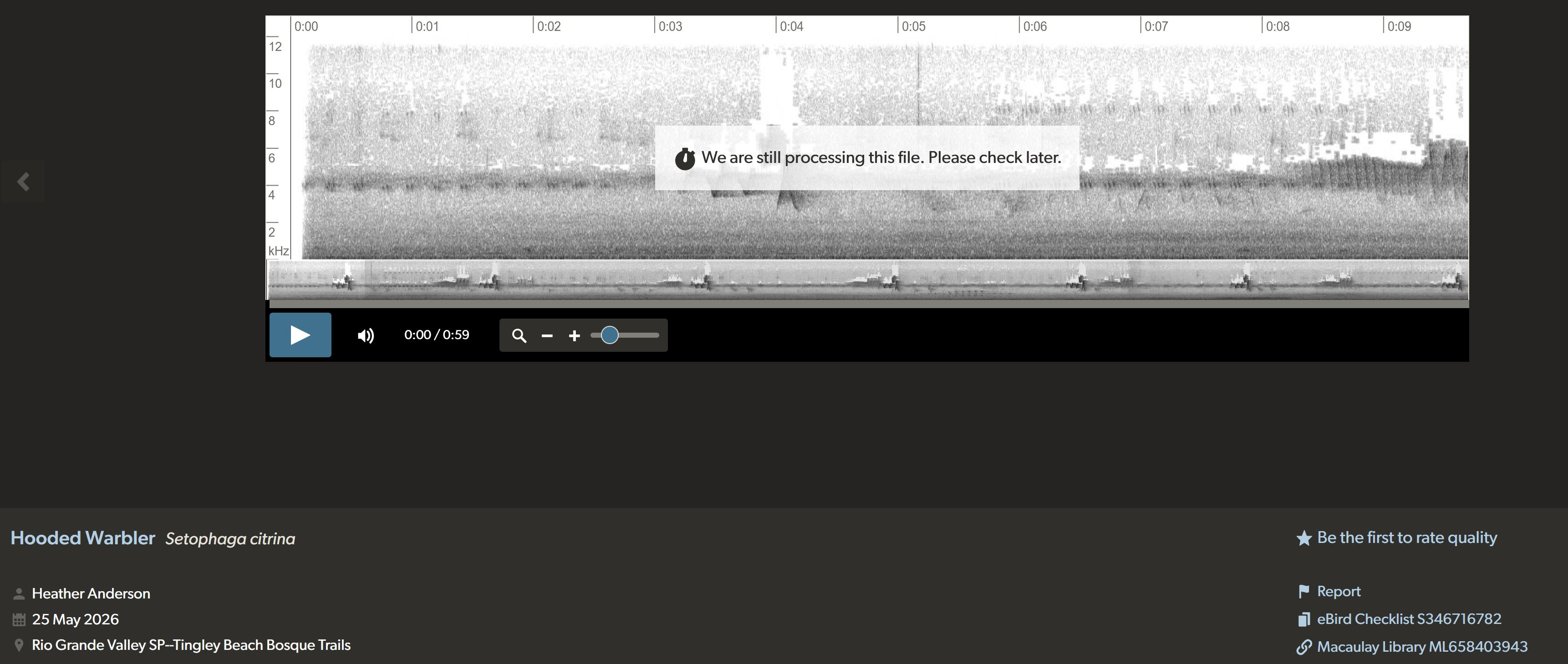
The Windows commands did not work, Here is an example:
Please can you press Ctrl + Shift + K when you are on the page, and send us a screenshot of what appears (there may be multiple screenshots needed as you scroll down it).
It's normal to have some errors, these aren't a sign that anything is wrong with your computer.
So, I repeated the Control+Shift+K again on a recent checklist and found out that Fingerprinting was involved. But I am nervous about doing the wrong thing and messing up more; my IT skills are rusty. I am attaching an image of the results. Thanks.
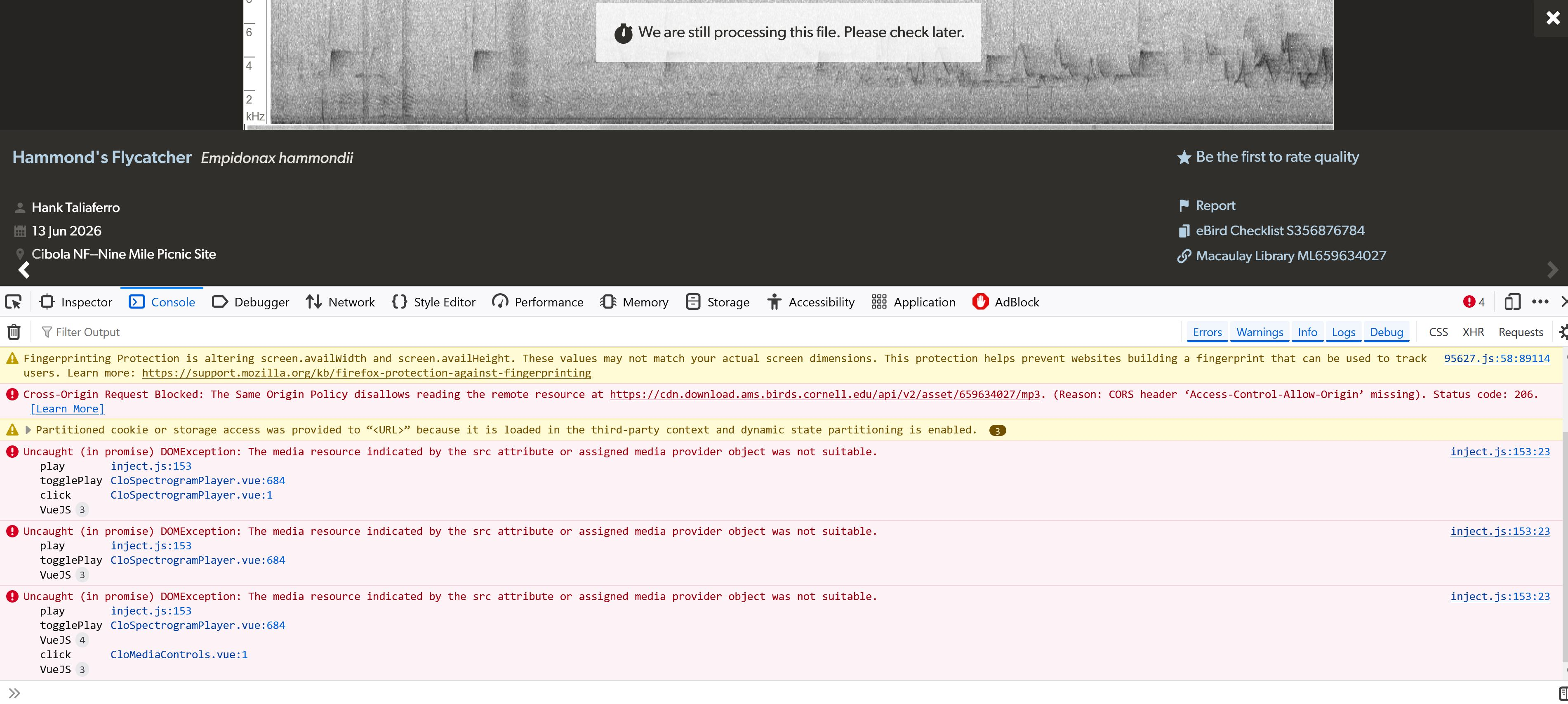
Please can you temporarily turn off your AdBlock extension and see if that fixes the issue?
Hi Isaac, I have all of my ad blockers off on eBird. They are not the issue. Please read the entire status report on the attachment. It is a deeper issue within Firefox. Thanks. Susan
I see from the debug information that you have VIPRE Advanced Security installed, please can you try temporarily turning it off including any extensions it uses (there may be an option inside VIPRE) and trying to load the page again?
Additionally, please can you try again with your eBird assistant extension disabled?
Zmodyfikowany przez Isaac H w dniu
I don't believe Vipre is blocking eBird in any way; it is not on anything listed on their site. I did send them a support ticket just to be sure. The problem seems to be with Firefox security and fingerprinting, but I don't understand exactly what to do to fix it. Can I get someone to walk me through the process? I sent you a .jpg of my evaluation of my site. The remarks are at the end of the message.
Just for reproduction purposes: I'm using the first media here: https://media.ebird.org/catalog?taxonCode=hamfly for the same asset as above — and it works without CORS errors and further JS exceptions (like having no MP3 source) loading fine from its cornell.edu CDN storage (served by AWS/cloudfront). It can be equally played back at the original library UI: https://macaulaylibrary.org/asset/659634027
I'm successfully playing that sound on both v151.0 and v153.0a1 in "factory" settings on macOS. (I'm however getting the app & assets served from a different geo location which might mean even different version/hash so it's not entirely comparable — they might be rolling out deployments progressively around the globe.)
I'd suggest restarting into Troubleshoot Mode first to eliminate one class of external influences, and then either create a separate clean profile for testing or download one extra browser version to compare without any existing stored data impacting the results if the errors persist.
eBird works on Edge. Sorry to have taken up your time.
For that there's steps documented in Firefox can't load websites but other browsers can — the most relevant sections are "Firefox cannot load certain websites" (instead of removing the historical data simply trying in Private Window might be analogous enough), and "Check if an extension is causing the problem" for which the fastest test is restarting into Troubleshoot Mode that doesn't allow loading any addons so they can't amend the network requests.
Also one last note — the response from cornell.edu seems specific for you — in case you have been using their other services they might keep a session for you and customize the responses based on that. Not sure if you regularly interact with other Cornell services, but that's another reason to potentially verify in Private Window, to rule out any customization from their side, in case they keep a session for you.