Attempting to install Thunderbird on an additional desktop using same address as my original computer has.

Attempting to install Thunderbird on an additional desktop using same address as my original computer has. That was my question:
Lin answered: Please quote any and all error messages you see, in full, verbatim. Screen shots would be OK.
Who is your email provider?
Have you compared all account settings, not just the email and password?
Here's my answer to those questions: "Authentication error" "probably wrong configuration, username or password."
My email provider is MTA (Matanuska Telephone Association) Yes, I currently use Thunderbird in my other desk top and it works fine.
Wszystkie odpowiedzi (7)
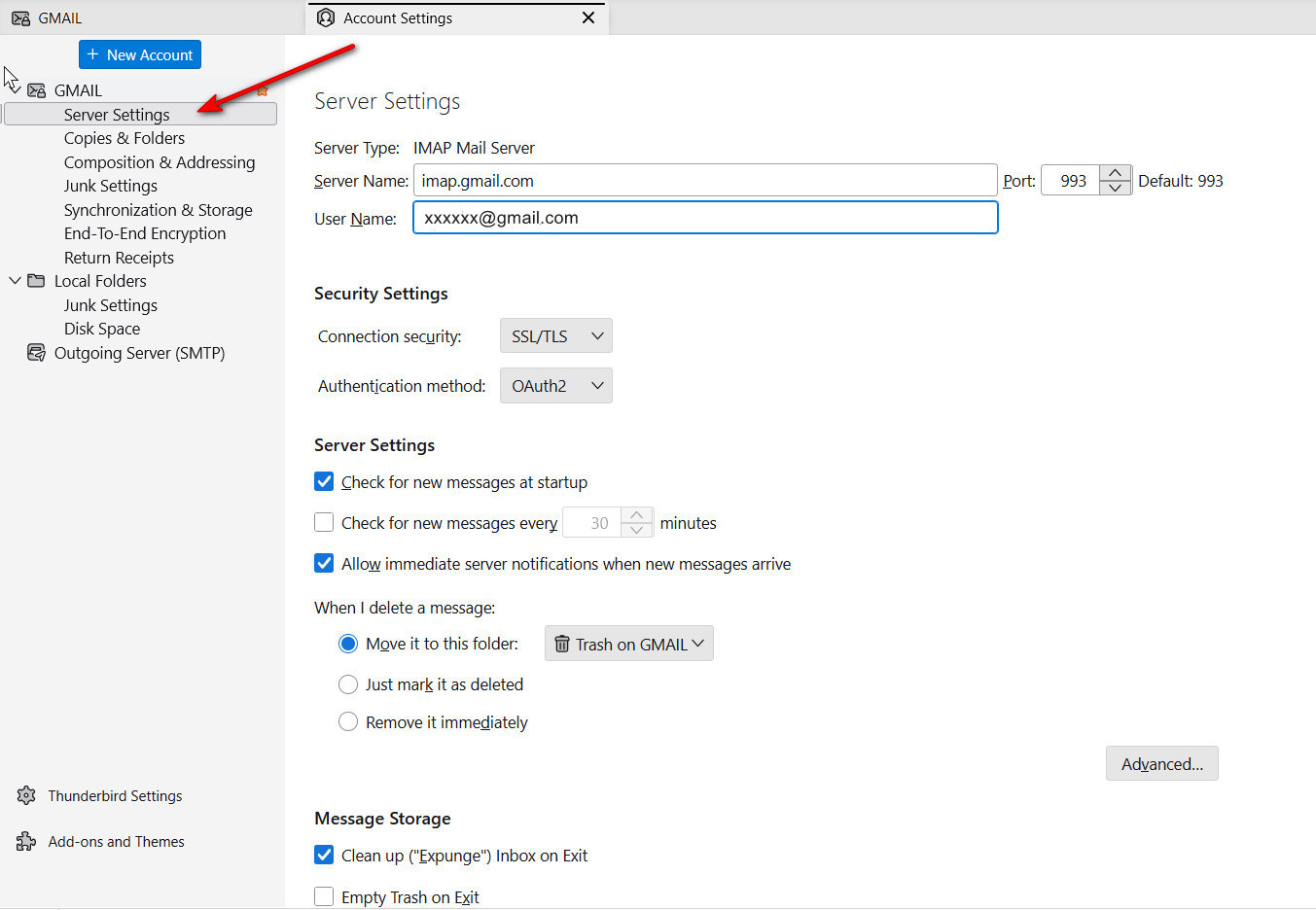
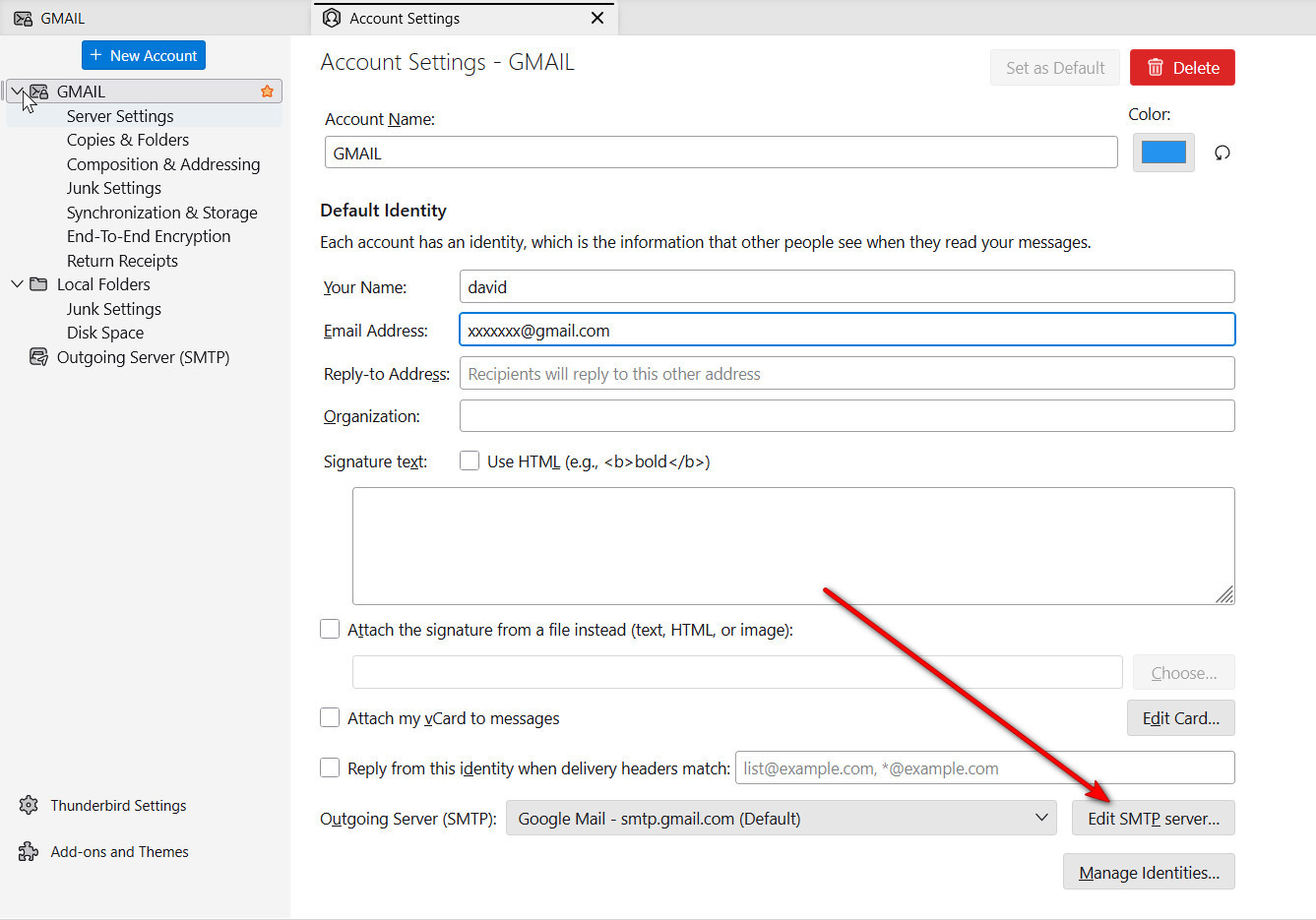
PLEASE stay with original thread when posting here. Posting twice just causes confusion and extra work. You might also do this: - post screenshots of your server setup from the PC that works, and the same screenshots from the PC where it does not work. That may be very helpful. thank you. If unsure where these are located, I attached screenshots to assist.
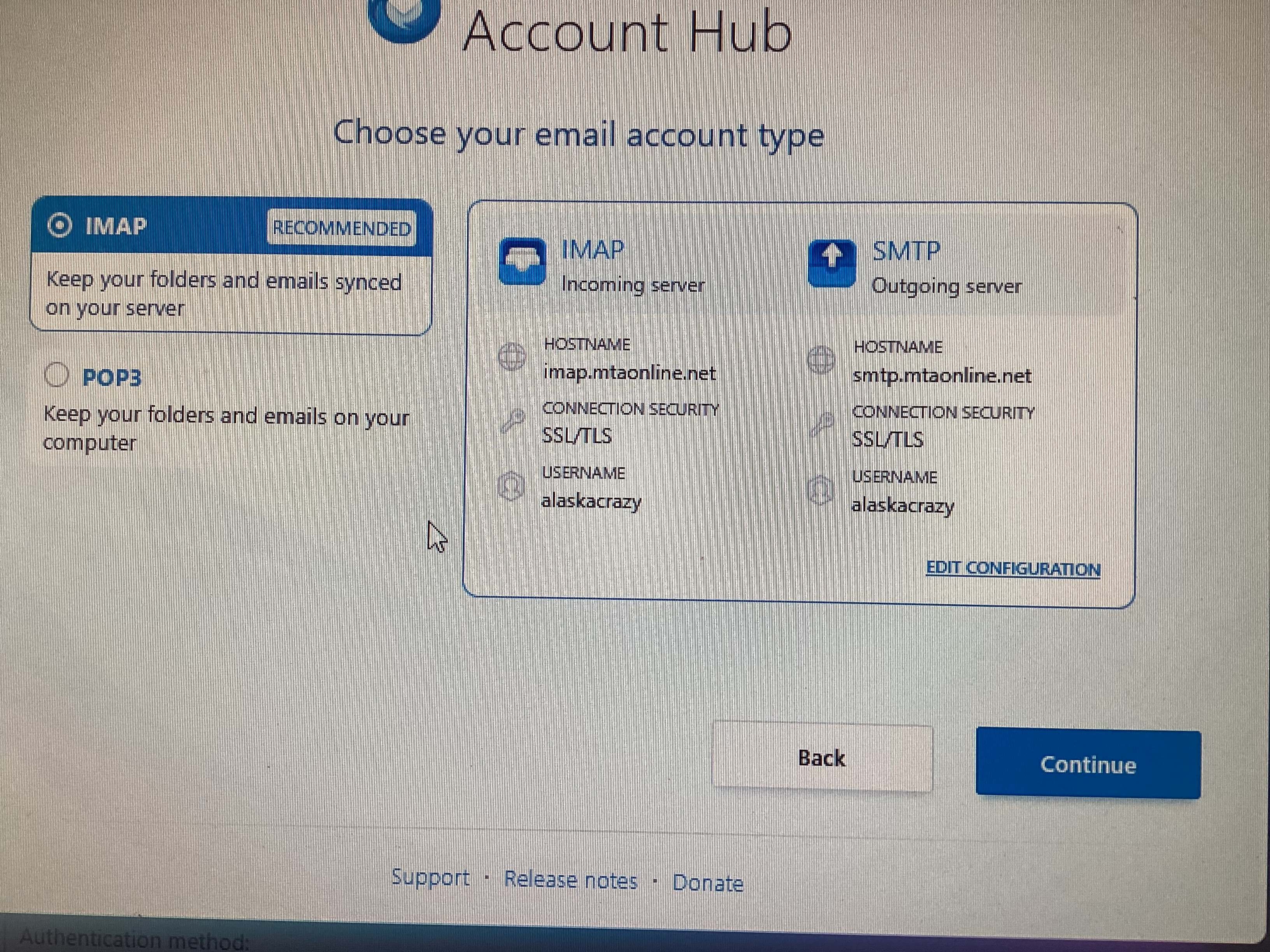
Sorry, I didn't see the little link at the bottom of the page to reply to. I don't know a whole lot about computers and am having difficulty doing this. I can't take screenshots because I'm not sure how to. The desk top I'm trying to set up won't let me get past the account Hub where it asks for name then it goes to email account type. Its says "configuration found by trying common server names" "IMAP" is hi-lighted ...then Imap, Incoming server Host name; imap.mtaonline.net, connection security SSL/TLS, username alaskacrazy. then under SMTP, outgoing server Host name smtp. mtaonline.net connection security SSL/TLS, username alaskacrazy. . Then I click continue.....(your credential will only be stored locally on your computer) password: I then put in the password (should I tell you it?) I hit continue and then I get an Authentication error, unable to log in at server. Probably wrong configuration, username or password. And thats as far as I can get.
I attempted a screen capture using an Ipad to take the images. the first 2 are of the original computer and the second 2 images are of the new desk top computer.
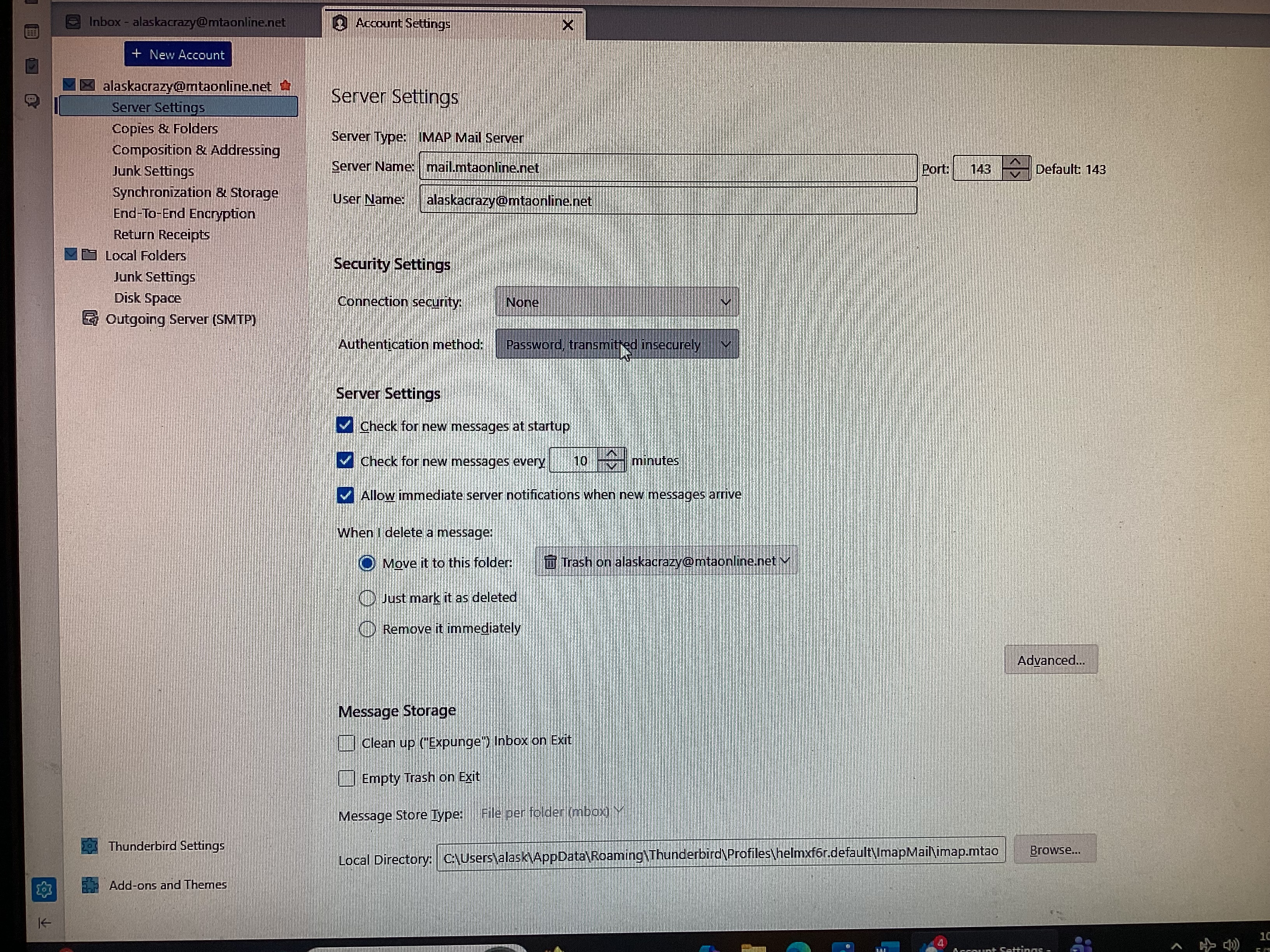
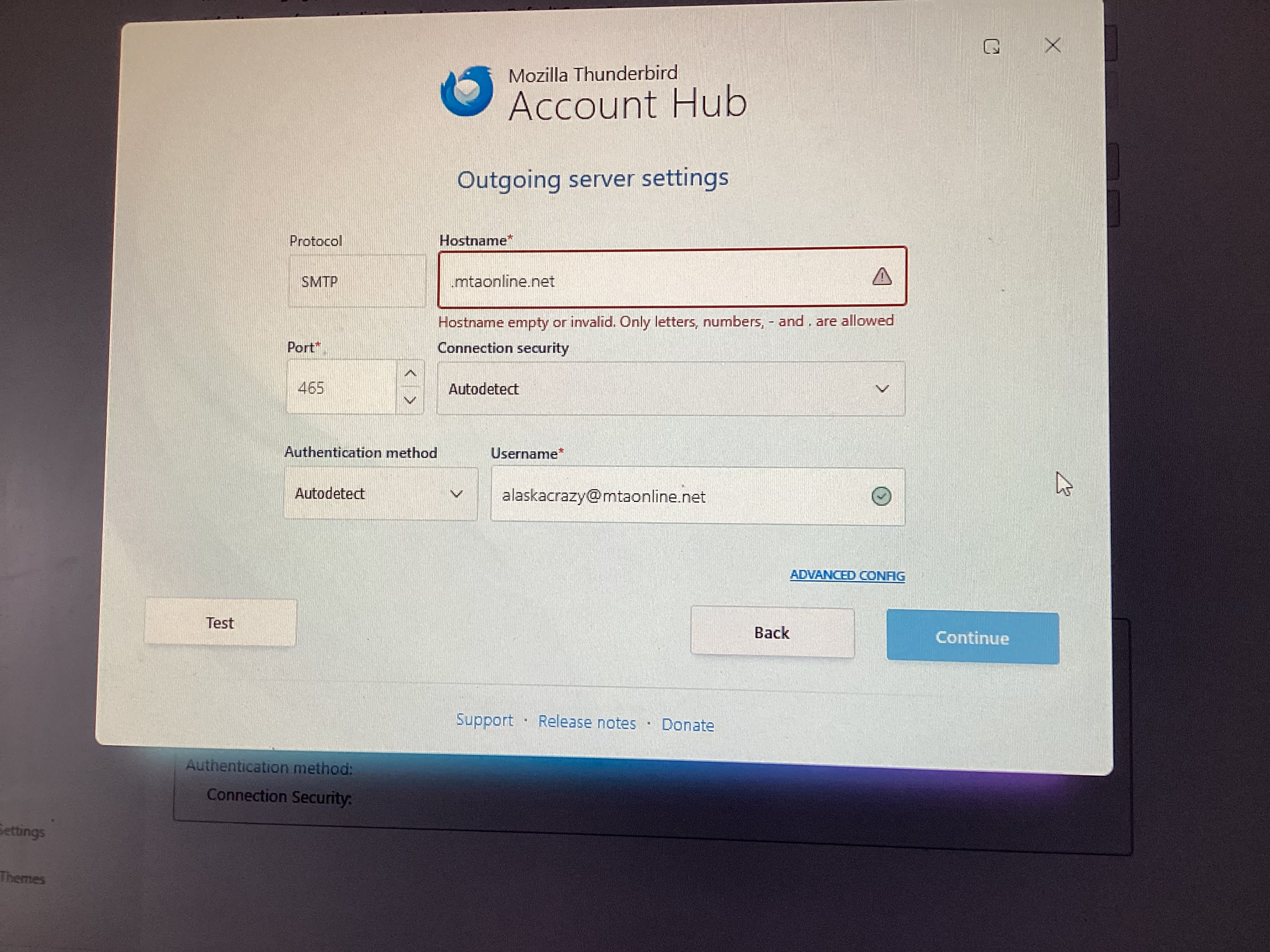
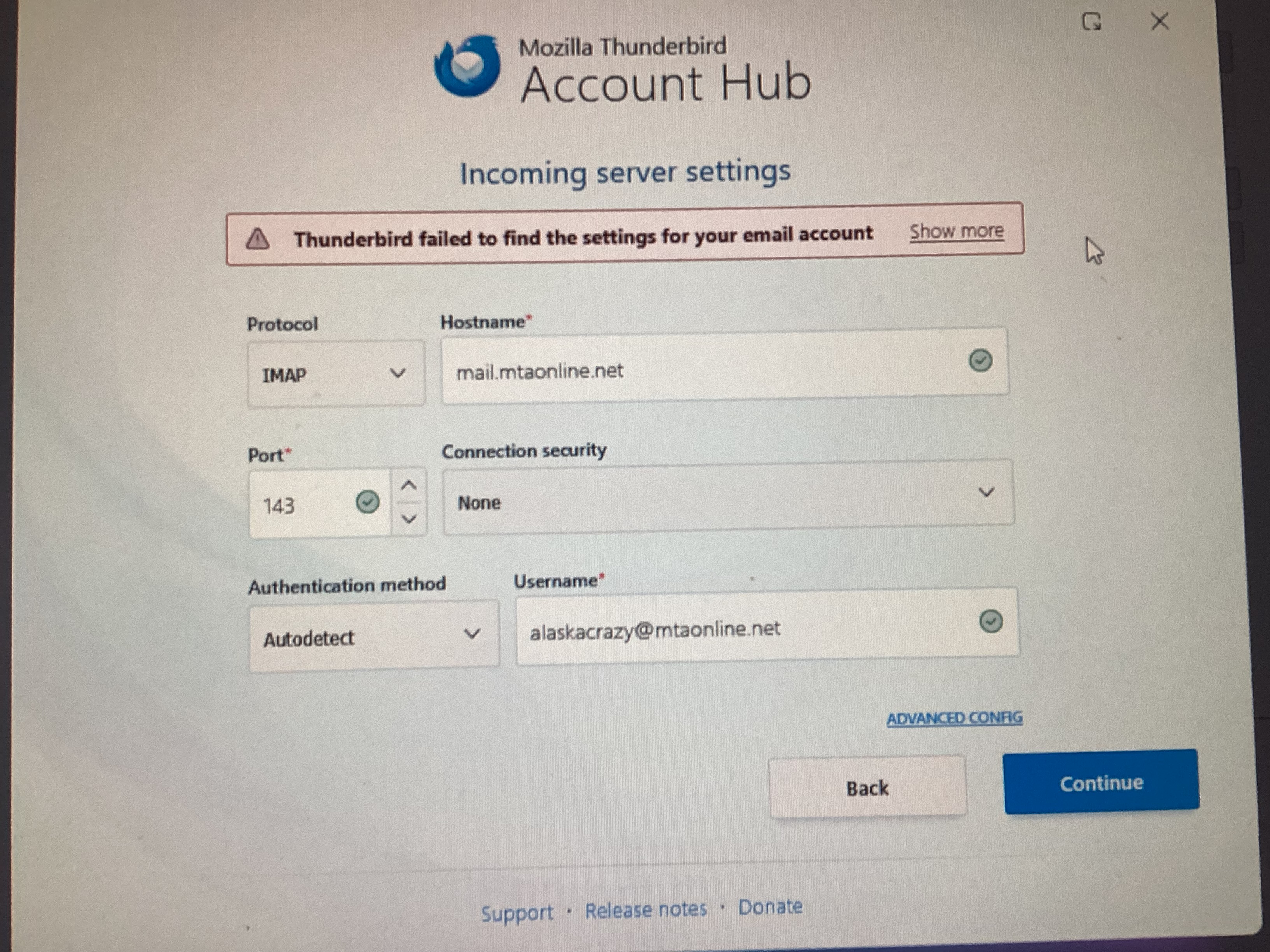
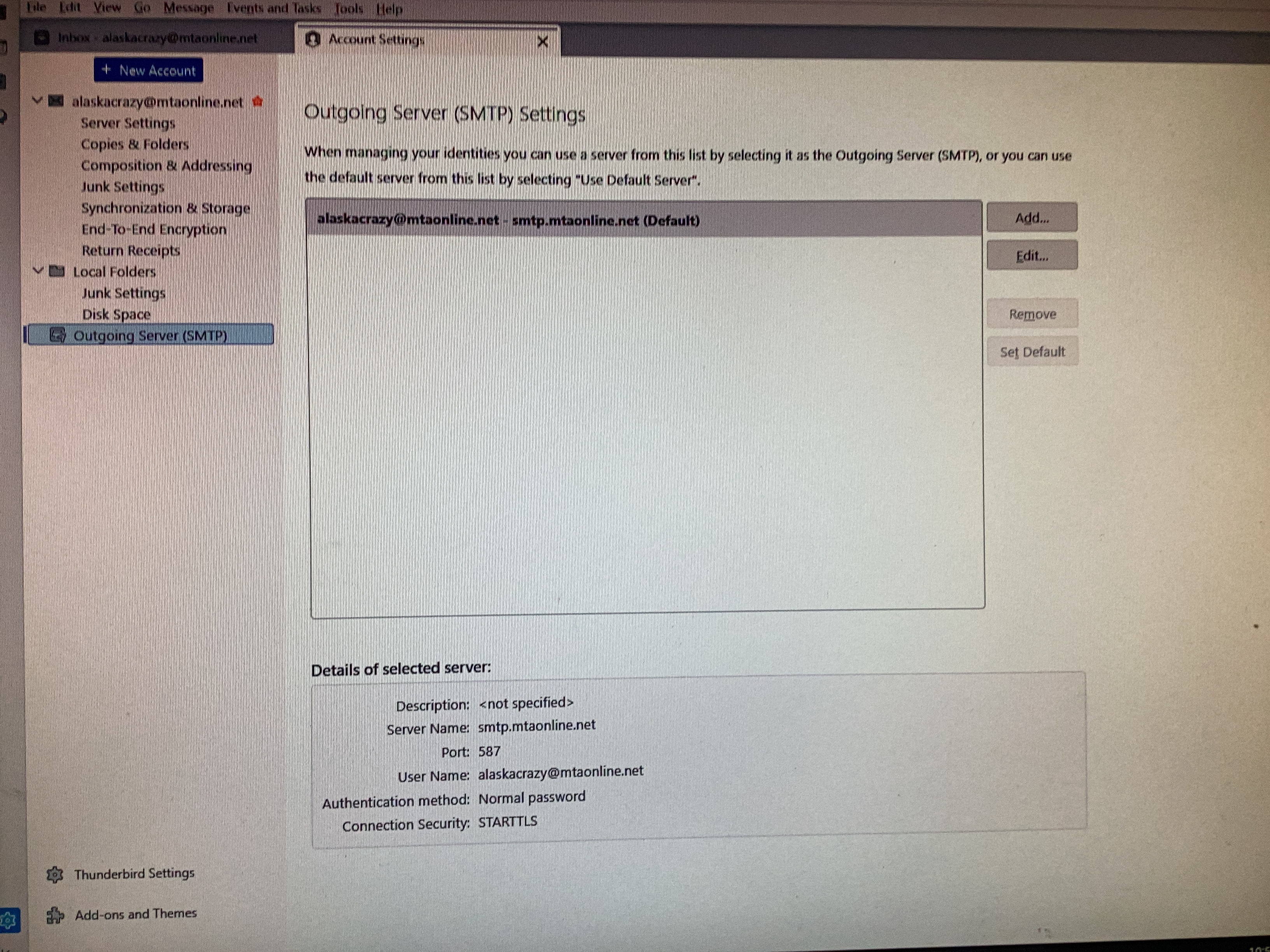
Are you letting thunderbird do the work? When I let thunderbird do the work, it finds imap.mtaonline.net as the server, not mail.mtaonline.net, and it has SSL/TLS connection security where you have none. What, in detail, are you doing? thank you
I'm 82 and not familiar with all this stuff. I just have been clicking on the prompts and do what it says. Attached is a photo of the new computer and what it says.