Firefox crashes when I click pop out video button.
When Firefox updated 149.0.2 to 150. Every time, I am watching video any site when I click the pop out button Firefox crashes and sends a report. I copied the text file from two of them(last one copied to share data). I do disk image backups and went back to before the update 149.0.2. Turned off auto update in setting and everything is ok now. Any suggestions?
When Firefox updated 149.0.2 to 150. Every time, I am watching video any site when I click the pop out button Firefox crashes and sends a report. I copied the text file from two of them(last one copied to share data). I do disk image backups and went back to before the update 149.0.2. Turned off auto update in setting and everything is ok now. Any suggestions?
Wybrane rozwiązanie
This is what fixed PIP for me on 3 computers with ESET Internet Security. ESET 19.1.12.0 eOppBrowser.dll 1.0.169.0
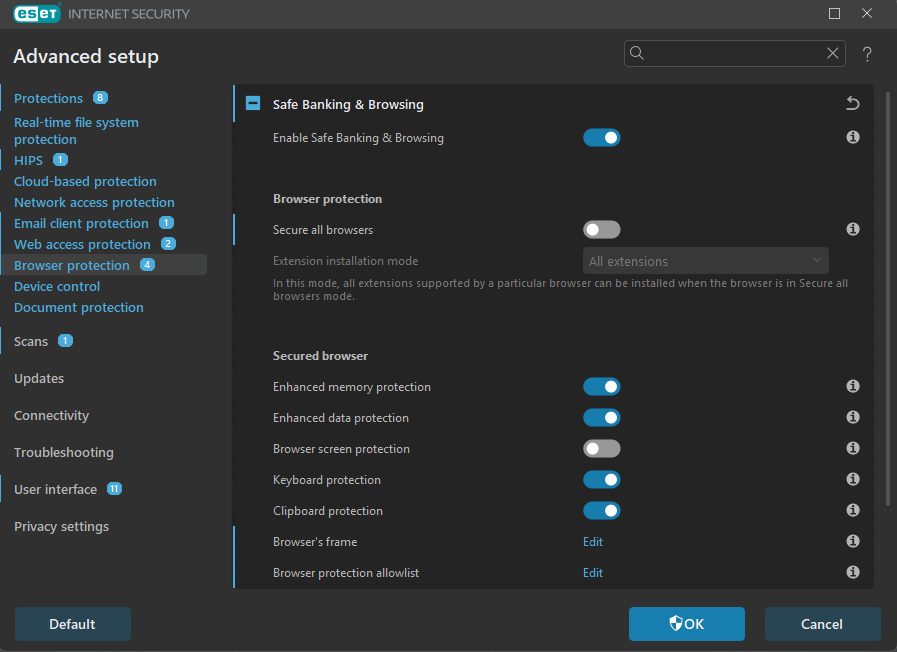
Turn off "Secure all browsers":
    In Advanced Setup (F5), go to Browser protection → Safe Banking & Browsing.
    Toggle Secure all browsers to Off.
    You can also Edit "browser protection allowlist" here.
Firefox Crash Reporter:
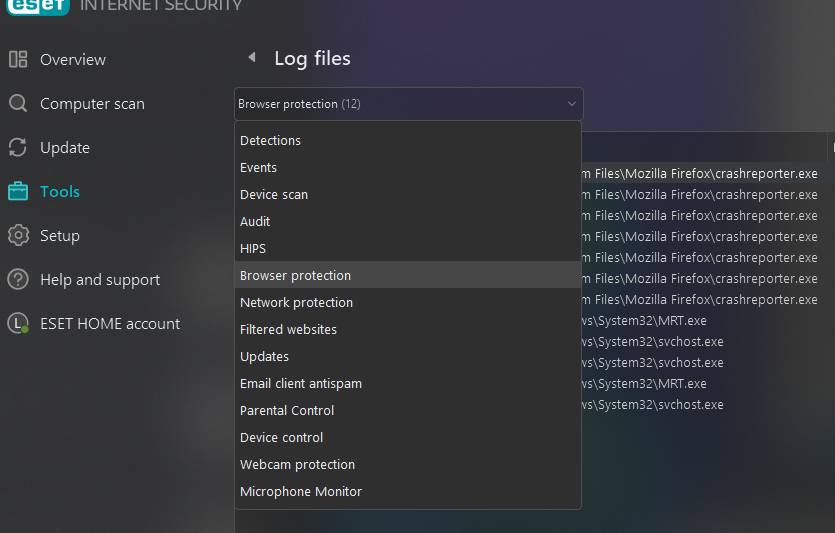
   Go to Tools → Log files → select Browser protection from the drop-down menu.
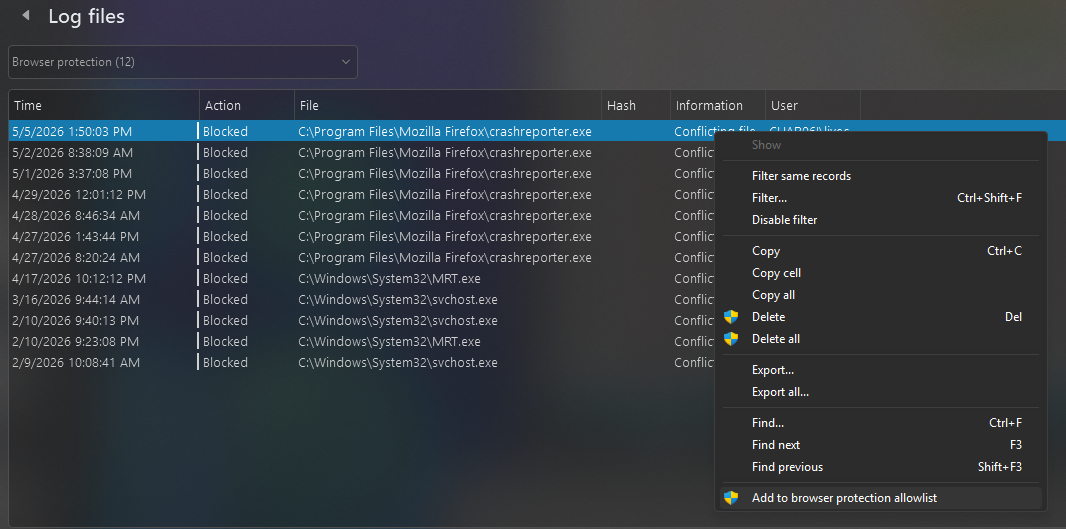
   Right-click the blocked entry for C:\Program Files\Mozilla Firefox\crashreporter.exe.
   Select Add to browser protection allowlist. This restores standard about:crashes logging.
Przeczytaj tę odpowiedź w całym kontekście 👍 0
Wszystkie odpowiedzi (1)
Wybrane rozwiązanie
This is what fixed PIP for me on 3 computers with ESET Internet Security. ESET 19.1.12.0 eOppBrowser.dll 1.0.169.0
Turn off "Secure all browsers":
    In Advanced Setup (F5), go to Browser protection → Safe Banking & Browsing.
    Toggle Secure all browsers to Off.
    You can also Edit "browser protection allowlist" here.
Firefox Crash Reporter:
   Go to Tools → Log files → select Browser protection from the drop-down menu.
   Right-click the blocked entry for C:\Program Files\Mozilla Firefox\crashreporter.exe.
   Select Add to browser protection allowlist. This restores standard about:crashes logging.