


I've been unable to send or receive e-mail to and from my main business e-mail account in Mozilla Thunderbird

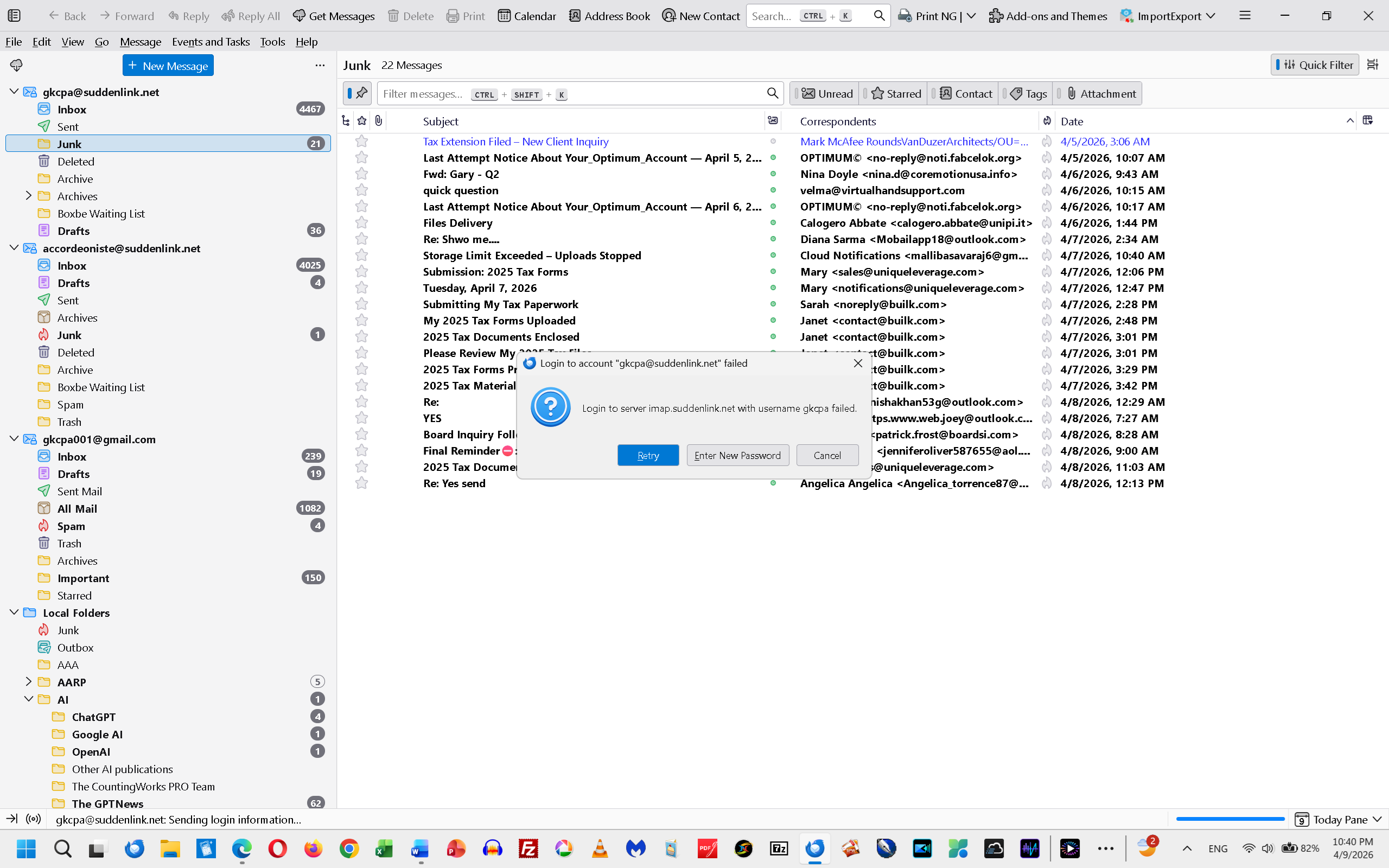
Either yesterday or today, I was prompted within Mozlla Thunderbird to enter my password before I could download e-mail sent to my main business e-mail address, [edited]@suddenlink.net. I did that, expecting to see my latest mail haul from that account downloaded to my inbox. I was therefore unpleasantly surprised to see that my e-mail login failed, with the message:
"Login to server imap.suddenlink.net with username [edited] failed."
Yet, I was able to log into my webmail account for [edited] online with that same login and password.
I then tried updating the password, thinking that the Optimum server was requiring that I do that as a security measure for the entire network. After restarting the system, I logged back into Thunderbird and tried to view my [edited]@suddenlink.net e-mail.
Even after doing all that, I failed to gain access to my latest e-mail deliveries to [edited]@suddenlink.net.
Can anyone help me to restore my access to my e-mail account [edited]@suddenlink.net in Mozilla Thunderbird? I can view or send the e-mail in my webmail account, or on my Smartphone. However, those methods are considerably less convenient than relying on mail delivery to or from Thunderbird.
This sort of setback has happened before. Whenever it happened it was difficult to solve. Attached is a screenshot of the Thunderbird response to my attempted server login.
Zmodyfikowany przez christ1 w dniu
Wszystkie odpowiedzi (4)
Just a suggestion: it appears that your user id is just the prefix (the part to the left of the @). If true, try using the full email address. Posting a screenshot of your server settings pane might be helpful
I'm still having this problem. I've been able to view and send e-mail for my two suddenlink.net accounts, but only after I entered a new password for each account following display of a dialog box as I illustrated in my last post here. This has been happening shortly after I opened Thunderbird and went to check my e-mail for each suddenlink.net account. In fact, I've often had to do this more than once per account, during the same Thunderbird session. Recently I had to re-enter and save the new password many times before Thunderbird stopped displaying the box or boxes.
Is there a good reason this is happening, and what can be done about it? That is, is it due to something I need to reconfigure within Thunderbird, or is it due to a system malfunction I can focus on? I made changes to a couple of advanced preferences using the Config editor in Settings, but I don't remember which preferences I changed. All I remember is that I changed "False" to "True" for at least one of them. Doing that didn't solve my problem anyway.
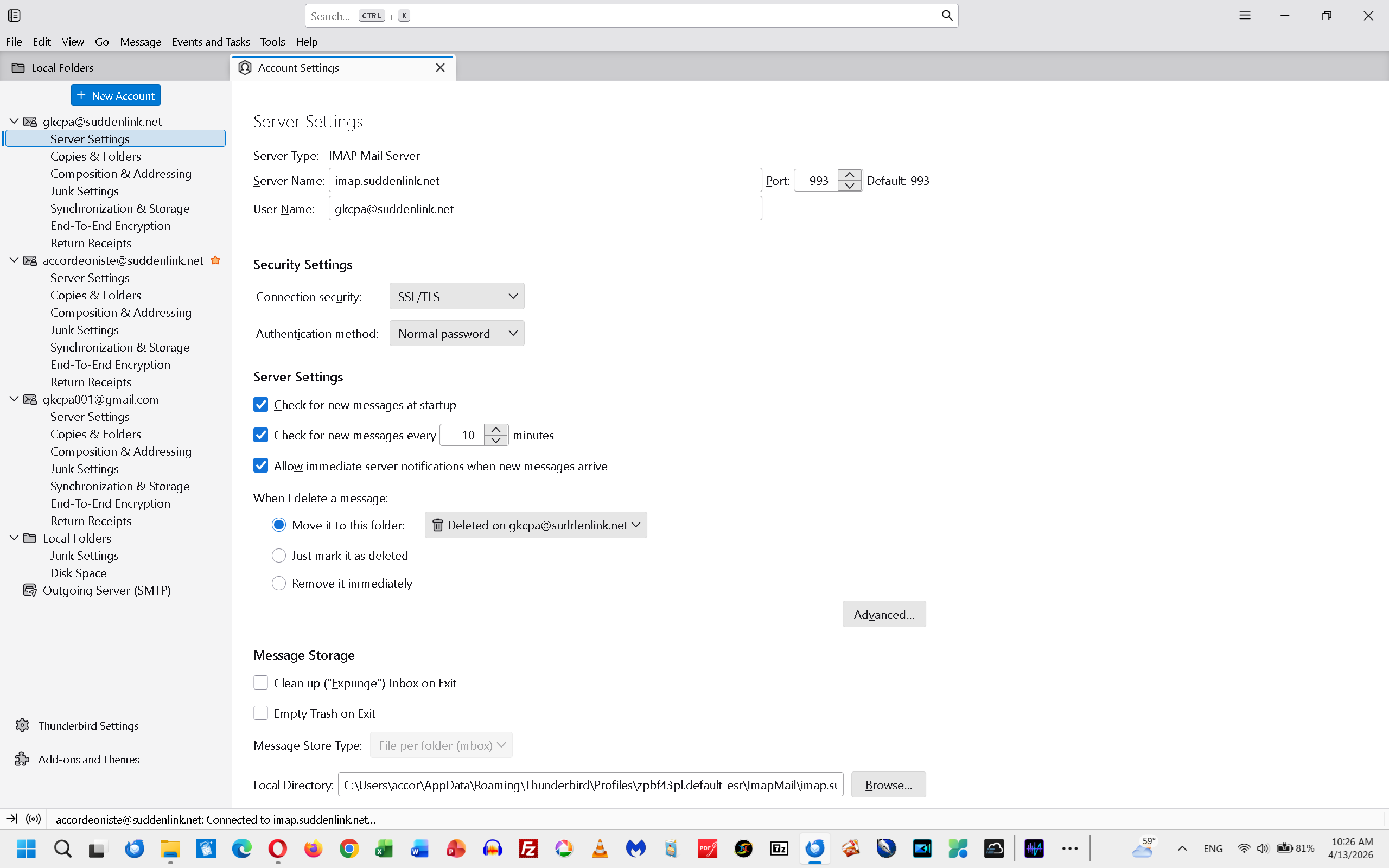
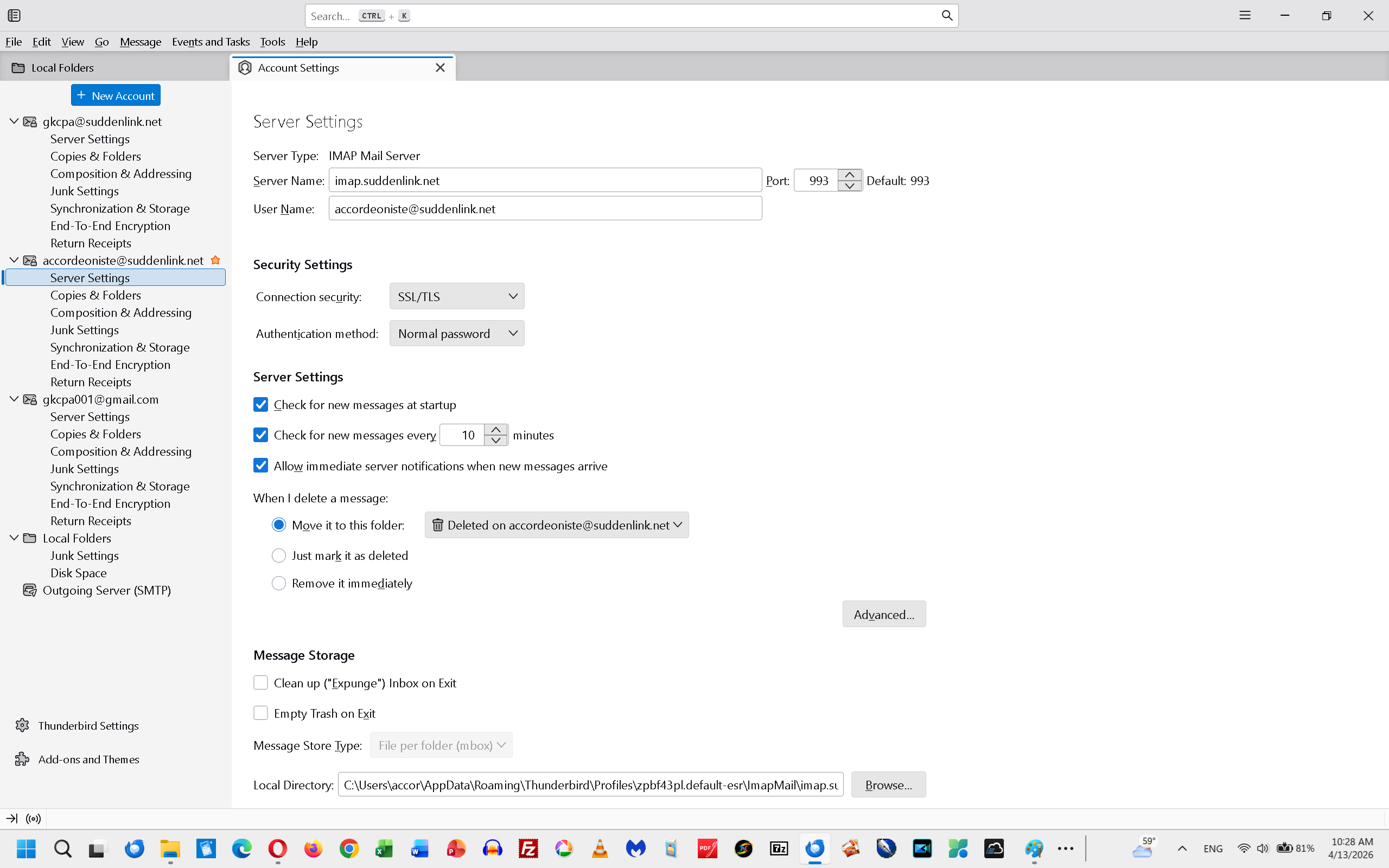
David, you suggested that I post a screenshot of my server settings pane, that it might be helpful. In reply I'm posting screenshots of both of my server settings for suddenlink.net. One is for gkcpa, the other is for accordeoniste. Note that I had deleted both accounts and added new ones to replace those I had deleted, in the hope of fixing what was broken. Yet I'm still experiencing the problem as described above.
I'm very pleased to report that my problem is apparently solved. I requested tech support from my server Optimum.net this afternoon via its Chat feature. The chat bot or e-mail specialist told me she made some changes concerning my e-mail account with Optimum.
I opened my Thunderbird app shortly after that, and didn't encounter a problem with the server dialog boxes requesting my new password, for either e-mail address. I sent e-mail to myself, as a test. The e-mail was delivered successfully.
Note that all this occurred AFTER I restored my authentication method settings to "Normal password" for both accounts. Shortly after my last posting here, I had experimented with different authentication methods, such as "Encrypted password" and "TLS certificate". The "Normal password" is the only authentication method that permitted delivery of my e-mail.
Anyway, I didn't expected that Optimum would be my source for the solution to this problem. That's because my problems gaining access to my e-mail only after re-entering my password each time I opened Thunderbird started after my ISP became Optimum from Suddenlink.net.
Almost needless to say, I'm much relieved, even delighted, that I now have unfettered access to my main e-mail accounts. Thanks for reading this.