


Eliminate Sidebar Entirely

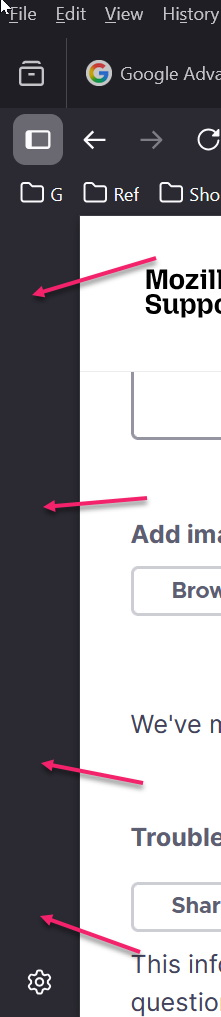
How do I eliminate the sidebar *entirely*.
It's taking up unnecessary space on my screen, even when I have turned off all of the options in settings.
How do I eliminate the sidebar *entirely*.
It's taking up unnecessary space on my screen, even when I have turned off all of the options in settings.
Wybrane rozwiązanie
Right click on it and it should not be checked in the settings under General.
Przeczytaj tę odpowiedź w całym kontekście 👍 0Wszystkie odpowiedzi (2)
Wybrane rozwiązanie
Right click on it and it should not be checked in the settings under General.
That was helpful, thank you. I right-clicked in the bar and chose "hide". Thank you.