

Wątek został zarchiwizowany.
Jeśli potrzebujesz pomocy, zadaj nowe pytanie.

Zarchiwizowany
Thunderbird Search Button Missing
I want to put a button on the Toolbar which performs: Edit, Find, Search Messages (Ctrl-Shift-F) with one click of the mouse.
1. How can I put a Search Messages button on on a Toolbar? 2. Like with MS Office I would like to be able to place a custom toolbar below
I'm using Tbird 128.1.0esr (64-bit)
Thanks, Kaarl
I want to put a button on the Toolbar which performs:
Edit, Find, Search Messages (Ctrl-Shift-F) with one click of the mouse.
1. How can I put a Search Messages button on on a Toolbar?
2. Like with MS Office I would like to be able to place a custom toolbar below
I'm using Tbird 128.1.0esr (64-bit)
Thanks,
Kaarl
Wszystkie odpowiedzi (2)
Kaarl said
I want to put a button on the Toolbar which performs: Edit, Find, Search Messages (Ctrl-Shift-F) with one click of the mouse. 1. How can I put a Search Messages button on on a Toolbar? 2. Like with MS Office I would like to be able to place a custom toolbar below I'm using Tbird 128.1.0esr (64-bit) Thanks, Kaarl
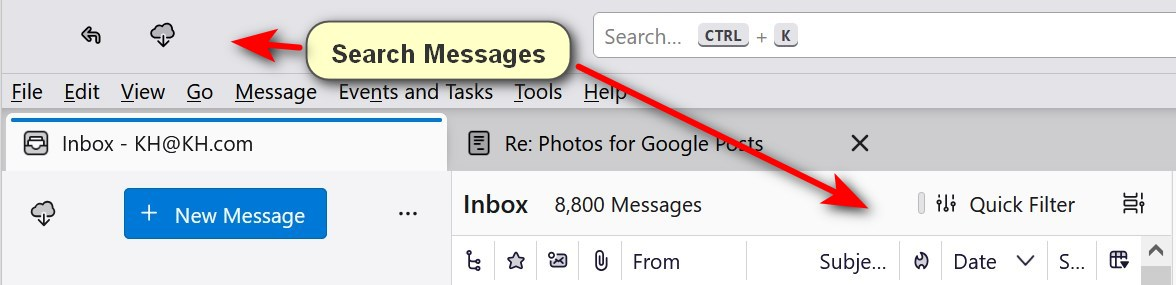
A search button can be added with Phoenity Buttons (see picture).
https://addons.thunderbird.net/en-US/thunderbird/addon/phoenity-buttons/
