


Windows 10 reached EOS (end of support) on October 14, 2025. If you are on Windows 10, see this article.

Przeszukaj pomoc

Unikaj oszustw związanych z pomocą.Nigdy nie będziemy prosić Cię o dzwonienie na numer telefonu, wysyłanie SMS-ów ani o udostępnianie danych osobowych. Zgłoś podejrzaną aktywność, korzystając z opcji „Zgłoś nadużycie”.

Więcej informacji
Wątek został zarchiwizowany. Jeśli potrzebujesz pomocy, zadaj nowe pytanie.
Zarchiwizowany

Gemail account configuration in Thunderbird 115.11.0 (64-bit)

Raúl Francés

Hola, tras introducir los datos de acceso de mi cuenta gmail en thunderbird, la configuracion del servidor es ok, y pide acceso con google, pero arroja un error de inicio de sesion en el servidor.

He utilizado Oauth2 y activado imap en la cuenta google. pero sigue dando error.

Podeis ayudarme a resolver el problema. Gracias y un saludo. Raúl.

Engish version: Hello, after entering the access data for my Gmail account in Thunderbird, the server configuration is ok, and it asks for access with Google, but it gives a server login error. I have used Oauth2 and activated imap in the google account. but it still gives error. Can you help me solve the problem. Thank you and greetings. Raul.
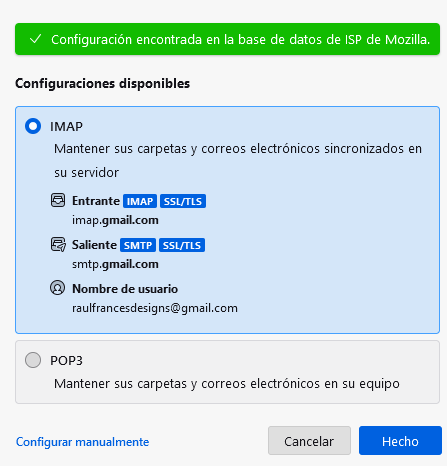
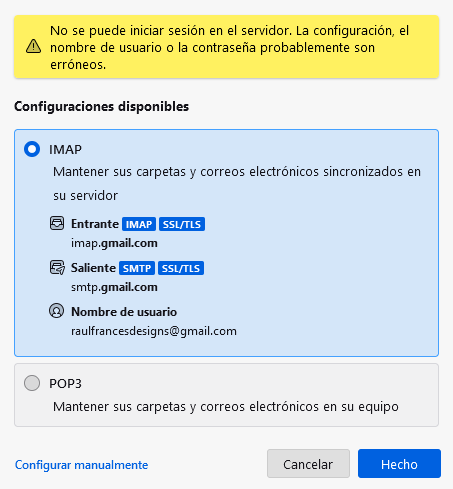
Hola, tras introducir los datos de acceso de mi cuenta gmail en thunderbird, la configuracion del servidor es ok, y pide acceso con google, pero arroja un error de inicio de sesion en el servidor. He utilizado Oauth2 y activado imap en la cuenta google. pero sigue dando error. Podeis ayudarme a resolver el problema. Gracias y un saludo. Raúl. Engish version: Hello, after entering the access data for my Gmail account in Thunderbird, the server configuration is ok, and it asks for access with Google, but it gives a server login error. I have used Oauth2 and activated imap in the google account. but it still gives error. Can you help me solve the problem. Thank you and greetings. Raul.
Załączone zrzuty ekranu

Wszystkie odpowiedzi (1)

Hola, Podrias ser el Firewall que este bloqueando la conexiones del Thunderbird, ademas tienes que tener habilitados las cookies en el Thunderbird, a veces este problema se soluciona reiniciando el equipo. Saludos