


No audio device in Windows 11

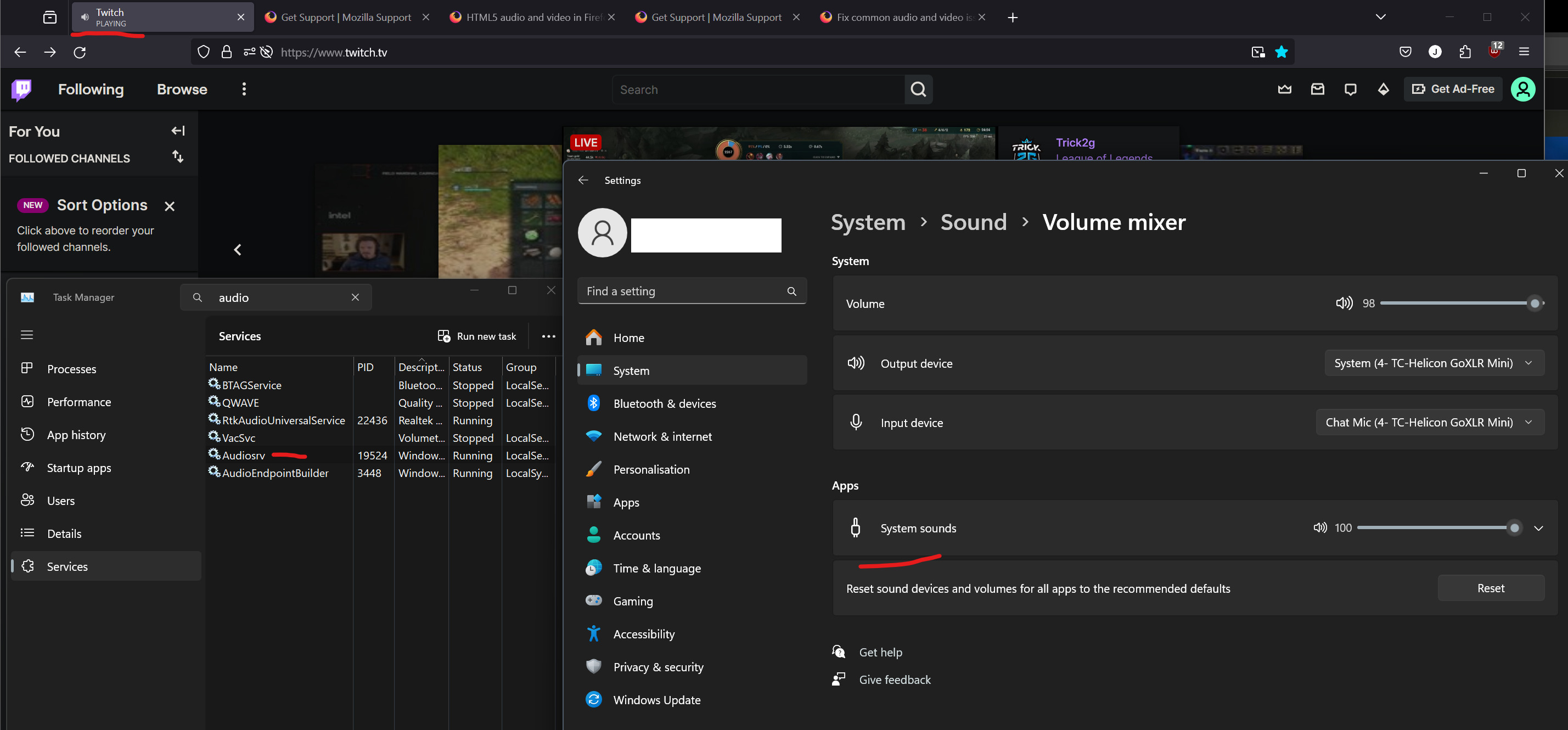
I've been having this reoccurring firefox bug every couple of months where randomly all audio from the application stops working is no longer available in the volume mixer of windows 11 (see example screenshot with twitch tab in background playing)
In the past, I was able to fix this issue by simply restarting the audisrv service and everything would work normally but now nothing I do seems to work. I've tried:
- Resetting - Uninstall/reinstall - Disabled all extensions - New profile
I do not have this issue on firefox dev or firefox nightly. If anyone has any ideas on how I could resolve or better diagnose this issue it would be much appreciated! TIA
Zmodyfikowany przez Gio w dniu
Wybrane rozwiązanie
Thank very much for the suggestion! I ended up having to do a very weird sequence of steps but I finally was able to make it reappear in the Windows audio sources.
Solution:
- Changing media.allow-audio-non-utility to false in about:config + Restart Browser
- Open Firefox dev and play anything with sound
- Install the extension Audio Output Selector on regular Firefox
- Play something with sound in firefox while ff dev is still outputting audio (Not sure why this seems to fix it)
- Reset the audio device in Firefox with the extension
- Select the same output as firefox dev
Wszystkie odpowiedzi (3)
Gio said
I do not have this issue on firefox dev or firefox nightly.
Try changing media.allow-audio-non-utility to false in about:config then restart the browser.
Wybrane rozwiązanie
Thank very much for the suggestion! I ended up having to do a very weird sequence of steps but I finally was able to make it reappear in the Windows audio sources.
Solution:
- Changing media.allow-audio-non-utility to false in about:config + Restart Browser
- Open Firefox dev and play anything with sound
- Install the extension Audio Output Selector on regular Firefox
- Play something with sound in firefox while ff dev is still outputting audio (Not sure why this seems to fix it)
- Reset the audio device in Firefox with the extension
- Select the same output as firefox dev

Windows 11 updates pushed last night and now I have no audio in Firefox browser. Works fine in Chrome. The app is now missing in Windows 11 and the utility audio is idle and won't restart. Help.