


messages disappeared from folder

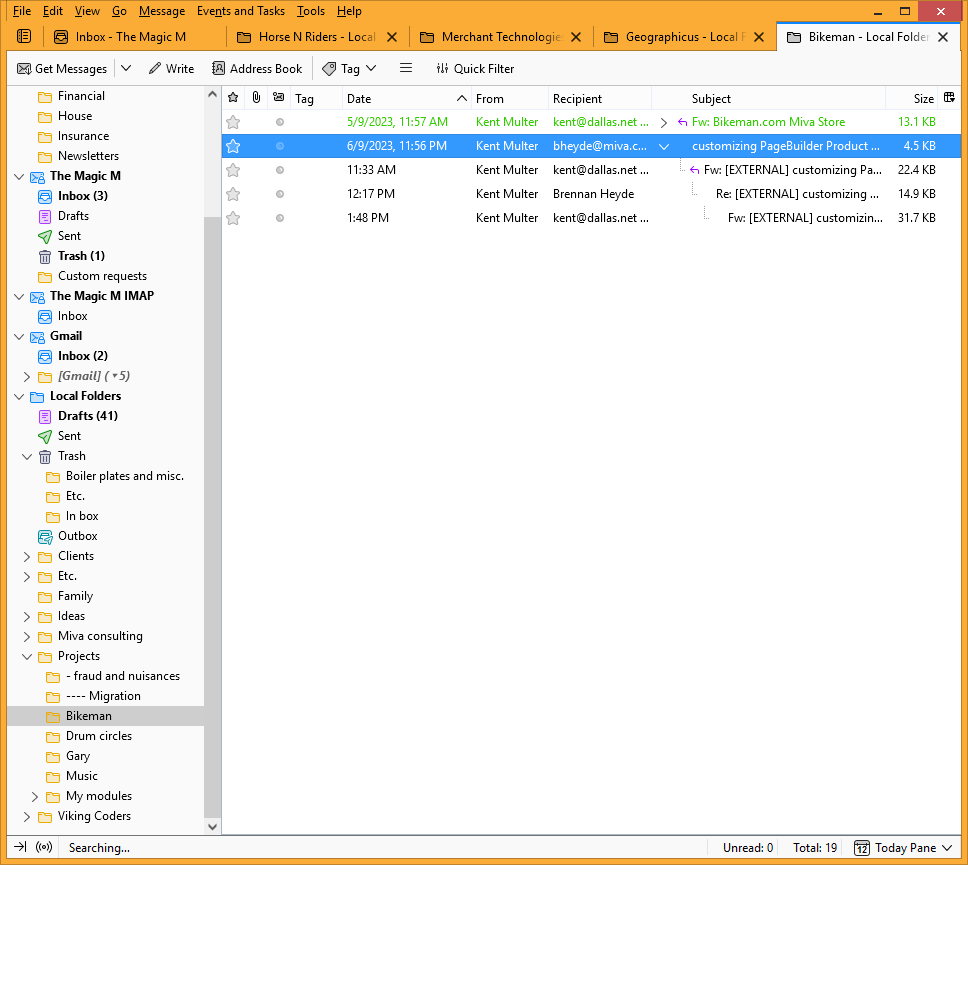
One of my folders has 19 messages in it. Suddenly today, the folder view changed to the "thread" style, with only 5 messages showing, and the L-shaped lines connecting messages. I can't figure out how to un-thread the messages and get the folder back to normal. I tried the Repair Folder function, but that didn't help.
I can tell the messages are still there , because the Folder Properties dialog says there are 19. If I click on the first one, I get a message: "Opening 15 messages may be slow. Continue?" And if I click Yes, they all show up.
Thunderbird version 102.12.0 (32-bit) running on Windows 8.1
How do I fix this?
Thanks -- Kent
Wybrane rozwiązanie
Click on the Bikeman folder name, go to the Menu bar (if you don't have it showing, press Alt and it will appear temporarily) click View, click Sort by, click Unthreaded. That'll do 'er.
Przeczytaj tę odpowiedź w całym kontekście 👍 1Wszystkie odpowiedzi (1)
Wybrane rozwiązanie
Click on the Bikeman folder name, go to the Menu bar (if you don't have it showing, press Alt and it will appear temporarily) click View, click Sort by, click Unthreaded. That'll do 'er.