Firefox Lockwise changes login URL

Good Day, One of my login websites is not being recognised because the full login URL is changed by Lockwise. E.g. from "https://siteUrl/prem-login" to the basic "https://siteUrl" which I deleted and re- added, only for the same thing to happen again! I then exported and edited the export file so that there was only the single entry, and then deleted the entry from the Lockwise password manager. I then imported this single entry only to find that Lockwise AGAIN changed the URL entry to the basic "https://siteUrl" ! What is going on here? Surely Lockwise should not be changing the URL ? Why else is the site login not being recognised by Lockwise?
Wybrane rozwiązanie
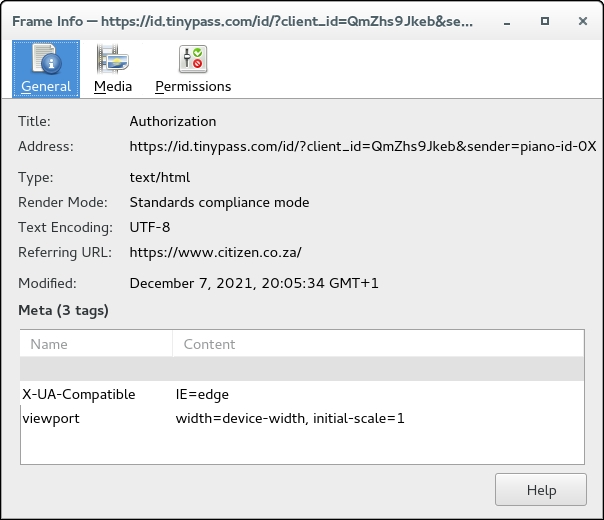
Right. That login form is under https://id.tinypass.com/id/
Przeczytaj tę odpowiedź w całym kontekście 👍 0Wszystkie odpowiedzi (4)
It can't be a reason. A password should work for a whole domain ("https://siteUrl") and you can't restrict this password to one specific page. This is expected behaviour.
KevP said
Why else is the site login not being recognised by Lockwise?
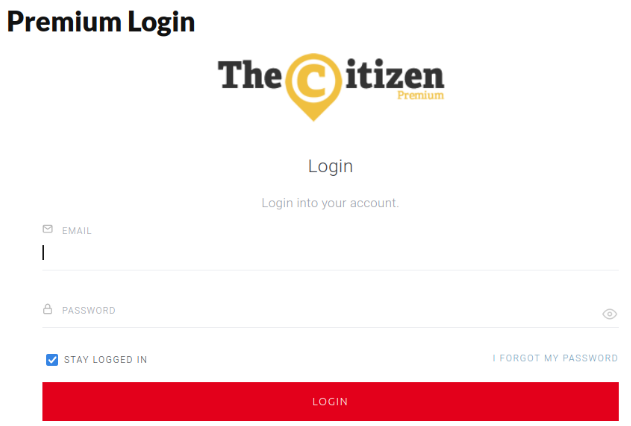
Perhaps this login form is on a different domain than rest of the website. You have to provide URL for analysis.
Wybrane rozwiązanie
Right. That login form is under https://id.tinypass.com/id/
Note that in this case the login form is in an iframe, you can see this in the context menu if you right-click in the login form (not in an input field): This Frame -> View Frame Info".