


How do I autofill and save passwords when changing them, rather than creating a new account?
I have a bunch of accounts which I haven't previously saved using Lockwise, but I want to now. Is there a way to autofill new passwords when I change the passwords of the accounts, and save the logins to Lockwise?
For example, say I have a Twitter account with password abcde and the login is not yet saved to Firefox, I want to be able to click on "change password" and change my password and save this new password (an auto-fill one if possible) to Lockwise.
Wszystkie odpowiedzi (2)
Hi, i think i have a solution for you. Its very easy. So basically lockwise saves the password when you click the save button. And if you make the login in another website on firefox it lockwise will automatically save the password.
                 Hope you find this helpful.
                              lev-09
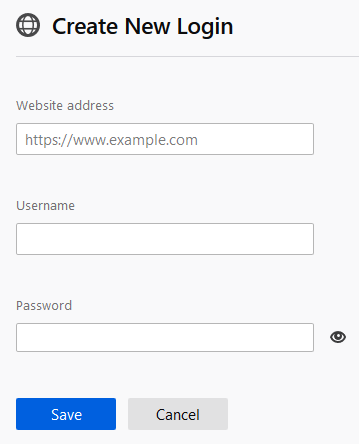
You can add new passwords (logins) to Lockwise via "Create New login" at the bottom of the left panel.