


Want horizontal lines between message headers

Once again following a Thunderbird update, the lines between my message headers have disappeared. Here is the previous question and solution I found: https://support.mozilla.org/en-US/questions/1256823
However, now, I still have the file userChrome.css set up the same way in my profile folder: C:\users\myname\appdata\roaming\thunderbird\profiles\jr8ewpri.default\chrome, but Thunderbird is not utilizing it. How do I get TB to recognize that file again?
Here is the content of the userChrome.css file:
@namespace url(http://www.mozilla.org/keymaster/gatekeeper/there.is.only.xul);
/* Add bottom border to thread pane (message list) */
- threadTree treechildren:-moz-tree-row {
border-bottom: 1px solid grey !important;
}
Thank you, --Victoria
Zmodyfikowany przez Victoria-nola w dniu
Wybrane rozwiązanie
There's an extra : needed after treechildren for this to work in TB 68 (see picture).
@namespace url("http://www.mozilla.org/keymaster/gatekeeper/there.is.only.xul");

/* Add bottom border to thread pane (message list) */
#threadTree treechildren::-moz-tree-row {
  border-bottom: 1px solid threedlightshadow !important;
}
Przeczytaj tę odpowiedź w całym kontekście
👍 1
Wszystkie odpowiedzi (2)
Wybrane rozwiązanie
There's an extra : needed after treechildren for this to work in TB 68 (see picture).
@namespace url("http://www.mozilla.org/keymaster/gatekeeper/there.is.only.xul");

/* Add bottom border to thread pane (message list) */
#threadTree treechildren::-moz-tree-row {
  border-bottom: 1px solid threedlightshadow !important;
}
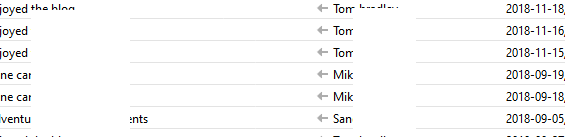
It worked! Thank you very much.
--Victoria