Windows 10 reached EOS (end of support) on October 14, 2025. If you are on Windows 10, see this article.

Przeszukaj pomoc

Unikaj oszustw związanych z pomocą.Nigdy nie będziemy prosić Cię o dzwonienie na numer telefonu, wysyłanie SMS-ów ani o udostępnianie danych osobowych. Zgłoś podejrzaną aktywność, korzystając z opcji „Zgłoś nadużycie”.

Więcej informacji
Wątek został zarchiwizowany. Jeśli potrzebujesz pomocy, zadaj nowe pytanie.
Zarchiwizowany

Layout changed because of Windows 10 help

row011

Hello,

I recently upgraded to Windows 10.

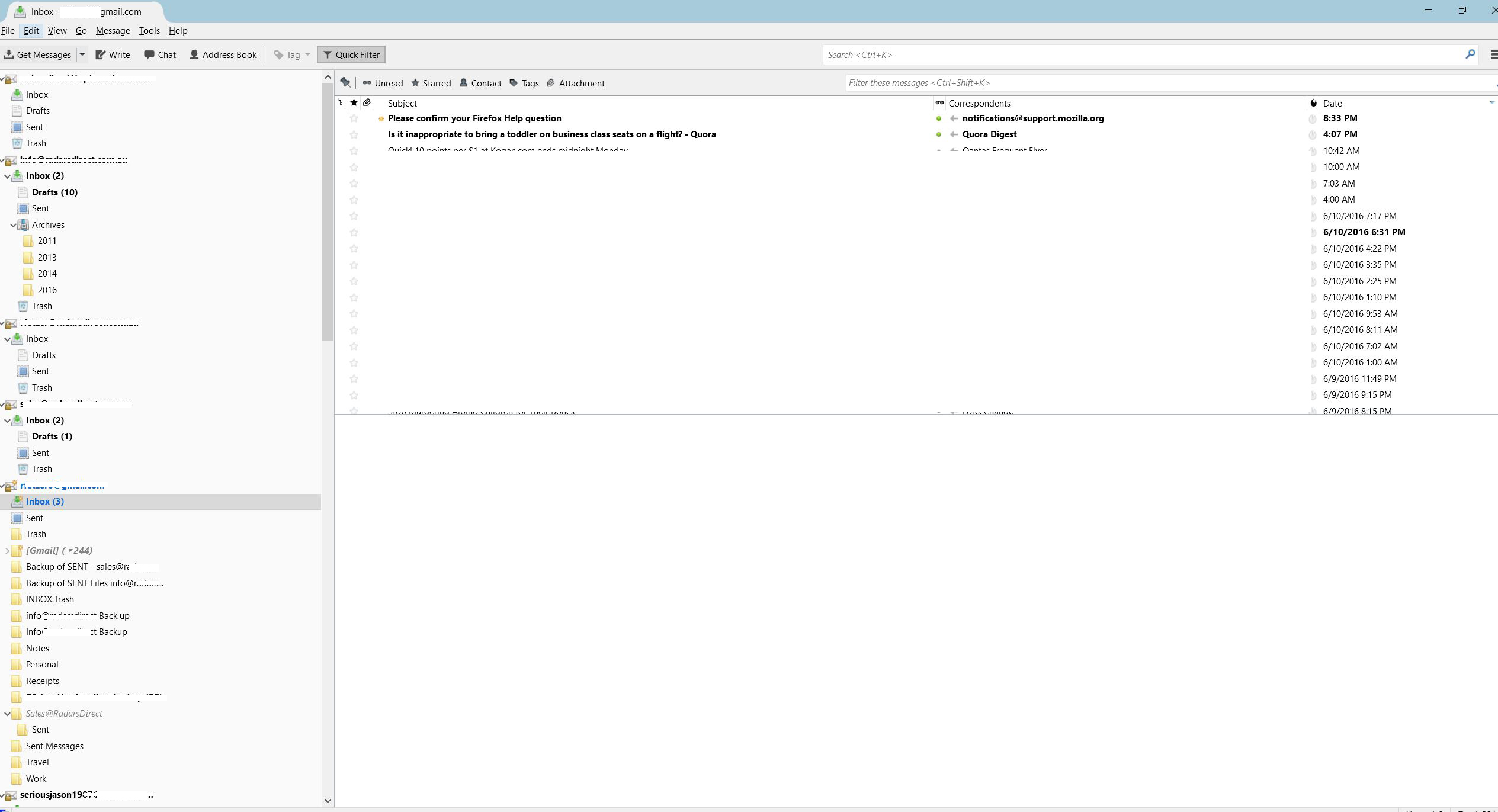
Thunderbird has change itself quite a lot in the way it organises all of the different email accounts now, why?

Before Windows 10 - all of the emails were separated into each category -> inbox (then all the inboxes listed one by one) -> Sent (then all the email accounts sent folders grouped together) etc etc etc etc

I am really hoping there is a way to fix this - other option is to go back to Windows 7.

Thank you in advance.

Hello, I recently upgraded to Windows 10. Thunderbird has change itself quite a lot in the way it organises all of the different email accounts now, why? Before Windows 10 - all of the emails were separated into each category -> inbox (then all the inboxes listed one by one) -> Sent (then all the email accounts sent folders grouped together) etc etc etc etc I am really hoping there is a way to fix this - other option is to go back to Windows 7. Thank you in advance.

Wszystkie odpowiedzi (3)

Bump, hoping for a response from a mod at Thunderbird.

There must be a way to revert back to the old style of displaying email accounts?

In the menu, View|Folders|Unified

This is a standard feature of Thunderbird. Nothing to do with Windows 10, as such, but my feeling is that some settings change during an update.