


Current PC runs Windows 7, Thunderbird version 115.18.0esr (32-bit). New PC runs Windows 11 with Thunderbird version 153.0.3 (64-bit). How do I transfer the data?

I tried the instructions at https://support.mozilla.org/en-US/kb/moving-thunderbird-data-to-a-new-computer, and watched the video. Copied and pasted exactly as instructed - nothing happened. Is it possible to transfer the data, including message filters and in-box folders, to the new PC? Old PC: version 115.18.0 esr (32-bit) - on Windows 7 New PC: version 153.0.3 (64-bit) - on Windows 11 Or is this data transfer impossible due to incompatibility of the different Thunderbird versions? Thanks. I also tried transferring the data from the old PC to a slightly newer laptop on Windows 10, utilising Thunderbird version 140.13.0 esr (32-bit). Nothing happened there either. Is it a lost cause? Do I just go ahead and create new message filters on the new PC and forget about trying to transfer the data and associated rules? Maybe that's the way to go for me. Thanks.
All Replies (10)

You will have to be specific about where the process breaks down. Because it DOES work. The newest versions of Thunderbird will happily open profiles created by that old version, although the reverse is not true. Some add-ons may no longer work and/or you may need to update others, but generally things work.
Filters, I don't know about. I would think they would work since the folder structure would be the same, but I don't have that personal experience.

32-bit and 64-bit copying can be a problem.
You can try to use Thunderbird's export/import tool: https://support.mozilla.org/en-US/kb/thunderbird-import
wxie said
32-bit and 64-bit copying can be a problem. You can try to use Thunderbird's export/import tool: https://support.mozilla.org/en-US/kb/thunderbird-import
Can it? File size limitations could be a problem going the other way because modern file systems/OSs can create files larger than some older OS can deal with. But I've never had a problem in this situation from going from a 32-bit profile to a 64-bit one.
Anyway, the process described in the article does generally work - I've done it a bunch of times. Which is not to say that something couldn't go wrong, just that it hasn't happened to me personally.
I've been warned to not depend on Thunderbird's build in profile export tool, especially if the profile is larger than 2 GB.
You are right about the file copying. Generally, it should not be a problem to copy normal files between 32-bit and 64-bit systems.
I don't know if your problem have been solved or not from your comment. Is it solved?
I tried the instructions at https://support.mozilla.org/en-US/kb/thunderbird-import and received this message: "Nothing can be imported from the selected source."
In the original instructions on https://support.mozilla.org/en-US/kb/moving-thunderbird-data-to-a-new-computer, at Step 9 it states: "When prompted, choose to replace your current data." This prompt never appeared. Therefore the current data was not replaced, it would appear. I tried a couple of times, but no changes made. Oh well...
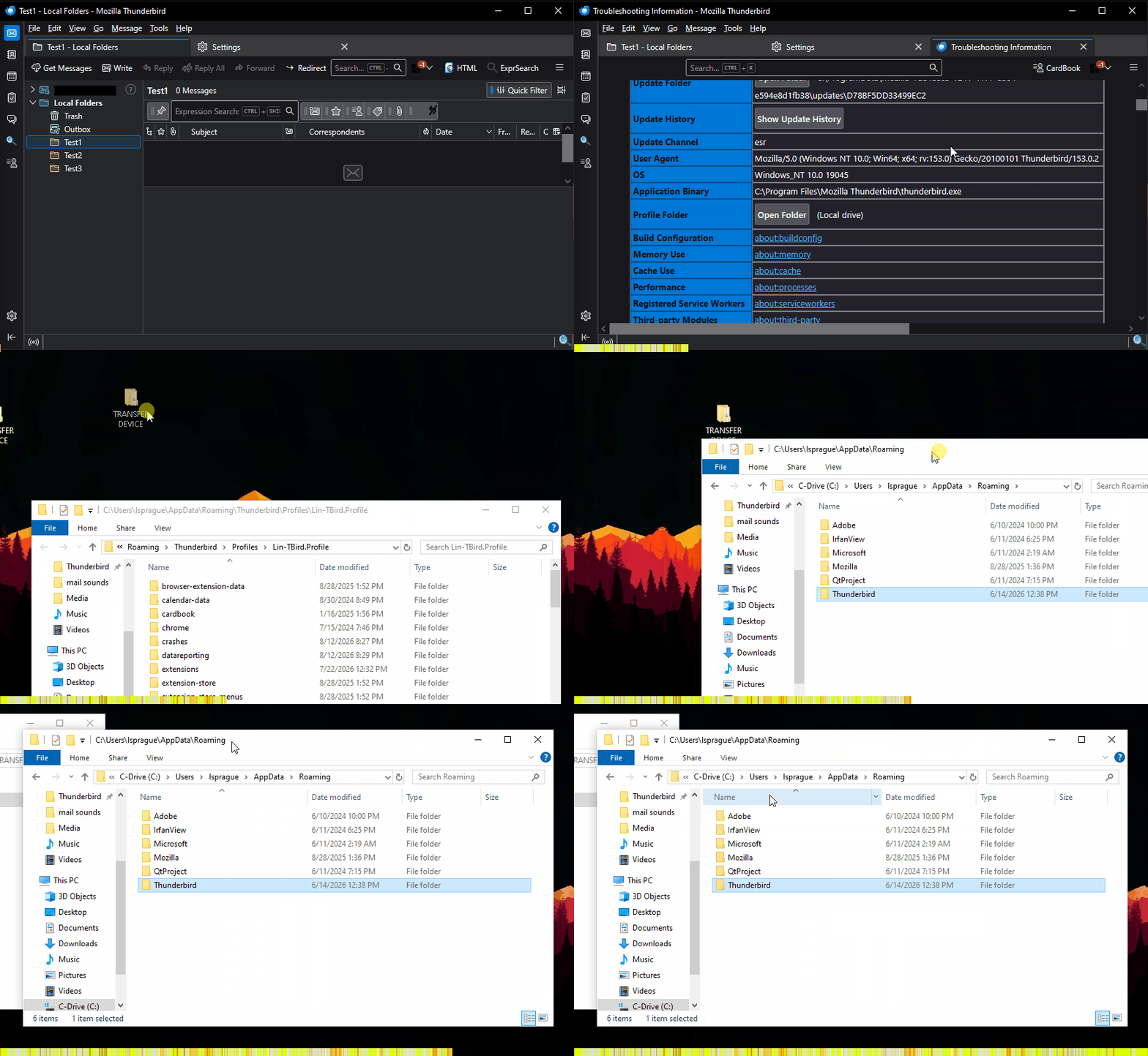
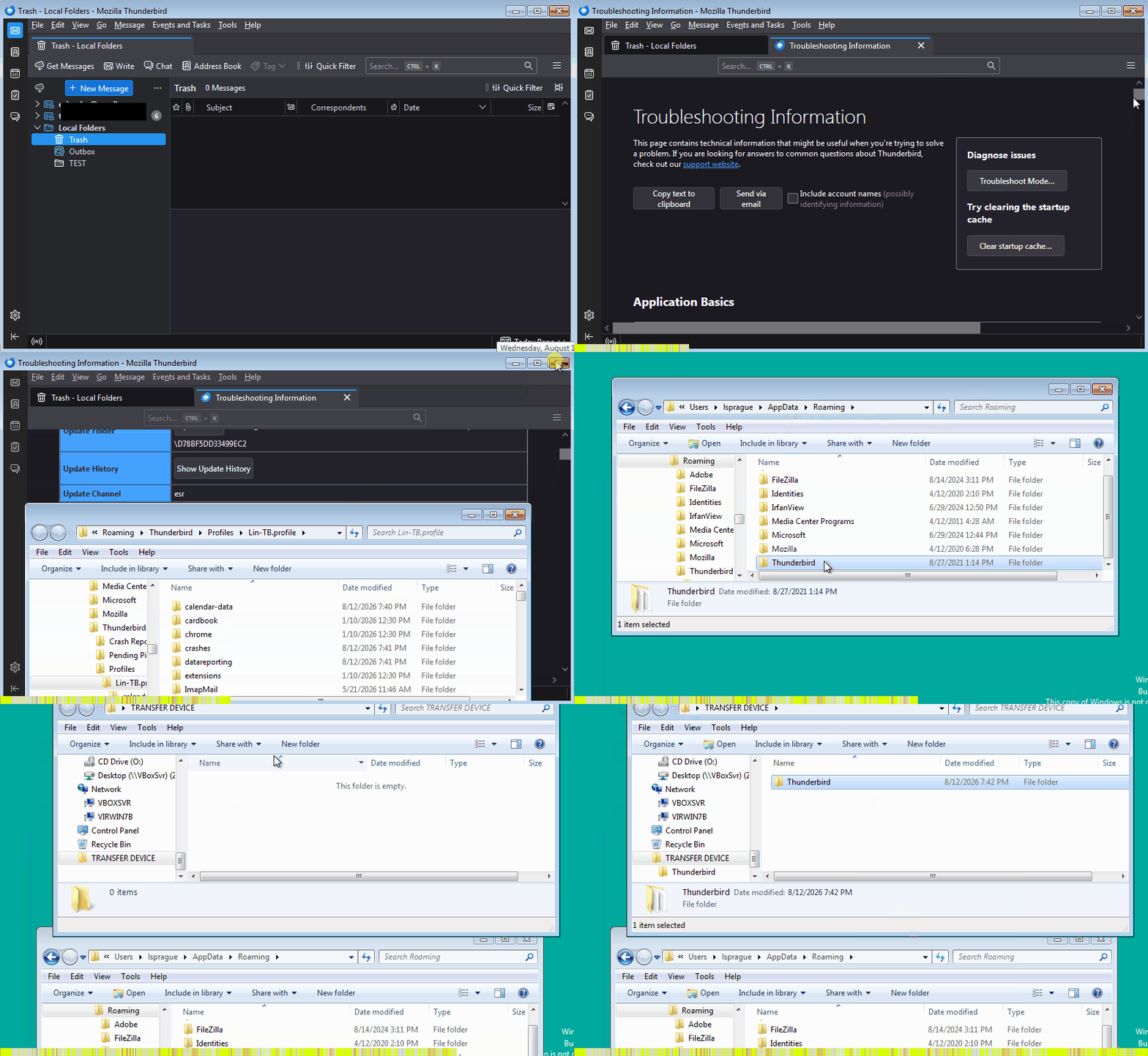
I can only think you missed a step. Most likely candidate is where it tells you to "go up three levels", which is easy to misinterpret. Please see the attached animations, which follow the instructions exactly. The first one shows copying the profile from the source computer, the second shows pasting it to the target computer, including overwriting the existing data.
There are other ways of accomplishing the same thing, and this one is not my favorite... but it work reliably between Windows machines.
Endret av Lin
Thanks for the animations. Yes, I correctly copied from the source PC and pasted correctly to the new PC and into the correct folder as outlined in the instructions (up 3 levels and into the Thunderbird folder), and it appeared to paste the 907 files. However, nothing added to the address book, and no message filters appear in this new version, and no in-box folders transferred. These are what I anticipated would be transferred. Was this an unrealistic expectation? Unless there is a step required on the new PC to trigger the transferred data to become operational? Closing Thunderbird and re-opening to refresh doesn't seem to change anything. Thanks. (As an aside, I much prefer the look and function of the older 115.18.0 version, than this new 153.0.3 version of Thunderbird.)
There is no further step you should need to take. The PROFILES.INI file tells Thunderbird where to find your default profile during startup.
When you copy a folder over another folder with the same name, and they both contain files of the same name, Windows will always warn you and ask what you want to do. In this case, both the .\Thunderbird folder from the old computer AND the .\Thunderbird folder on the computer should contain the files PROFILES.INI and INSTALLS.INI . That will trigger the overwrite warning. If they don't, one or both of those folders are incomplete. You should check both folders for the presence of those files. And examine the content of those files with Notepad or other text viewer. After the copy operation, the one in the target folder will, of course, be the same as the one in the source folder. If they are different, your copy operation was not successful.
For example, this is the content of the .\Thunderbird folder on my Windows 7 computer:
11/01/2025 05:20 PM <DIR> . 11/01/2025 05:20 PM <DIR> .. 11/01/2025 05:20 PM <DIR> Crash Reports 11/01/2025 05:20 PM 71 installs.ini 11/01/2025 05:20 PM <DIR> Pending Pings 11/01/2025 05:20 PM <DIR> Profiles 11/01/2025 05:20 PM 293 profiles.ini
              2 File(s)            364 bytes
              5 Dir(s)  23,561,539,584 bytes free
And this is the content of the .\Thunderbird folder on my Windows 10 computer:
08/13/2026 02:34 AM <DIR> . 08/13/2026 02:34 AM <DIR> .. 07/22/2026 06:46 PM <DIR> Crash Reports 07/05/2026 03:55 PM 66 installs.ini 01/21/2021 04:06 PM <DIR> Pending Pings 07/05/2026 03:53 PM <DIR> Profiles 07/05/2026 03:55 PM 434 profiles.ini
              2 File(s)            500 bytes
              5 Dir(s)  278,377,689,088 bytes free
If I was to copy the first one over the second one, Windows would warn me about every file with the same name, and then once I allowed it to do that, it would probably find other files in the sub-folders to warn me about.
Endret av Lin
Thank you, thank you, thank you!! I'm so stupid! I now realise what I had been doing. When copying the Thunderbird folder to the new PC, I should have pasted it into the Roaming folder where it would overwrite the existing Thunderbird folder and its contents. Instead, I kept pasting to the Thunderbird folder and so consequently I had a Thunderbird sub-folder containing data from the old PC. Apologies for any incorrect terminology on my part. My Thunderbird on my new PC now contains all of my in-box folders and all my message rules. Plus the layout is how I like it. Brilliant!! Thank you again and apologies for my ineptitude.
Yay! I'm relieved for you! It's an easy mistake to make and a hard one to describe. I don't much like that set of instructions even though they work because they're too easy to misread.