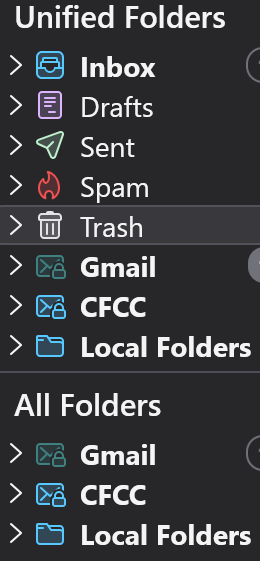
Unified folder listing shows one account but not another?

Hi, I have two accounts in my Thunderbird. They are Gmail (regular gmail account) and CFCC (an institutional account). The CFCC shows up in my Unified Folder list but the Gmail does not. Is that normal? The main Inbox is showing all incoming emails from both accounts so no performance issues, just wondering how to get rid of the CFCC (if that's possible) to eliminate clutter. Thank you. GES
All Replies (21)
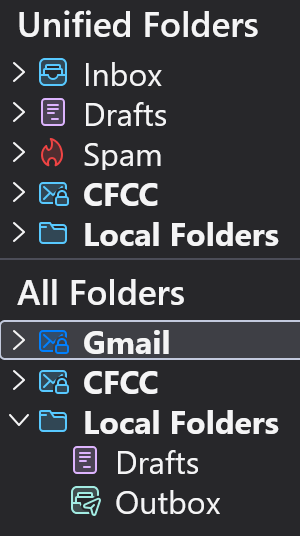
Mystery finally solved. When I first set up Thunderbird I had used custom CSS to remove certain folders (inc sent and trash, archives and templates) to declutter my Unified Folder. I only discovered this after I did things like delete all my .msf files, then deleted everything in my ImapMail folders, then deleted my foldercache.json and foldertree.json files, and ultimately deleted my prefs.js file and re-added both email accounts. I went back in and removed only archives and templates to arrive at screenshot. Thank you for all your help, Toad-Hall, I really appreciate it.