


How do I install a junk folder in with the other folders ( inbox, drafts, sent, trash, archives) There is a junk folder under a Local heading that never has anything in it. Thanks, Paul Solie

See summary
All Replies (6)

I find no Summary to see!
Normally Thunderbird creates a Junk (may be named "Trash", "Spam", or other, depending on the provider) when you first set up the account. If it's a POP3 account, it will be a local folder. If an IMAP account, it will be included in the server-available folders.
You can then indicate where you want messages tagged as Spam to go and when. Those settings are found at <Settings | Privacy & Security | Junk | "When messages are marked as junk"> and <Account Settings | Junk settings>.
Your explanation was not understood. I need Junk in with every thing else. The new folder junk has nothing in it. so I have an IMAP acct. So how do I get a junk folder where it works?
Your description was not understood.
Who is your email provider?
Please show a screen shot of your folders list.
When you delete a message, where does it go? Are you saying it just disappears?
What did you see when you looked at the settings for the location of that account's Spam folder? It should say something like "Move new spam messages to: Spam folder on <your email provider>". If not, what does it say?
What do you mean by "new folder junk"?
When you go to your email provider's web mail page, is a Spam folder visible there?
Try right- clicking on the account name in the Folders List and choose "Subscribe" from the pop-up context menu. You'll see a list of all available IMAP folders. If your Spam/Junk/Bulk folder is listed there without a check mark, subscribe to it by putting a check mark there. After that, the folder should show up in the Folders List.
Hi, Here are 2 screen shots emailed from my phone of mail@wavecable.com and thunderbird
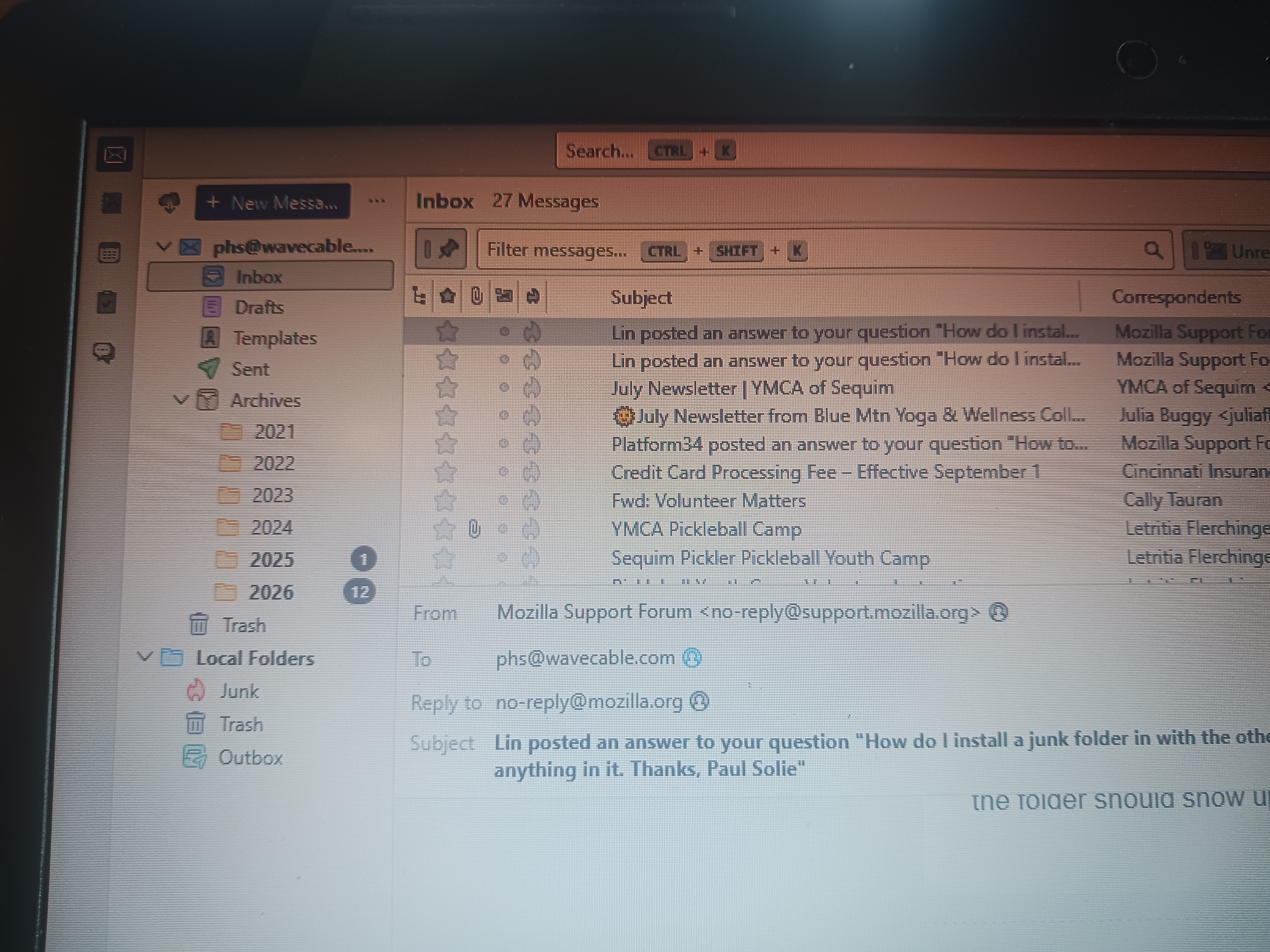
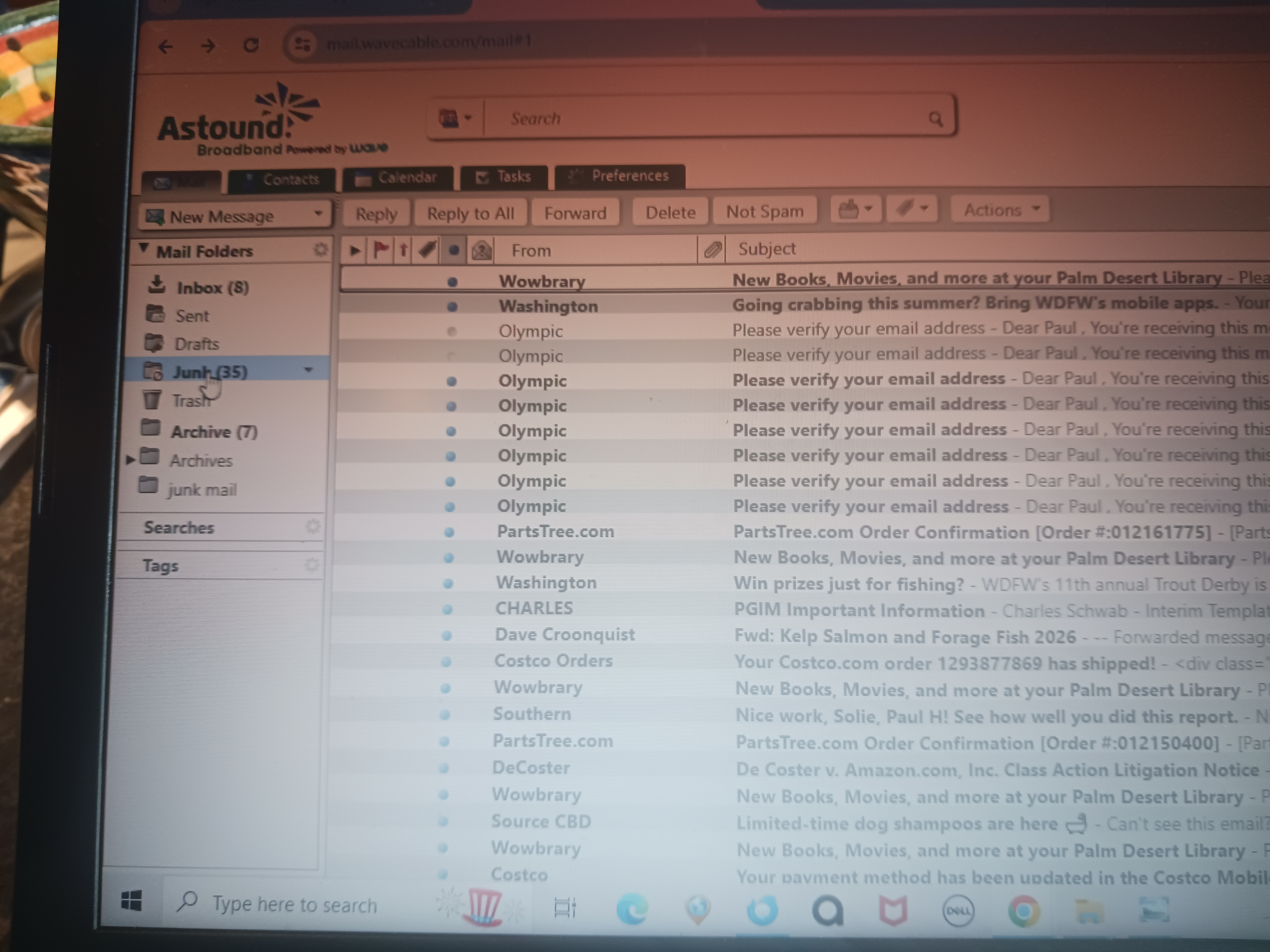
I meant to type "Local Folders" with Junk, Trash and Outbox in it, none of which get used. This what I get when I go through Thunderbird.
When I delete a message they go to Trash.
Email provider is I guess wavecable and I type in 'mail @wavecable.com' and there are all the folders (inbox, drafts, sent, junk, trash, templates, archives)
I've tried emailing screen shots of both email sites I pull up with my phone.
Thank You for your time!
I'm still confused as to what your issue is. I see an account with wavecable, and it is, indeed, missing a Junk folder. Can you confirm that it really is an IMAP account?
Did you try my Subscribe suggestion above for the wavecable account?
Did you confirm in Account Settings that the destination for Spam is correctly set?
Is a Spam folder visible on wavecable's web mail page?
I mis-stated one of my questions above. I really meant to ask, "When you mark a message as "Spam," where does it go? Are you saying it just disappears?