


The website 'www.facebook.com' is just a white page?

Once logged in to facebook (www.facebook.com) I am taken to http://www.facebook.com/home.php? and this website works. However if i go to click facebook in my favourites the page turns white. This also happens if i click on my profile. It seems that any website liked to 'www.facebook.com', for example www.facebook.com/USERNAME, comes up with a white page.
URL of affected sites
Alle antwoorden (10)
Same prob after updating to 3.6.7
i can get my homepage on facebook, but i can not go to anything else, like my profile, other pages, my comments. please help!
Same issue with google chrome, so it must be a problem of facebook.com
same problem here...i tried to open facebook on all browser, IE, Chrome, Opera, Safari...same result...
make attempt through anonimayzer such as this for example http://swape.org/
and whose someone iz you less than 18 years?
well helped and others like that
your solution failed, please find another solution I'm using FF 4 win 7 as per attached photo
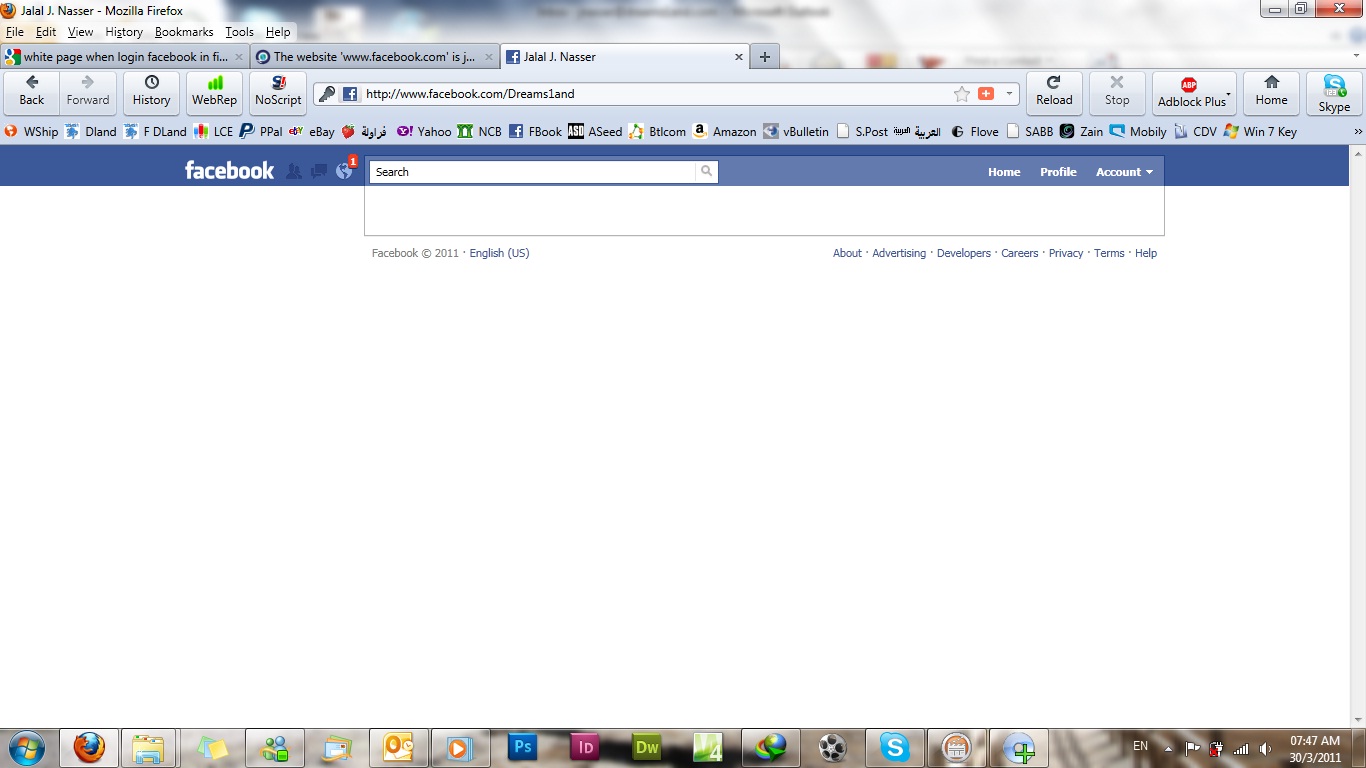
it's working on IE browser but on FF 4 is not working
its working
i re-installed the FF 4
The breakdown of coding doesn't happen until the browser's been open a while (usually.) It isn't on every site, either.
Also getting a lot of "Not responding" for Firefox and Thunderbird, but not for other programs. Not a total freeze up, just lengthy delays. Clearing cache and rebooting sometimes helps for a while. Creating a "new profile" in Firefox helped for several days.
I hope someone figures this out, and soon!!