


Windows 10 bereikte EO (einde ondersteuning) op 14 oktober 2025. Als je Windows 10 gebruikt, lees dan dit artikel.

Windows 10 reached EOS (end of support) on October 14, 2025. If you are on Windows 10, see this article.

Zoeken in Support

Vermijd ondersteuningsscams. We zullen u nooit vragen een telefoonnummer te bellen, er een sms naar te sturen of persoonlijke gegevens te delen. Meld verdachte activiteit met de optie ‘Misbruik melden’.

Meer info

High GPU usage on Google Search AI Overviews - Firefox 149.0.2 (macOS) - Chrome is fine

  • 1 antwoord
  • 1 heeft dit probleem
  • 42 weergaven
  • Laatste antwoord van Agent virtuel
  • Open

Hello,

I am reporting a performance issue specifically related to Google Search's AI features (AI Overviews) in Firefox 149.0.2 on macOS.

The Issue: When an AI-generated summary appears in Google Search results, GPU usage spikes significantly, reaching up to 212%. This causes the laptop to overheat and triggers high fan speeds.

Critical Comparison:

Firefox 149.0.2: Extreme GPU load and performance degradation when rendering Google AI elements.

Google Chrome 147.0.7727.56: Works perfectly with normal GPU usage under the same conditions.

Tested on two different MacBooks: MacBook Pro (A1502), 16GB RAM, i7 (2015) — OS: macOS Monterey. MacBook Pro (MMQX3), 64GB RAM, M1 Max (2021) — OS: macOS Sequoia (15.x/Tahoe).
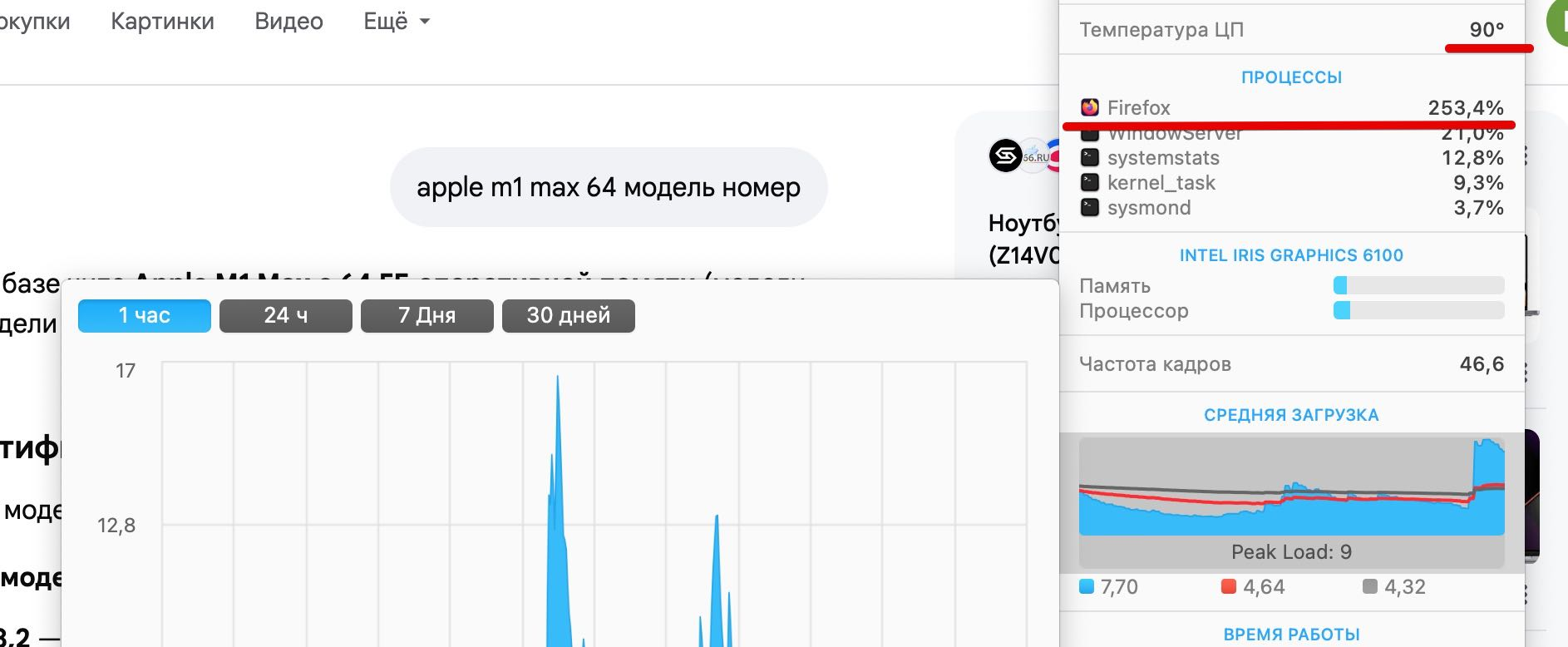

Hello, I am reporting a performance issue specifically related to Google Search's AI features (AI Overviews) in Firefox 149.0.2 on macOS. The Issue: When an AI-generated summary appears in Google Search results, GPU usage spikes significantly, reaching up to 212%. This causes the laptop to overheat and triggers high fan speeds. Critical Comparison: Firefox 149.0.2: Extreme GPU load and performance degradation when rendering Google AI elements. Google Chrome 147.0.7727.56: Works perfectly with normal GPU usage under the same conditions. Tested on two different MacBooks: MacBook Pro (A1502), 16GB RAM, i7 (2015) — OS: macOS Monterey. MacBook Pro (MMQX3), 64GB RAM, M1 Max (2021) — OS: macOS Sequoia (15.x/Tahoe).
Gekoppelde schermafbeeldingen

Alle antwoorden (1)

Hello

Apparently, a similar subject https://bugzilla.mozilla.org/show_bug.cgi?id=2032772

For information, you can test, add custom search engines in Firefox https://support.mozilla.org/en-US/kb/add-custom-search-engine-firefox

4. In the URL with %s in place of the search term field, copy & paste the URL of the custom search engine.

https://www.google.com/search?udm=14&q=%s
Een vraag stellen

U moet zich aanmelden bij uw account om op berichten te antwoorden. Stel een nieuwe vraag als u nog geen account hebt.