Windows 10 bereikte EO (einde ondersteuning) op 14 oktober 2025. Als je Windows 10 gebruikt, lees dan dit artikel.

Windows 10 reached EOS (end of support) on October 14, 2025. If you are on Windows 10, see this article.

Zoeken in Support

Vermijd ondersteuningsscams. We zullen u nooit vragen een telefoonnummer te bellen, er een sms naar te sturen of persoonlijke gegevens te delen. Meld verdachte activiteit met de optie ‘Misbruik melden’.

Meer info
Deze conversatie is gearchiveerd. Stel een nieuwe vraag als u hulp nodig hebt.
Gearchiveerd

Homepage Shortcuts

MSl1

Hello!

It would be nice to go back to the old style of the management of the Shortcuts in the browsers homepage. The new style was a regression. Let the browser user decide what style he likes.

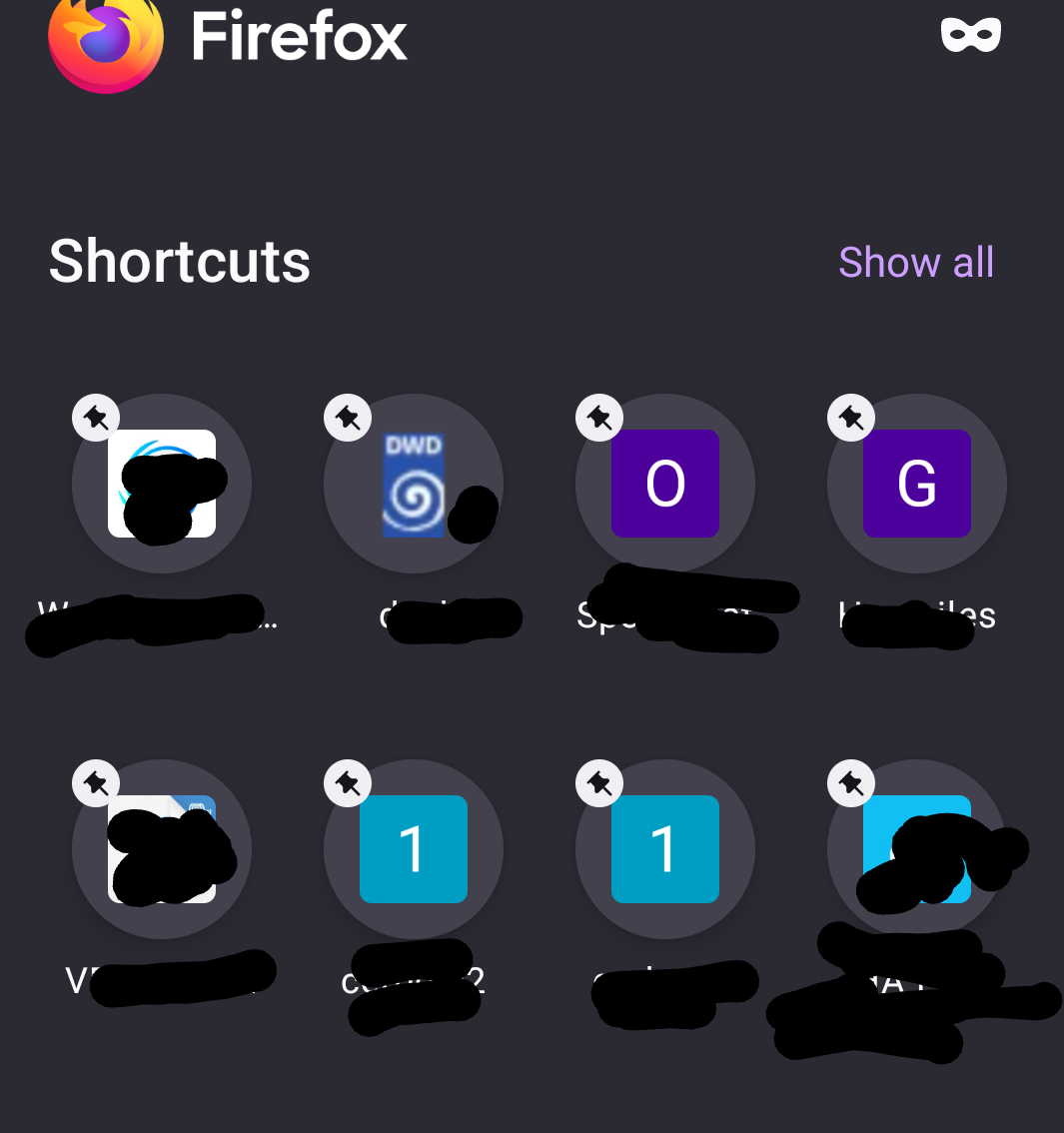
And, - allow moving (sorting) the Shortcut links within the homepage (per drag and drop), - allow more than two Shortcut separate pages within the homepage or more than 16 Shortcuts, - remove the pin symbol from the Shortcut image, it looks terrible and it is superfluous. (I use ONLY my own shortcuts, nothing else, so the pin symbol is not needed.)

Thank you Mario

Hello! It would be nice to go back to the old style of the management of the Shortcuts in the browsers homepage. The new style was a regression. Let the browser user decide what style he likes. And, - allow moving (sorting) the Shortcut links within the homepage (per drag and drop), - allow more than two Shortcut separate pages within the homepage or more than 16 Shortcuts, - remove the pin symbol from the Shortcut image, it looks terrible and it is superfluous. (I use ONLY my own shortcuts, nothing else, so the pin symbol is not needed.) Thank you Mario

Alle antwoorden (1)

As explanation here a screenshot of my Shortcuts.

And, in the old style is was allowed to swipe from Shortcut page 1 to 2 and back. This is more user-friendly as a click at the link top right and let show ALL Shortcuts.