


icons in middle of new page

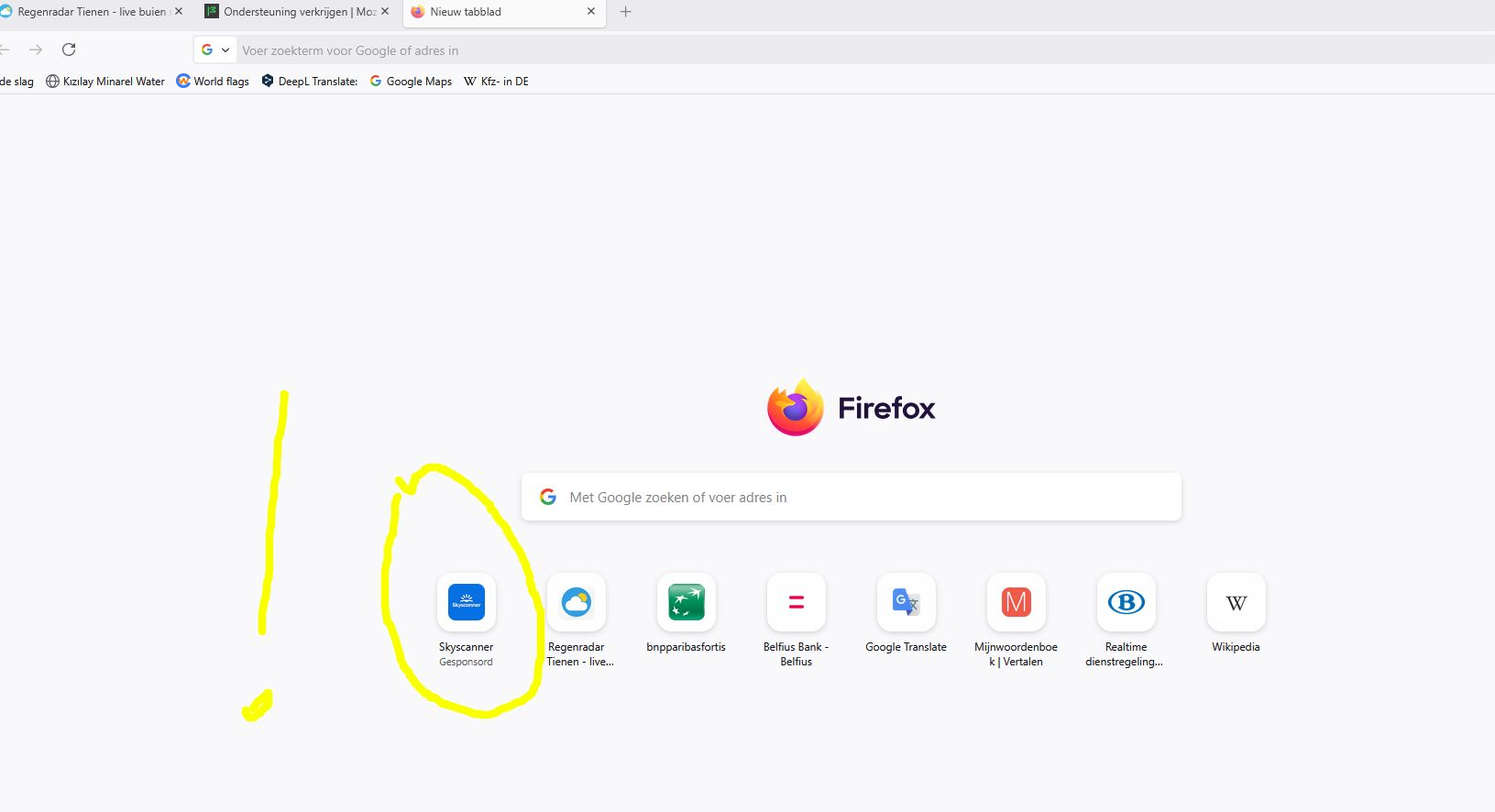
When I open Firefox, I clearly see my favorite icons in the middle of the screen. (for my banks, train hours etc). This is now 1 line. In the past I even had two lines. Sometimes new icons slip in from visiting a new site. But I was always able to shut it down. Until yesterday that is because now i get a sponsered icon and am unable to remove it. I also notice that the same goes for my existing icons. Which setting allows me to' decide myself' which icons are on my start page thanks
When I open Firefox, I clearly see my favorite icons in the middle of the screen. (for my banks, train hours etc). This is now 1 line. In the past I even had two lines. Sometimes new icons slip in from visiting a new site. But I was always able to shut it down. Until yesterday that is because now i get a sponsered icon and am unable to remove it.
I also notice that the same goes for my existing icons.
Which setting allows me to'''''' decide myself'''''' which icons are on my start page
thanks
Alle antwoorden (1)
als u in de laatste versie van Firefox klikt op het potloodje rechts onder het scherm kunt u de nodige aanpassingen maken, zie https://support.mozilla.org/nl/kb/items-nieuw-tabbladpagina-firefox-aanpassen