Windows 10 bereikte EO (einde ondersteuning) op 14 oktober 2025. Lees voor meer informatie dit artikel.

Windows 10 reached EOS (end of support) on October 14, 2025. For more information, see this article.

Zoeken in Support

Vermijd ondersteuningsscams. We zullen u nooit vragen een telefoonnummer te bellen, er een sms naar te sturen of persoonlijke gegevens te delen. Meld verdachte activiteit met de optie ‘Misbruik melden’.

Meer info

Deze conversatie is gearchiveerd. Stel een nieuwe vraag als u hulp nodig hebt.

Thunderbird folder not visible in App/Data/Roaming

  • 2 antwoorden
  • 0 hebben dit probleem
  • 52 weergaven
  • Laatste antwoord van sfhowes

meer opties

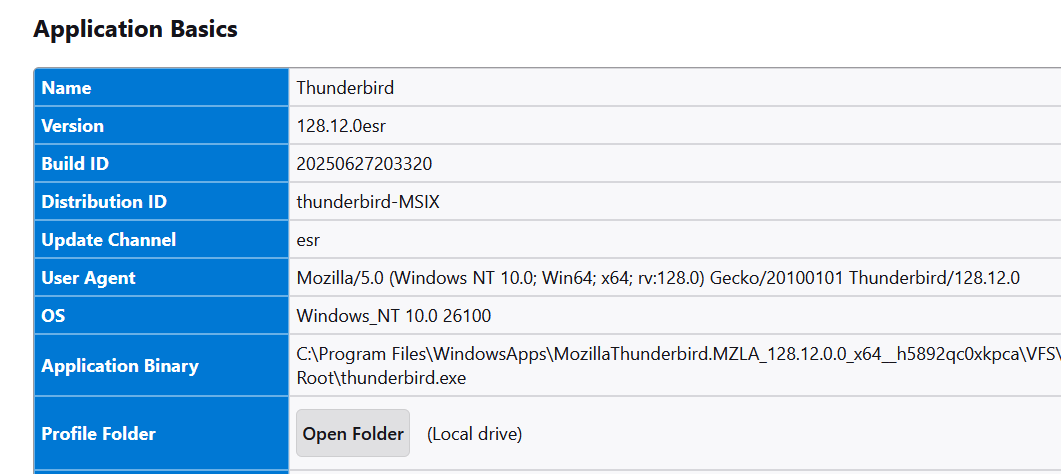
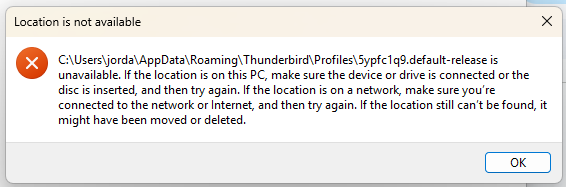
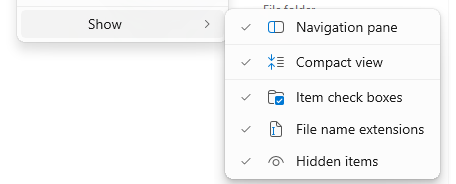
I would like to back up my huge email history which is saved in numerous sub-folder folders on my Windows 11 computer. According to Thunderbird settings, my profile should be at the default location: C:\Users\jorda\AppData\Roaming\Thunderbird\Profiles\5ypfc1q9.default-release\ImapMail\imap.dreamhost.com But when I open the AppData folder, there is no sub-folder named "Thunderbird". In the "View" menu, "show hidden items" is checked. In the Troubleshooting menu, under Application Basics, Profile Folder, when I click on "Open Folder (Local drive)", I get a message saying: "C\Users\jorda\AppData\Roaming\Thunderbird\Profiles\5ypfc1q9.default-release is unavailable. If the locatoin is on this PC, make sure the device or drive is connected or the disc is inserted, and then try again. If the location is on a network, make sure you're connected to the network or Internet, and then try again. If the location still can't be found, it might have been moved or deleted". Yet Thunderbird is still working fine and all my past emails are accessible. I'm stumped - can anyone help me find or expose my Thunderbird profile folder?
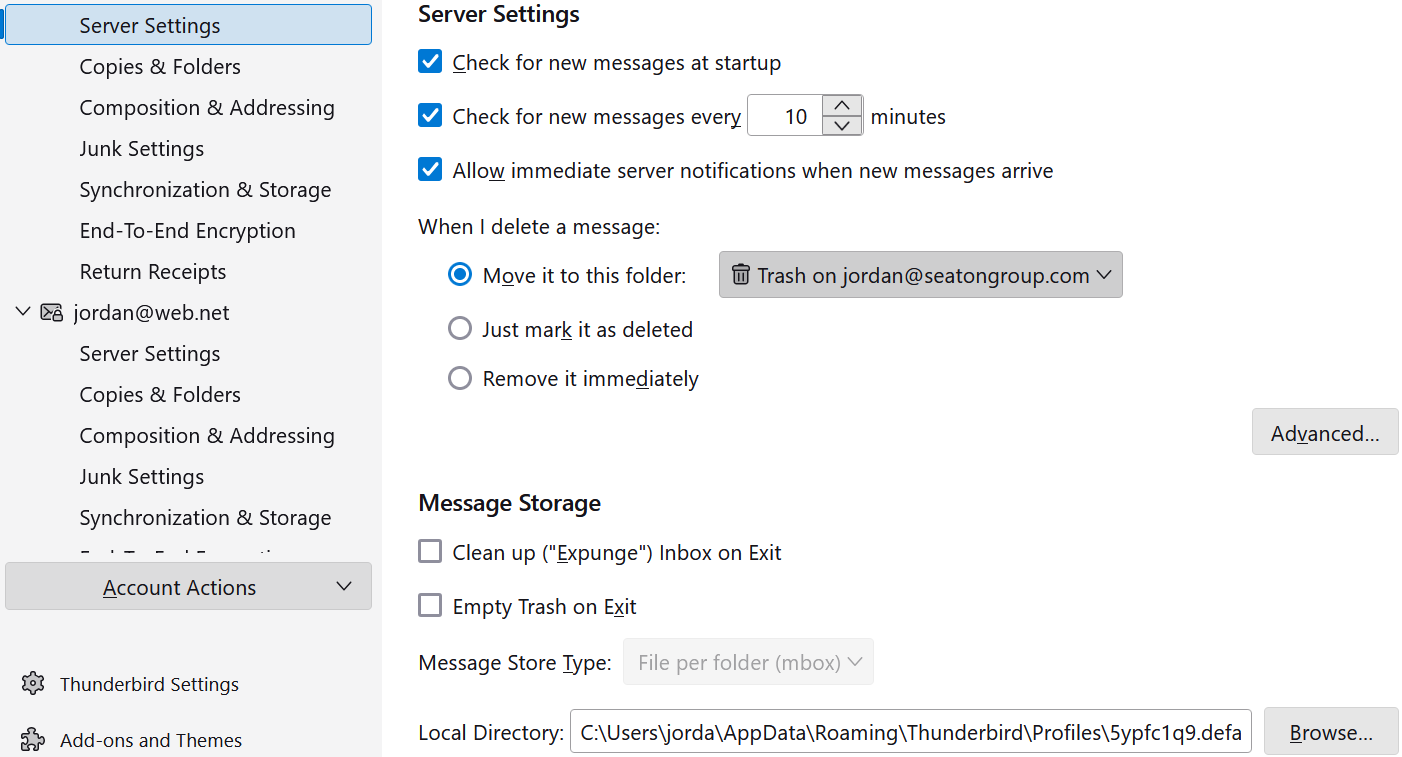
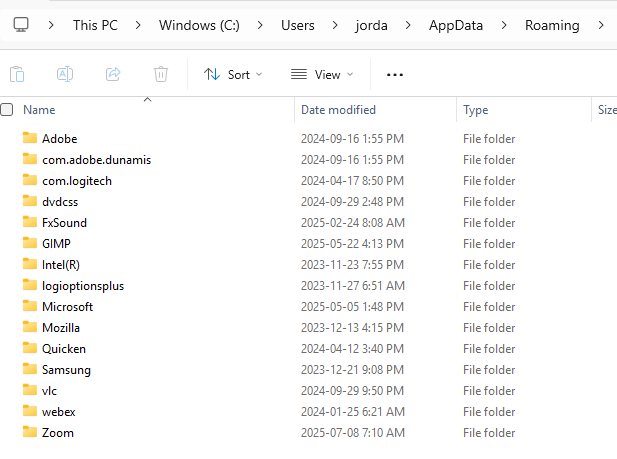
I would like to back up my huge email history which is saved in numerous sub-folder folders on my Windows 11 computer. According to Thunderbird settings, my profile should be at the default location: C:\Users\jorda\AppData\Roaming\Thunderbird\Profiles\5ypfc1q9.default-release\ImapMail\imap.dreamhost.com But when I open the AppData folder, there is no sub-folder named "Thunderbird". In the "View" menu, "show hidden items" is checked. In the Troubleshooting menu, under Application Basics, Profile Folder, when I click on "Open Folder (Local drive)", I get a message saying: "C\Users\jorda\AppData\Roaming\Thunderbird\Profiles\5ypfc1q9.default-release is unavailable. If the locatoin is on this PC, make sure the device or drive is connected or the disc is inserted, and then try again. If the location is on a network, make sure you're connected to the network or Internet, and then try again. If the location still can't be found, it might have been moved or deleted". Yet Thunderbird is still working fine and all my past emails are accessible. I'm stumped - can anyone help me find or expose my Thunderbird profile folder?
Gekoppelde schermafbeeldingen

Alle antwoorden (2)

meer opties

You seem to have installed thunderbird from microsoft. the preferred source is https://www.thunderbird.net/en-US/thunderbird/all/ the MS version installs to appdata\local in a Microsoft subfolder (I do not know specifics). One of the problems is that help>troublesshootinginformation doesn't work properly with the MS version,

meer opties