Windows 10 bereikte EO (einde ondersteuning) op 14 oktober 2025. Als je Windows 10 gebruikt, lees dan dit artikel.

Windows 10 reached EOS (end of support) on October 14, 2025. If you are on Windows 10, see this article.

Zoeken in Support

Vermijd ondersteuningsscams. We zullen u nooit vragen een telefoonnummer te bellen, er een sms naar te sturen of persoonlijke gegevens te delen. Meld verdachte activiteit met de optie ‘Misbruik melden’.

Meer info

Deze conversatie is gearchiveerd. Stel een nieuwe vraag als u hulp nodig hebt.

Sync Firefox from old PC to new PC

  • 1 antwoord
  • 0 hebben dit probleem
  • 222 weergaven
  • Laatste antwoord van jonzn4SUSE

I got my mother a new PC. I'm trying to sync Firefox data from the old PC to the new PC. My mother does not have a smart phone.

This isn't syncing PC to smart phone. It's syncing PC to PC. I thought just entering the username/email address and password on the new PC would do it, but it isn't.

[There are still a lot of people who don't have a smart phone and will never understand one.] [If I use my smart phone, it will sync from my data, not my mother's]

I got my mother a new PC. I'm trying to sync Firefox data from the old PC to the new PC. My mother does not have a smart phone. This isn't syncing PC to smart phone. It's syncing PC to PC. I thought just entering the username/email address and password on the new PC would do it, but it isn't. [There are still a lot of people who don't have a smart phone and will never understand one.] [If I use my smart phone, it will sync from my data, not my mother's]

Alle antwoorden (1)

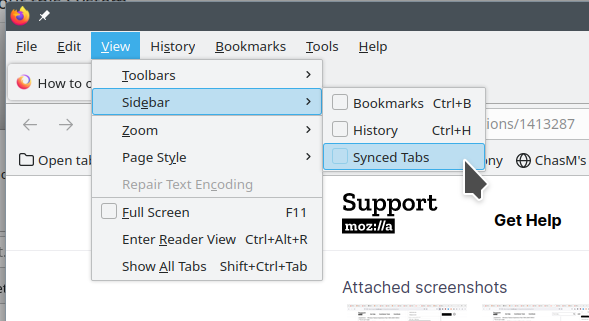
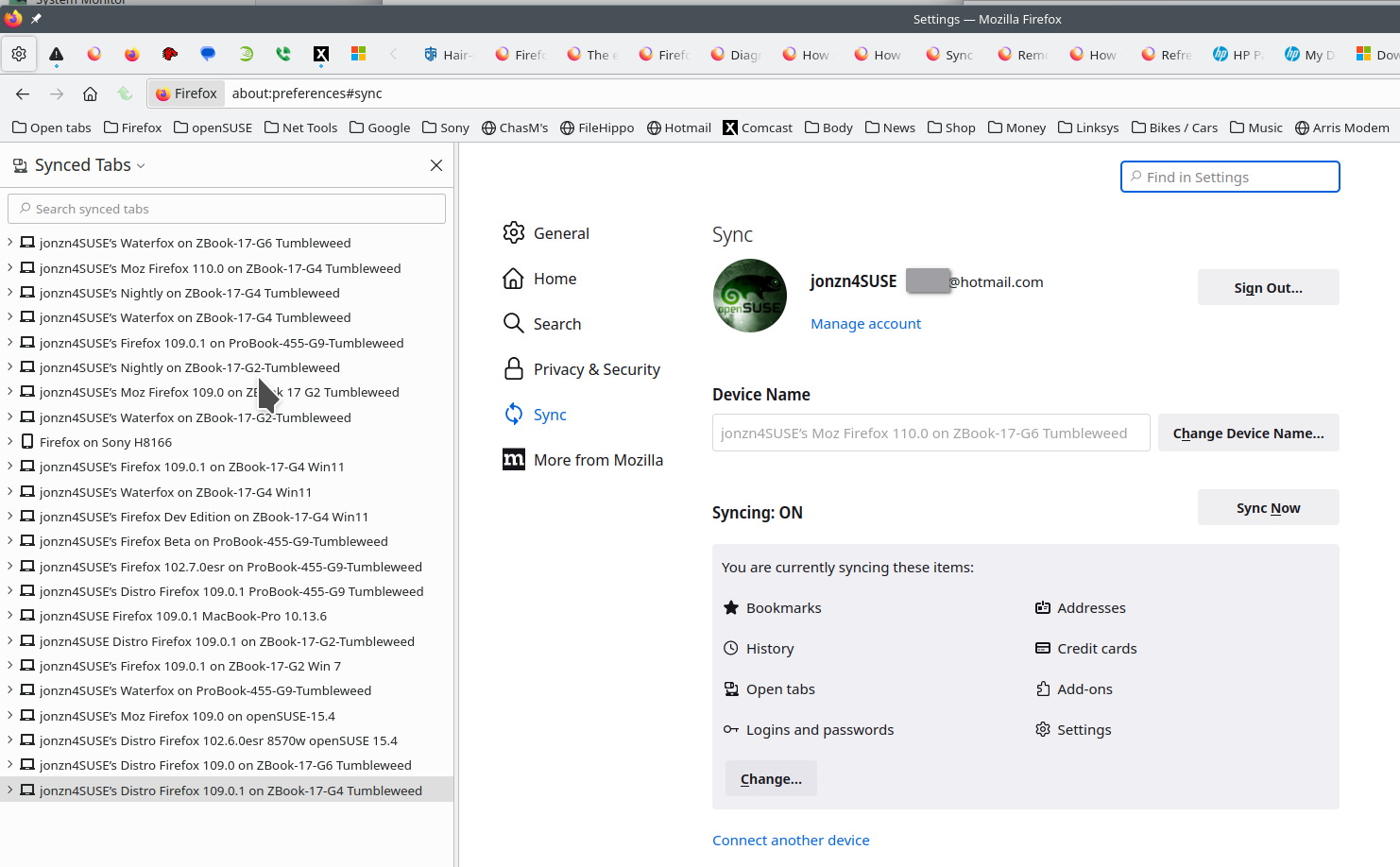
Phone is not needed. Check the sync settings on both computers. Just signing into the same account on both should do it. Check the sync settings Also see if the computers can see each other in Sync and under the account devices. see screenshots
Bewerkt door jonzn4SUSE op