


Windows 10 bereikte EO (einde ondersteuning) op 14 oktober 2025. Lees voor meer informatie dit artikel.

Windows 10 reached EOS (end of support) on October 14, 2025. For more information, see this article.

Zoeken in Support

Vermijd ondersteuningsscams. We zullen u nooit vragen een telefoonnummer te bellen, er een sms naar te sturen of persoonlijke gegevens te delen. Meld verdachte activiteit met de optie ‘Misbruik melden’.

Meer info

Deze conversatie is gearchiveerd. Stel een nieuwe vraag als u hulp nodig hebt.

Sync Instructions Do Not Match Mobile Firefox Optioons

  • 1 antwoord
  • 10 hebben dit probleem
  • 207 weergaven
  • Laatste antwoord van jonzn4SUSE

Hello, I am trying to sync browser bookmarks bidirectionally from PC to Cell devices. The instructional window that pops up on the PC says to: click the three dots in the Android Firefox cell, 1) Choose "I already have Firefox for mobile" & click Continue 2) Window popup appears "Sync Firefox on your phone or tablet" 2a) Open Firefox on cell phone 2b) Go to the Menu (three dots) 2c) Tap "Sync and save data" 2d) Tap "Ready to scan" My issue is, I do not see option 2c, Tap "Sync and save data. Thus, I cannot scan the OCR code to pair up the devices because in the Firefox app on the Android cell (Samsung Galaxy S22+), there is no option to sync and save data. Please advise. Thank you
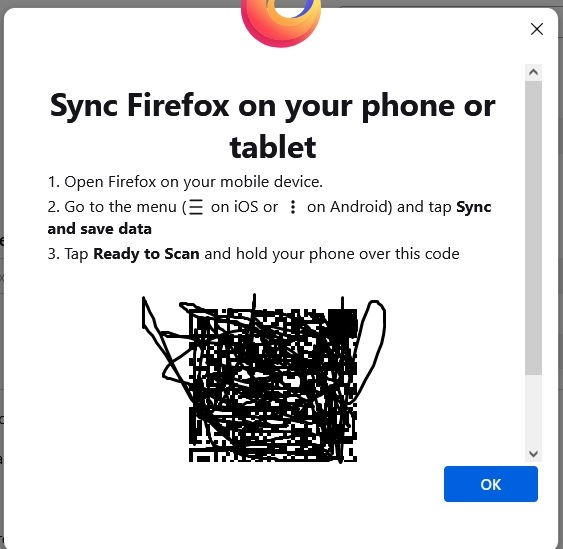
Hello, I am trying to sync browser bookmarks bidirectionally from PC to Cell devices. The instructional window that pops up on the PC says to: click the three dots in the Android Firefox cell, 1) Choose "I already have Firefox for mobile" & click Continue 2) Window popup appears "Sync Firefox on your phone or tablet" 2a) Open Firefox on cell phone 2b) Go to the Menu (three dots) 2c) Tap "Sync and save data" 2d) Tap "Ready to scan" My issue is, I do not see option 2c, Tap "Sync and save data. Thus, I cannot scan the OCR code to pair up the devices because in the Firefox app on the Android cell (Samsung Galaxy S22+), there is no option to sync and save data. Please advise. Thank you
Gekoppelde schermafbeeldingen

Alle antwoorden (1)