


Join us to show up for other Firefox users 🦊. Earn fun badges and Mozilla swag vouchers! Find out more: https://mzl.la/askafox150

Windows 10 bereikte EO (einde ondersteuning) op 14 oktober 2025. Als je Windows 10 gebruikt, lees dan dit artikel.

Windows 10 reached EOS (end of support) on October 14, 2025. If you are on Windows 10, see this article.

Zoeken in Support

Vermijd ondersteuningsscams. We zullen u nooit vragen een telefoonnummer te bellen, er een sms naar te sturen of persoonlijke gegevens te delen. Meld verdachte activiteit met de optie ‘Misbruik melden’.

Meer info

Deze conversatie is gearchiveerd. Stel een nieuwe vraag als u hulp nodig hebt.

Wallpaper location in Firefox

  • 2 antwoorden
  • 2 hebben dit probleem
  • 279 weergaven
  • Laatste antwoord van Dorota
  • Opgelost

Does anyone know where Mozilla wallpapers are stored? I wanted to set a wallpaper from Mozilla's menu as the desktop wallpaper on my laptop. I looked for hidden files and checked the forums, but I can't find them in the given locations e.g. my profile. Maybe these files are masked somehow. I'm looking for particular wallpaper from the abstraction category (screenshot). Can anyone tell me how to find it?
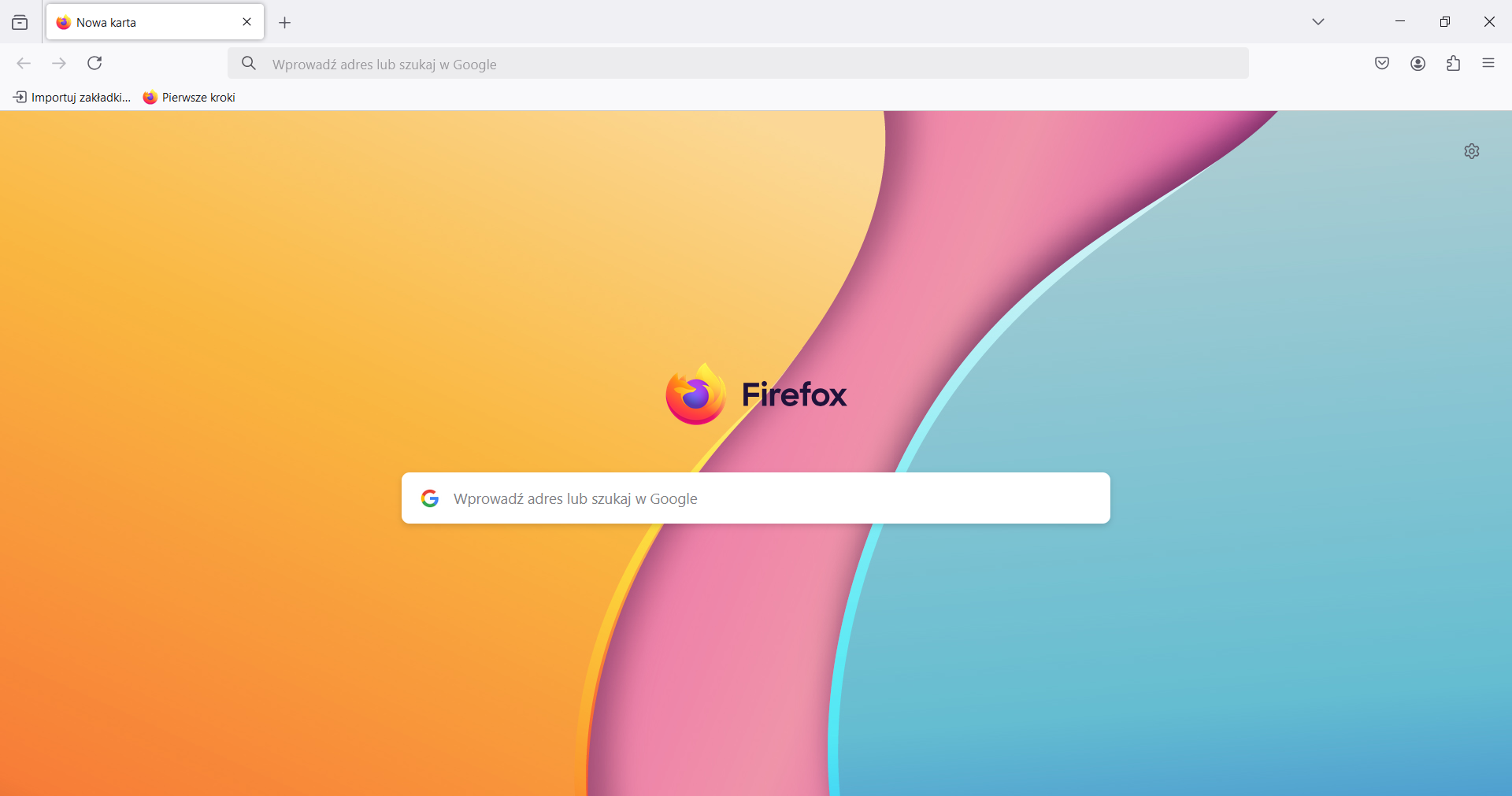
Does anyone know where Mozilla wallpapers are stored? I wanted to set a wallpaper from Mozilla's menu as the desktop wallpaper on my laptop. I looked for hidden files and checked the forums, but I can't find them in the given locations e.g. my profile. Maybe these files are masked somehow. I'm looking for particular wallpaper from the abstraction category (screenshot). Can anyone tell me how to find it?
Gekoppelde schermafbeeldingen

Gekozen oplossing

Such a simple solution! I haven't used Mozilla before, rather Opera and Chrome, and I feel stupid for not thinking about it. Additionally, I saved this wallpaper on my disk. Thank you very much😃!

Dit antwoord in context lezen 👍 0

Alle antwoorden (2)

This is a little hard to research, but could you try this:

(1) right-click the image and "Open Image in New Tab"

(2) switch to the new tab

(3) right-click the image and "Set Image as Desktop Background"

Gekozen oplossing

Such a simple solution! I haven't used Mozilla before, rather Opera and Chrome, and I feel stupid for not thinking about it. Additionally, I saved this wallpaper on my disk. Thank you very much😃!