


TB automatically downloading messages, despite Server settings for this being unticked

After a recent update (to 130.0), TB has started automatically downloading messages, despite 'Automatically download new messages' being unticked in the Account Settings.
'Check for new messages at startup' and 'Check for new messages every xxx minutes' are also unticked.
The account is set as a POP mail server.
Has anyone else had this problem and resolved it?
Alle antwoorden (6)
There is no official release of a 130.0. I suggest you switch to a supported version,
Thank you, David
I have rolled back to a previous release (and one which works with Nostalgy++, which is a bonus!!).
Strange thing is, when I run it, it offers me the option to update to 130.0, even though you say it's not officially supported.
please click help>about and post the screenshot of whatever the release level shows. Thank you.
A an FYI, some versions are place-holders, not designed for use, not supported, and possibly with bugs. They are made available from unofficial sources, thinking that they are announcing the latest release, but are really announcing unreliable versions. Always, download only from thunderbird.net. Thanks.
Here it is:
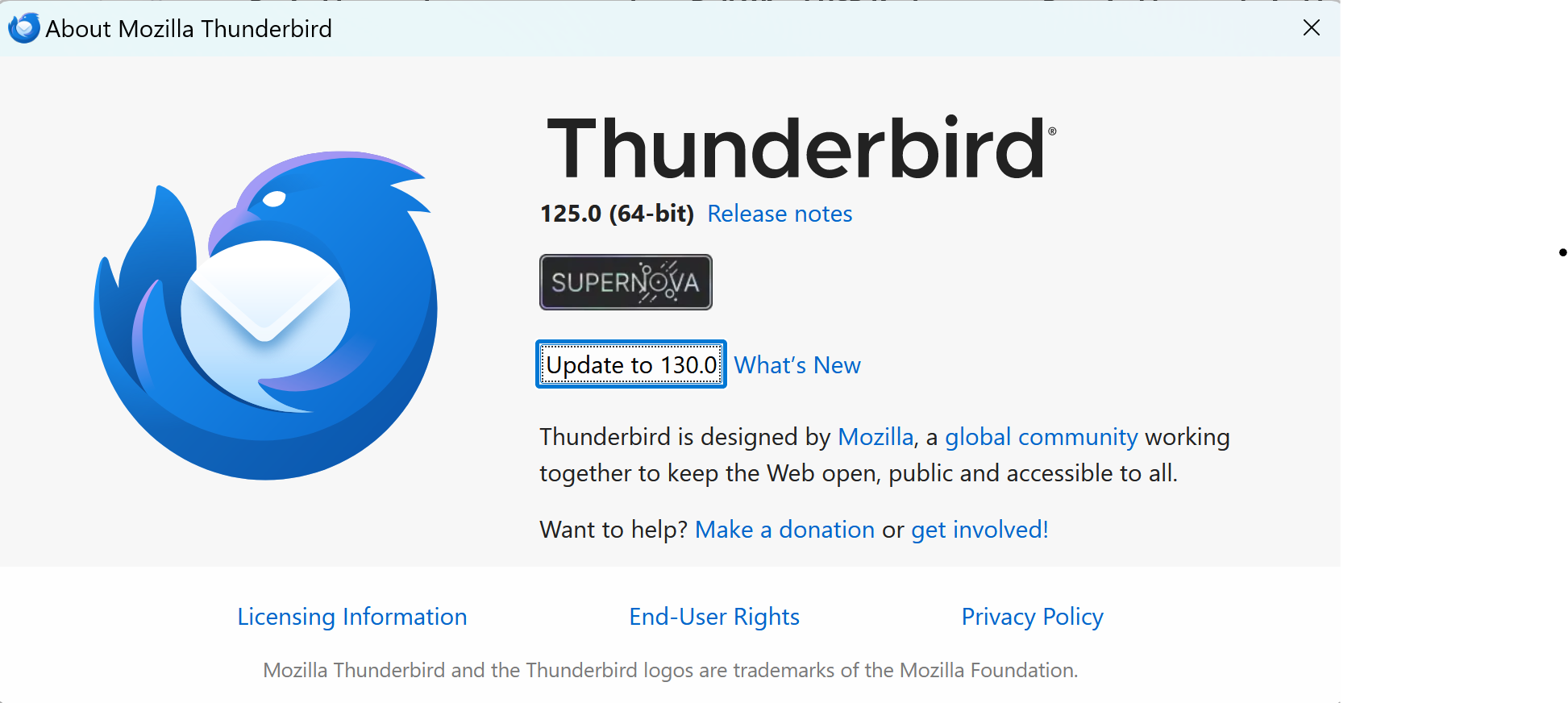
This was another one that was a placeholder and I was anticipating it being 125. I know MajorGeeks does this, grabbing what looks like a newest version. If it isn't from thunderbird.net, please avoid. Another reason is that there is no upgrade strategy, so migrating to a supported release could cause problems.