


Tabs bar
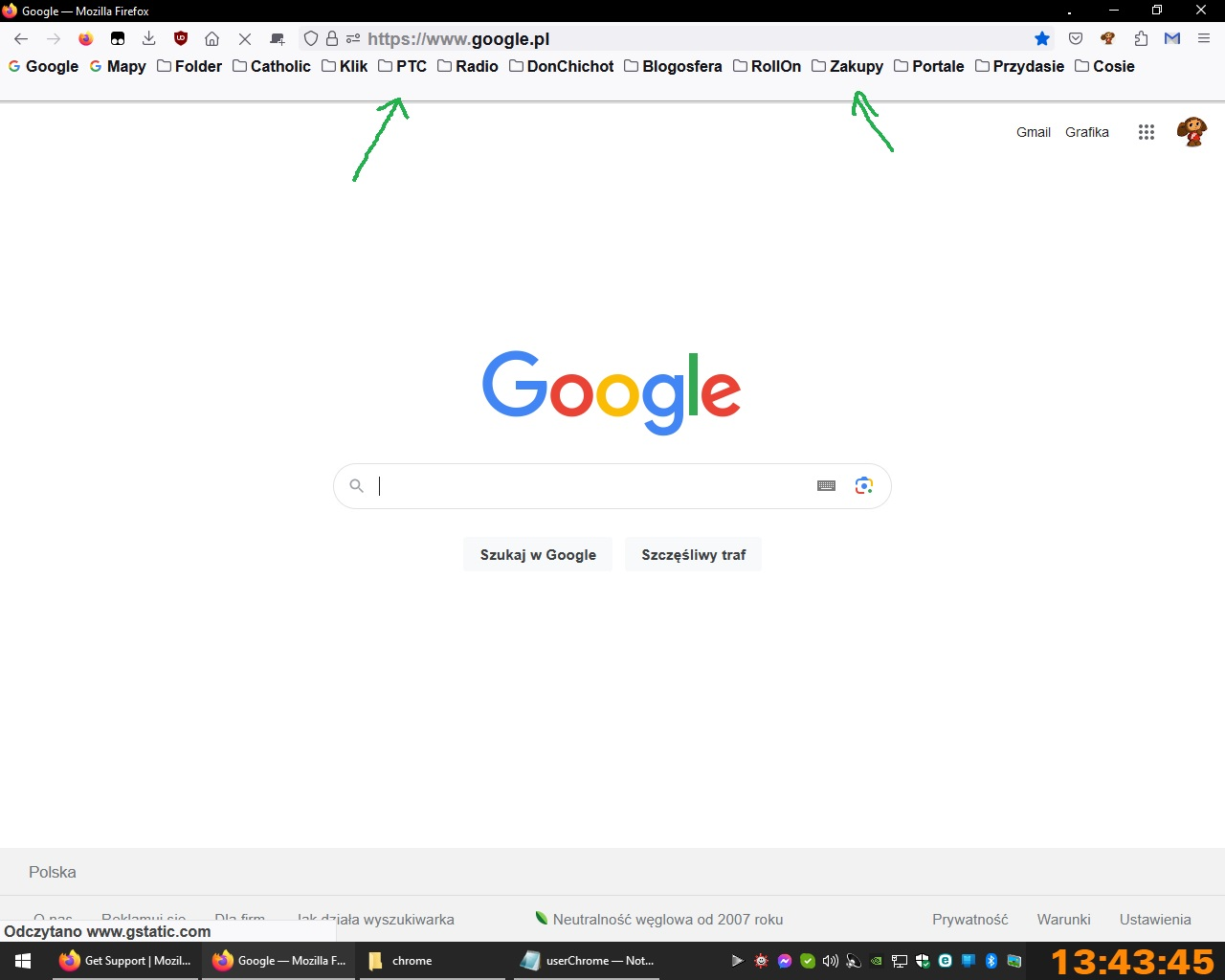
Hi, I use sript "hide tabs bar with only one tab" but empty tabs bar is still visible. Can someone help me?
Script:
/:root[sizemode="normal"] #nav-bar{ --uc-window-drag-space-width: 20px }
- titlebar{ -moz-appearance: none !important; }
- tabbrowser-tabs, #tabbrowser-tabs > .tabbrowser-arrowscrollbox, #tabbrowser-arrowscrollbox{ min-height: 0 !important; }
- root:not([customizing]) #tabbrowser-tabs .tabs-newtab-button,
- root:not([customizing]) #tabs-newtab-button,
- root:not([customizing]) #TabsToolbar-customization-target > .toolbarbutton-1,
- root:not([customizing]) #TabsToolbar .titlebar-button{
 -moz-appearance: none !important;
 height: 43px;
 padding-top: 0px !important;
 padding-bottom: 0px !important;
 -moz-box-align: stretch;
 margin: 0 !important;
}
- root:not([customizing]) #TabsToolbar-customization-target > .toolbarbutton-1 > .toolbarbutton-icon{
 padding-block: 0px !important;
 max-height: 28px;
 height: 20px !important
}
- tabs-newtab-button, #alltabs-button, #tabbrowser-tabs .tabbrowser-tab:only-of-type{
visibility: collapse !important;
}
/* TABS: bottom - Firefox 65 and later - updated for 89+ */ /* https://searchfox.org/mozilla-release/source/browser/themes/shared/tabs.inc.css */ /* https://github.com/Aris-t2/CustomCSSforFx/blob/master/classic/css/tabs/tabs_below_navigation_toolbar_fx89.css */ /* https://developer.mozilla.org/en-US/docs/Tools/Browser_Toolbox */
/* ROOT - VARS */ /* you can adjust the CSS variables until it looks correct */
- |*:root {
--tab-toolbar-navbar-overlap: 0px !important;
 --tab-min-height: 25px !important;
 --tab-min-width:  60px !important;
 --tab-adjust:  0px; /* adjust tab bar - only for 68-73 */
 --tab-caption: 5px; /* caption buttons on tab bar */
}
/* TAB BAR - below nav-bar */
- navigator-toolbox toolbar:not(#nav-bar):not(#toolbar-menubar) {-moz-box-ordinal-group:10 !important;}
- TabsToolbar {-moz-box-ordinal-group:1000 !important;}
- TabsToolbar {
 display: block !important;
 position: absolute !important;
 bottom: 0 !important;
 width: 100vw !important;
}
- tabbrowser-tabs {
width: 100vw !important;
}
/* navigator-toolbox - PADDING */
- |*:root:not([chromehidden*="toolbar"]) #navigator-toolbox {
 position: relative !important; /*89+*/
 padding-bottom: calc(var(--tab-min-height) + 1px) !important; /*ADJUST*/
 background-color: var(--toolbar-bgcolor) !important;
}
/* TabsToolbar with menubar and titlebar hidden - rules for Firefox 65-73 */
- |*:root[tabsintitlebar]:not([inFullscreen="true"]):not([sizemode="maximized"]) #toolbar-menubar[autohide="true"] ~
#TabsToolbar{
 bottom: var(--tab-adjust); /*ADJUST*/
}
/* TABS: height */
- tabbrowser-tabs,
- tabbrowser-tabs > .tabbrowser-arrowscrollbox,
.tabbrowser-tabs[positionpinnedtabs] > .tabbrowser-tab[pinned] {
 min-height: var(--tab-min-height) !important;
 max-height: var(--tab-min-height) !important;
}
- TabsToolbar {
 height: var(--tab-min-height) !important;
 margin-bottom: 1px !important;
 box-shadow: ThreeDShadow 0 -1px inset, -moz-dialog 0 1px !important; /*OPTIONAL*/
 background-color: var(--toolbar-bgcolor) !important;
 color:            var(--toolbar-color) !important;
}
/* indicators *//*
- |*:root[privatebrowsingmode=temporary] .private-browsing-indicator {
 position: absolute !important;
 display: block !important;
 right: 0px !important;
 bottom: 0px !important;
 width: 14px !important;
 pointer-events: none !important;
}
- /
.private-browsing-indicator {display: none !important;} .accessibility-indicator {display: none !important;}
/* Indicators - HIDE *//*
- |*:root:not([accessibilitymode]) .accessibility-indicator {display: none !important}
- |*:root:not([privatebrowsingmode=temporary]) .private-browsing-indicator {display: none !important}
- /
/* Drag Space */ .titlebar-spacer[type="pre-tabs"], .titlebar-spacer[type="post-tabs"] {
width: 20px !important;
}
/* Override vertical shifts when moving a tab */
- navigator-toolbox[movingtab] > #titlebar > #TabsToolbar {
padding-bottom: unset !important;
}
- navigator-toolbox[movingtab] #tabbrowser-tabs {
 padding-bottom: unset !important;
 margin-bottom: unset !important;
}
- navigator-toolbox[movingtab] > #nav-bar {
margin-top: unset !important;
}
/* Hide window-controls and caption buttons on Tab Bar */
- TabsToolbar #window-controls {display: none !important;}
- TabsToolbar .titlebar-buttonbox-container {display: none !important;}
Alle antwoorden (2)
Could you take a look at the following thread from earlier this year:
https://support.mozilla.org/questions/1394300
For future reference, please use <pre> before and </pre> after code blocks to preserve them a bit better.
(If you want to edit your question, there should be a link for that on the right side of the page here at https://support.mozilla.org/questions/1419112.)
Note that you can't hide the Tab bar when you use code to move the Tab bar below the Navigation Toolbar you posted above as that requires to reserve space at the bottom of the #navigator-toolbox via padding-bottom. The code also sets #TabsToolbar {height: var(--tab-min-height) !important;}