


How to disable SafeSearch
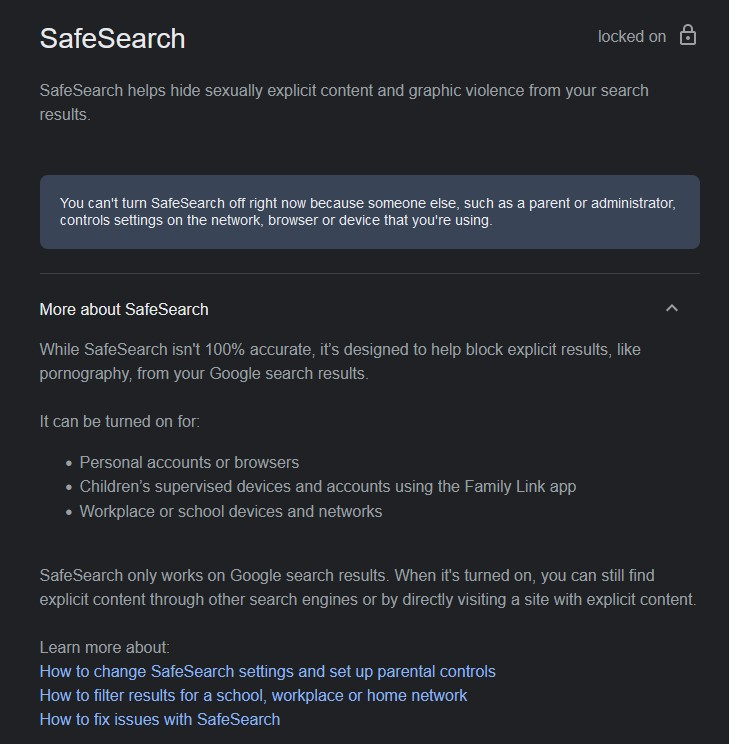
Hi My government has enabled SafeSearch over our internet. we cant disable or turn it off.
we had a solution to disable it by changing DNS in our browsers to CloudFlare. but unfortunately, it's not working anymore, so the SafeSearch is back online again...
now, how can we disable it?

Alle antwoorden (6)

Are you sure it's the government? Your first screenshot indicates that it's enforced by a policy document. Enter about:policies in your address bar and post the results.
Dropa said
Unfortunately that is up to the IT department and your place of work to decide what settings they use. Firefox forum users are not to help bypass their security or settings. You need to talk to your IT department for this question.
they forced us to SafeSearch & you say we talk with them? :-D
Bewerkt door A.R.B.N op
Terry said
Are you sure it's the government? Your first screenshot indicates that it's enforced by a policy document. Enter about:policies in your address bar and post the results.
im not sure what exactly do you want. but yes, it's by our governmetn. they forced us to SafeSearch
just for info, im from Iran

Bewerkt door A.R.B.N op
cor-el said
See also:
if you look at my screenshot, you'll see it has been locked for us by administrator. so the link you sent is not helpful.
techguy150 said
On your Android phone or tablet, go to SafeSearch settings. Turn SafeSearch on or off. If you find a Lock at the top right, your SafeSearch setting is locked. The settings page provides info about who manages your SafeSearch setting. Learn more about why your SafeSearch setting is locked. At the top right, tap Back .
Seriously!!!! Don't you read before you type your solution?