

Deze conversatie is gearchiveerd.
Stel een nieuwe vraag als u hulp nodig hebt.

Gearchiveerd
langage change for browser developer tools

changing the language in the settings does not change the language in browser developer tools. I would like the language in the browser developer tools to be English.
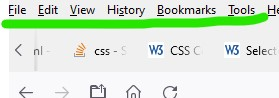
I have attached two screenshot. The red zone is always in French. I would like it to be in English. However, I changed the language in the settings. the second screenshot shows that I changed the language from French to English. But why this language change did not affect the development tools
Thanks in advance
changing the language in the settings does not change the language in browser developer tools. I would like the language in the browser developer tools to be English.
I have attached two screenshot. The red zone is always in French. I would like it to be in English. However, I changed the language in the settings.
the second screenshot shows that I changed the language from French to English. But why this language change did not affect the development tools
Thanks in advance

Bewerkt door torguephilippe op
Alle antwoorden (1)
You can try "Clear the startup cache..." via the "Help -> More Troubleshooting Information" (about:support) page.