


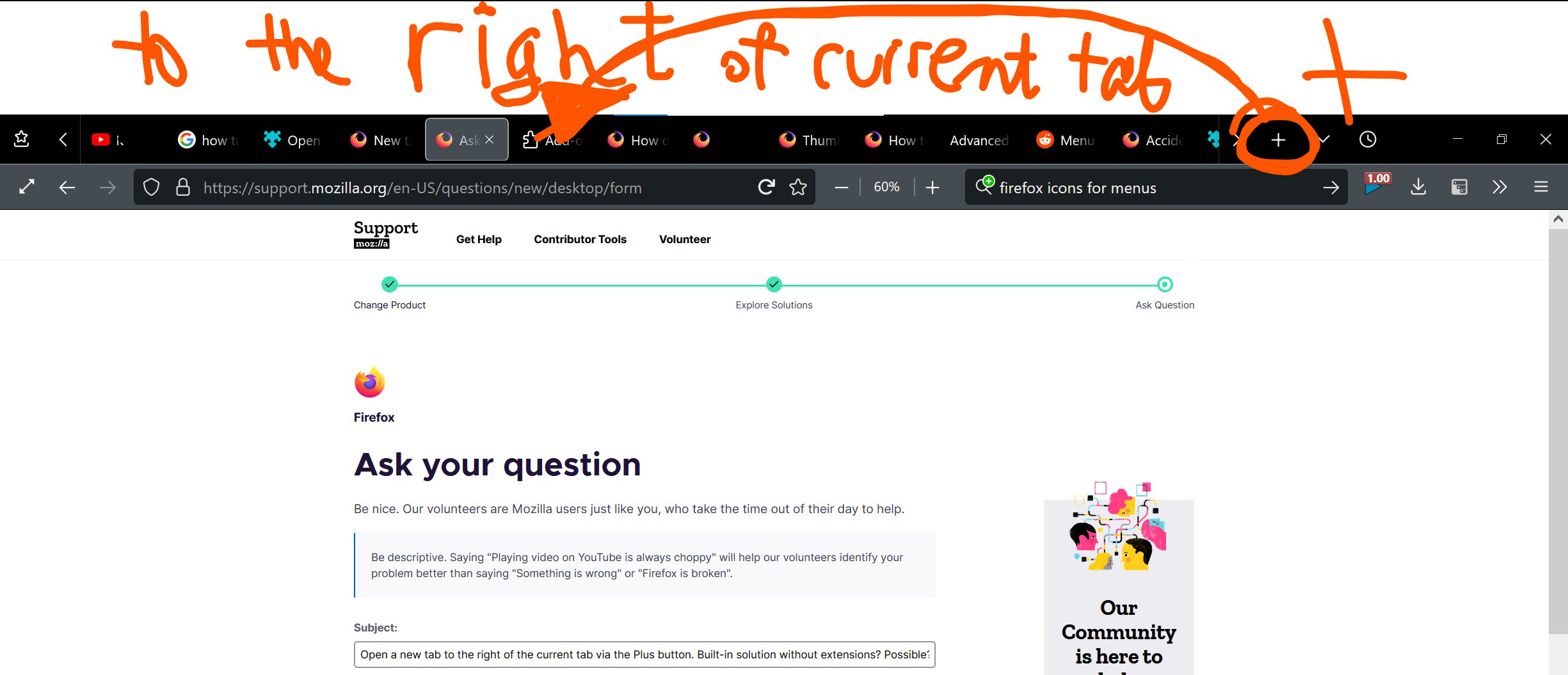
Open a new tab to the right of the current tab via the Plus button. Built-in solution without extensions? Possible?
I would like to do this without extensions. Is there a built-in way to do this? Currently I have to use an extension for this ("Open Tabs Next to Current"), but I have read some hints on this forum, where they said that you do not need extensions for this anymore, and you can do this only through about:config. But how??? Screenshot below:
I would like to do this without extensions. Is there a built-in way to do this? Currently I have to use an extension for this ("Open Tabs Next to Current"), but I have read some hints on this forum, where they said that you do not need extensions for this anymore, and you can do this only through about:config. But how???
'''Screenshot below: '''
Bewerkt door inyazserg op
Gekozen oplossing
I have found the answer. Go to about:config and browser.tabs.insertAfterCurrent => true thanks to jscher2000 in this entry: https://support.mozilla.org/en-US/questions/1229062
Dit antwoord in context lezen 👍 0Alle antwoorden (1)
Gekozen oplossing
I have found the answer. Go to about:config and browser.tabs.insertAfterCurrent => true thanks to jscher2000 in this entry: https://support.mozilla.org/en-US/questions/1229062