

Deze conversatie is gearchiveerd.
Stel een nieuwe vraag als u hulp nodig hebt.

Opgelost
Gearchiveerd
Create Filter and Run Manually on Folder, works 1st time, never again after many attempts

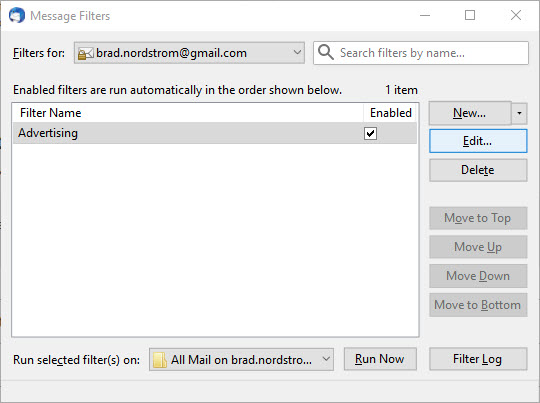
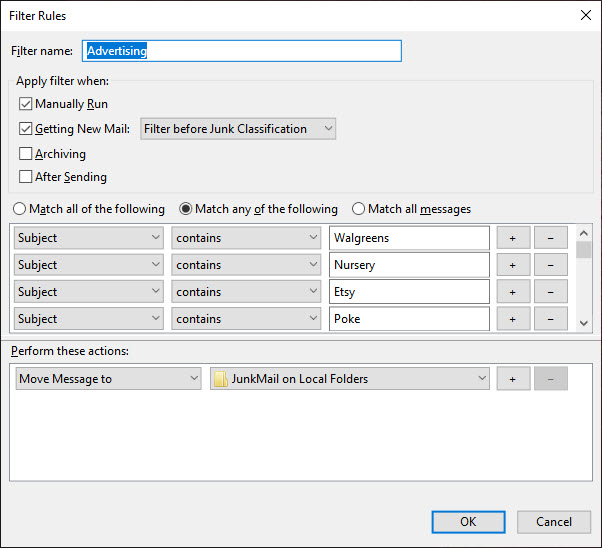
Created 'Advertising' filter, using 'Match any', and action = 'Move Message to a folder. I select that folder, then 'run manually', and no existing mail gets filtered-moved into the targeted folder.
Created 'Advertising' filter, using 'Match any', and action = 'Move Message to a folder. I select that folder, then 'run manually', and no existing mail gets filtered-moved into the targeted folder.
Alle antwoorden (2)
Gekozen oplossing
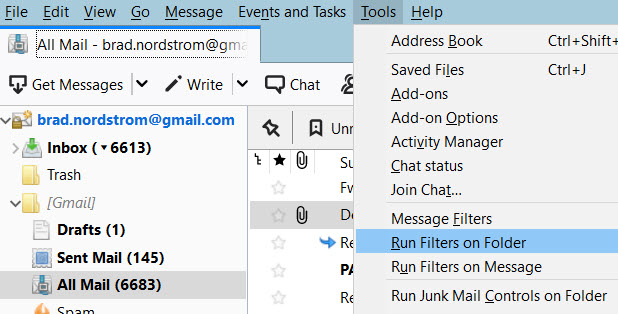
You have the all mail folder selected. You can not have mail in another folder in gmail unless it also exists in the all mail folder. That is why Google called it all mail. It has everything in it.
I suggest you try applying the filter to the inbox where new mail comes it.
Yep, that was it. What somewhat misled me is that the destination folder for the filter kept reading "216" items in it, but after right-clicking properties on it, it showed thousands of items - which was more like it.
Thank you VERY MUCH for your reponse & help! :)