


Profile full of old account clutter

My Thunderbird profile has been going since the early 2000's if not earlier. it has always had multiple email accounts within the profile. It has been moved multiple times to new computers. It is 6GB now and contains old accounts that are redundant and have been for years. How can I delete those unneeded accounts within the profile?
Alle antwoorden (3)
Tools/Account Settings, select an account in the left pane, then Account Actions/Remove Account (bottom of left pane). Check 'Remove message data' if you want to delete the mail. You can't remove the default account, so set another account as default through Account Actions, then remove the other account.
Thanks for your reply. There are accounts in the profile that do not show in Thunderbird account settings. I have attached 2 images, 1 of the Account Settings window and the other of the contents of the Mail folder inside the profile. The folders with the yellow squares next to them have been redundant for years.
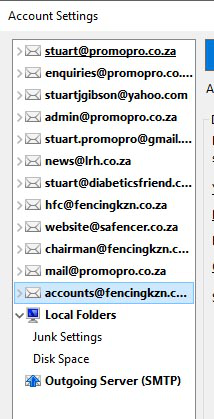
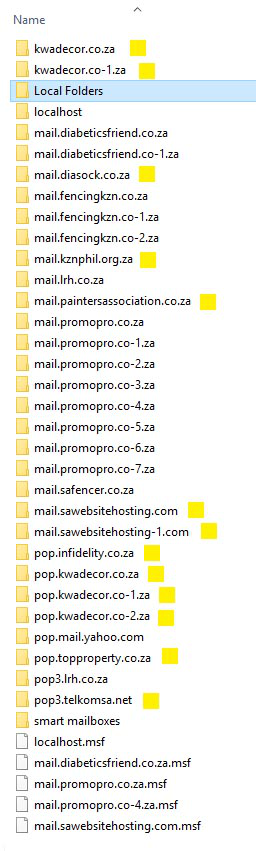
I suggest you move the redundant folders out of the profile folder (while TB is closed) and run TB to confirm there are no issues, and if not, delete or backup the folders. Earlier versions of TB didn't have the 'Remove message data' option when deleting accounts, which explains why many users probably have folders occupying unnecessary space.