


How do I disable autoplay of media in 66.0b2 (64-bit) Developer Edition?
I've always loved Firefox but I've ran into a wall with 66.0b2 (64-bit) Developer Edition where autoplay of media is concerned. What I've noticed--and this just recently started doing this as I think something was updated yesterday--is that if someone posts a YouTube video on a Facebook status feed, the video will play on its own despite my having the following media settings configured in about:config:
media.autoplay.default;1 media.autoplay.enabled.user-gestures-needed;false
I've noticed that when I set media.autoplay.allow-muted to false, the autoplay finally stops and I'd be okay with this were it not for the volume being unmuted when I click on the play button.
So, is there any way to make it that I have to press the play button but when it plays, the sound is muted?
Alle antwoorden (4)

You may find this link helpful: https://support.mozilla.org/en-US/questions/1222694
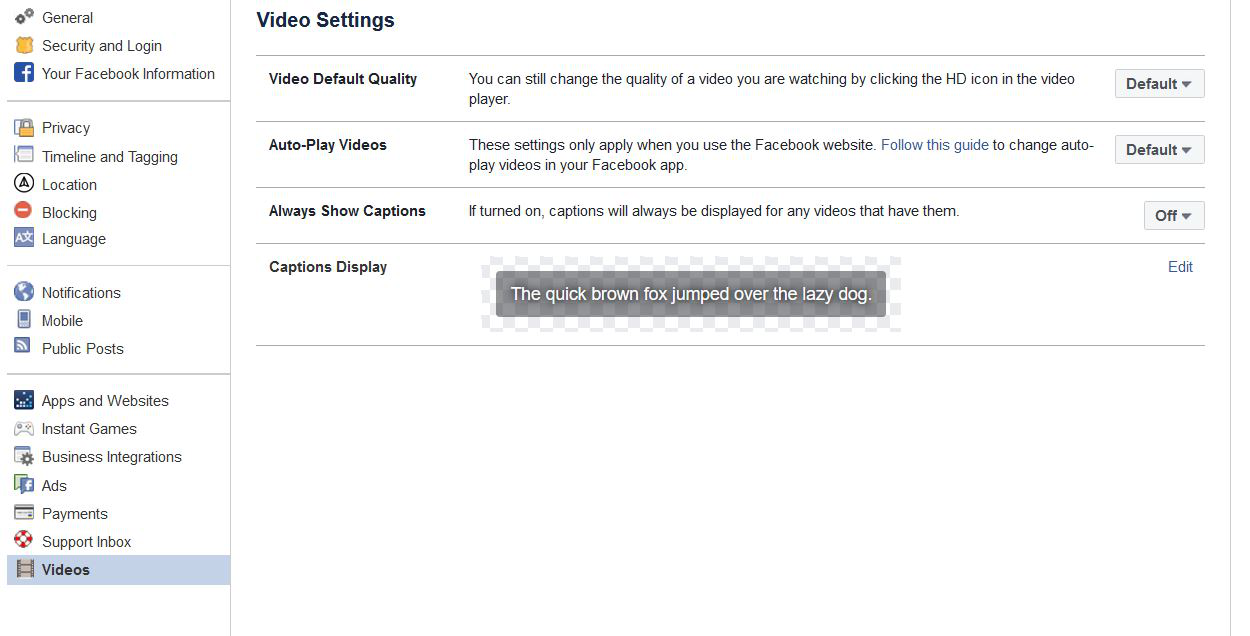
Facebook has an option to stop videos from playing automatically. You may need to take a look in their help section.
Thanks for the reply, Keith. Sadly, it seems that the only combination of about:config modifications that works for me is both the "media.autoplay.default;1" and "media.autoplay.allow-muted;false". Not sure why--everything *was* working before but somewhere around 66.0b1 is when I think something changed.
What a pain... You'd think something like this would be easy to configure but for some reason, it just doesn't seem that way. At least, not for me in Developer Edition.
Just go to Facebook and press the little down arrow which brings up a menu. Choose Settings --> Videos and turn off auto play
It's not just Facebook doing this...