


Windows 10 bereikte EO (einde ondersteuning) op 14 oktober 2025. Als je Windows 10 gebruikt, lees dan dit artikel.

Windows 10 reached EOS (end of support) on October 14, 2025. If you are on Windows 10, see this article.

Zoeken in Support

Vermijd ondersteuningsscams. We zullen u nooit vragen een telefoonnummer te bellen, er een sms naar te sturen of persoonlijke gegevens te delen. Meld verdachte activiteit met de optie ‘Misbruik melden’.

Meer info
Deze conversatie is gearchiveerd. Stel een nieuwe vraag als u hulp nodig hebt.
Opgelost Gearchiveerd

How to stop double click in edit from requesting link location dropdown

psychicmind beantwoord
psychicmind

I recently reinstalled Thunderbird.

Ever since then I am having a frustrating issue that I never had before.

Whenever I edit an email which was saved as a template and I double click a word with colored font to change it, a dropdown menu pops up asking me to add a link location.

I added a picture below.

I would like to turn this off. I do not need to add a link location to the word. I am simple editing an email. I use templates, so I often have to double click a word and replace it with a new word. I highlight these words with colored font so I can find them easily. I do not need to add a link. This is adding a extra step that is making work much more difficult.

How can I stop triggering a link location when I double a word while editing?

I recently reinstalled Thunderbird. Ever since then I am having a frustrating issue that I never had before. Whenever I edit an email which was saved as a template and I double click a word with colored font to change it, a dropdown menu pops up asking me to add a link location. I added a picture below. I would like to turn this off. I do not need to add a link location to the word. I am simple editing an email. I use templates, so I often have to double click a word and replace it with a new word. I highlight these words with colored font so I can find them easily. I do not need to add a link. This is adding a extra step that is making work much more difficult. How can I stop triggering a link location when I double a word while editing?
Dit antwoord in context lezen

Gekozen oplossing

I had to uninstall and go back to version 52.

The 60 version was a nightmare.

I will wait till the bugs get worked out.

Alle antwoorden (3)

Here is the picture
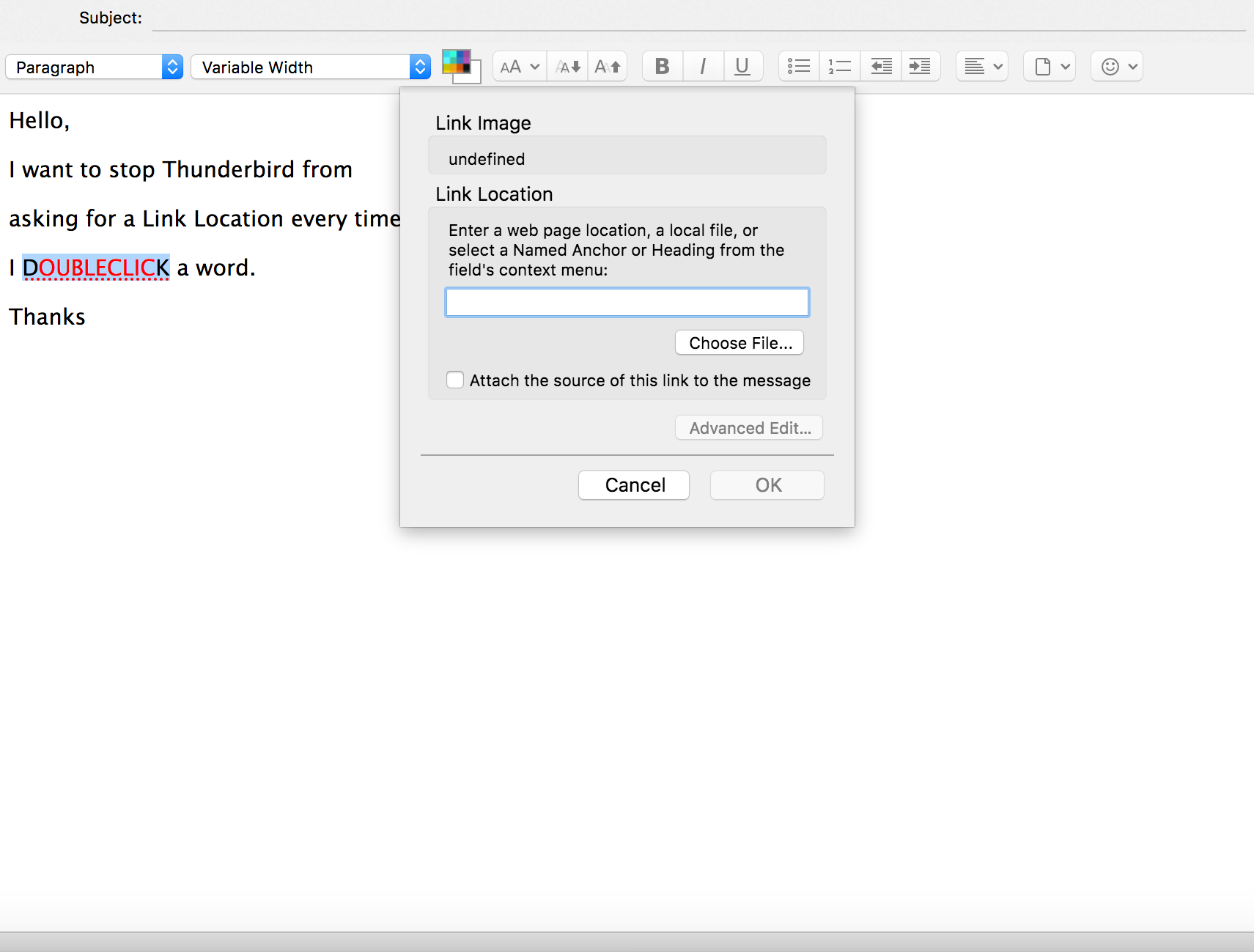
Still hoping for any help possible.

This is affecting me and my work team.

It's a very frustrating problem to have menus open simply by double clicking.

Help Please

Gekozen oplossing

I had to uninstall and go back to version 52.

The 60 version was a nightmare.

I will wait till the bugs get worked out.