


Why do new (post 57) add-ons use such small fonts????
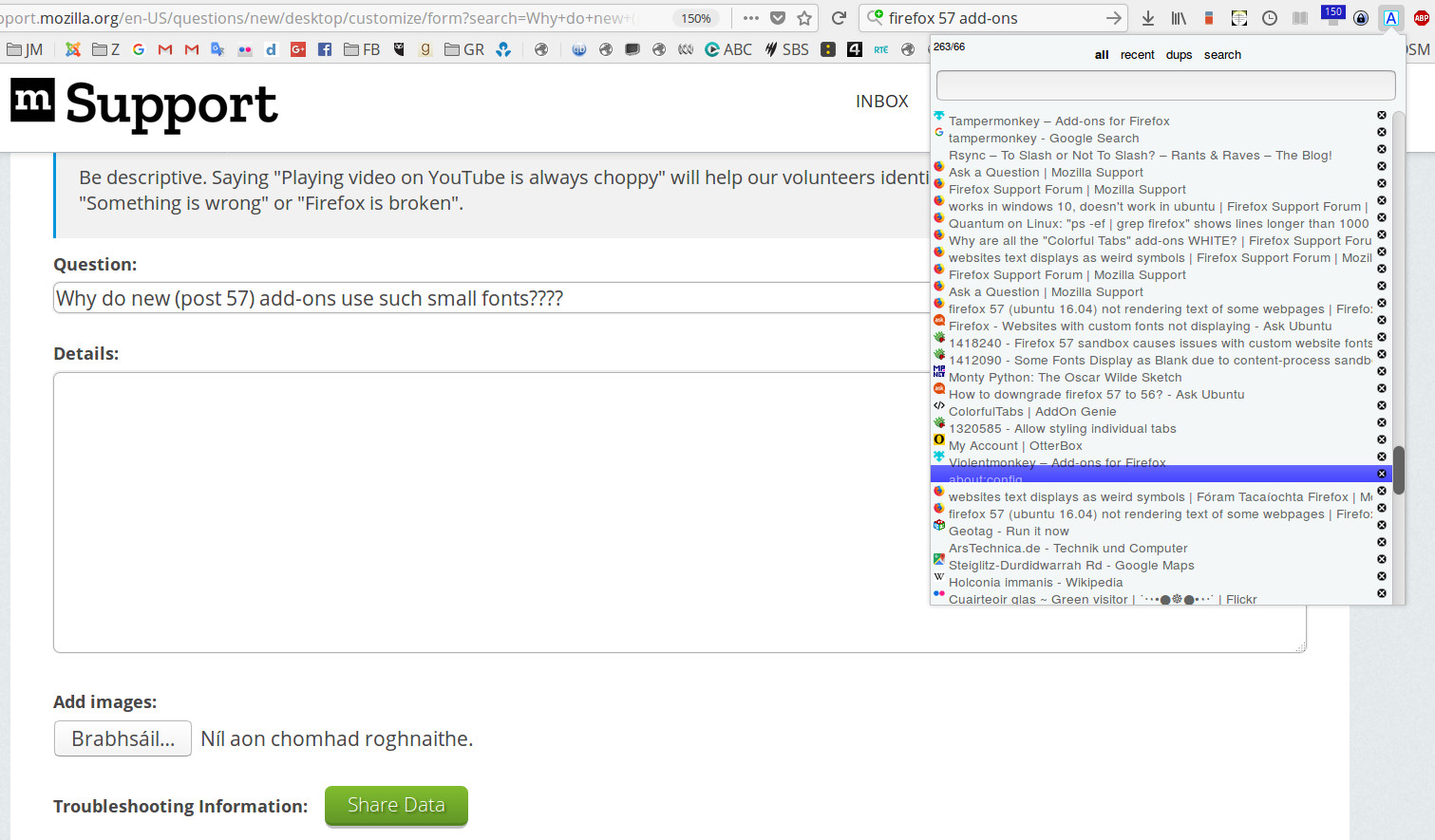
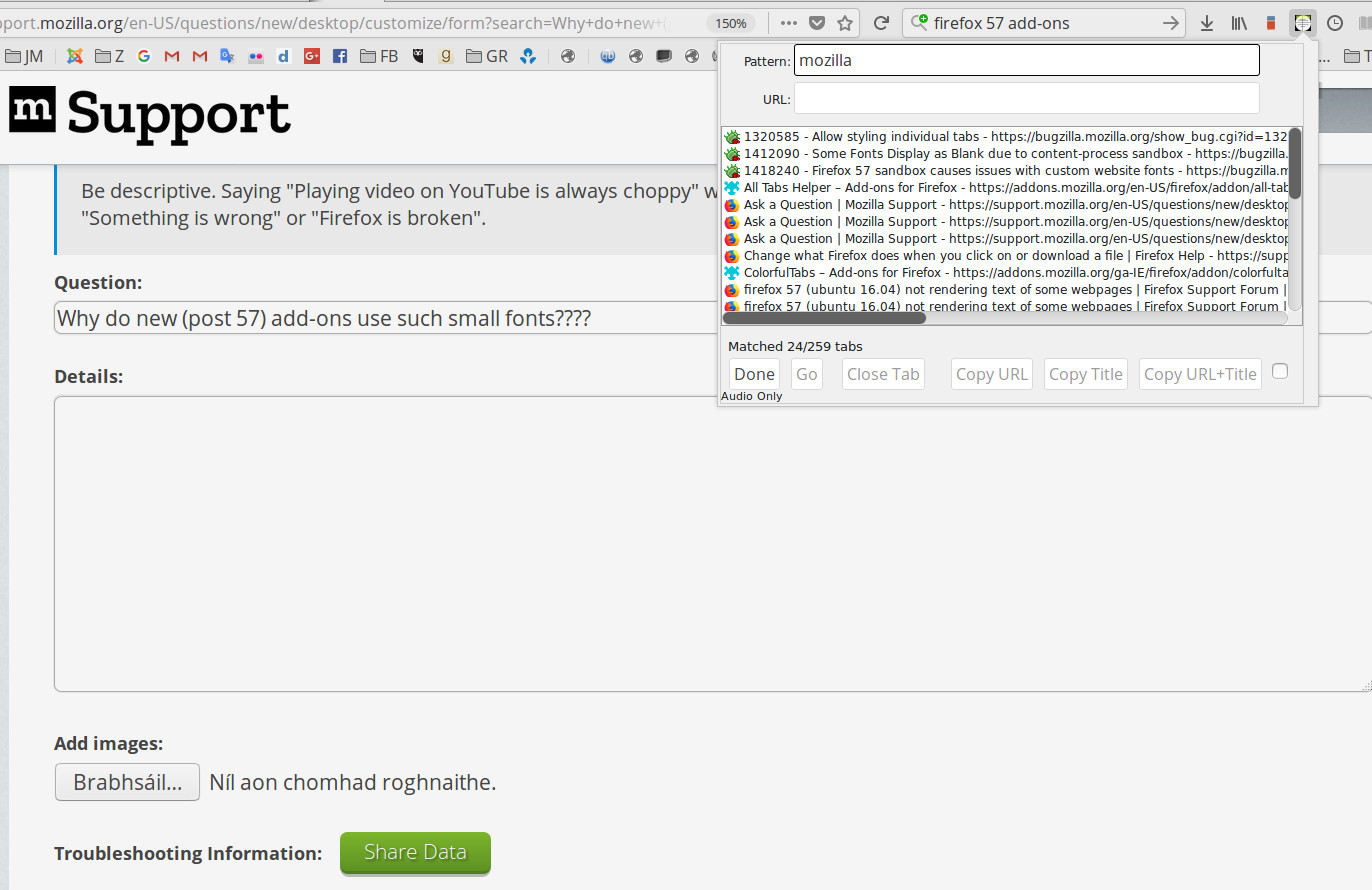
Many add-ons that have been ported to the new format have ridiculously small font sizes. Is this some kind of default? It also seems to be somehow encoded in the way widgets are spaced as even when developers allow a setting for a bigger font (All Tabs Helper), the spacing of items doesn’t scale.
Is there any way I can fix this (since there seems to be some amount of default behaviour here) or do I have to waste the rest of my life pursuing multiple developers?
I’m using the ‘large fonts’ options in the screen shot of All Tabs Helper below.
Ubuntu 16.04.3 / Firefox 57.0.1
Alle antwoorden (8)
I was going to let some one else answer this that maybe had some coding experience in Firefox's guts and think I will or you will as say be chasing all the developers down. To me the page @ 150% and those look tiny yet you say the are enlarged.
I have one thing only to try so do not loose all your settings and such would be to Uninstall and delete the Firefox Folders, all but the one that holds your Profile. Reinstall with a new compile.
Please let us know if this solved your issue or if need further assistance
Ah.......found something. https://support.mozilla.org/en-US/kb/accessibility-features-firefox-make-firefox-and-we No idea if will help.
Pkshadow said
I have one thing only to try so do not loose all your settings and such would be to Uninstall and delete the Firefox Folders, all but the one that holds your Profile. Reinstall with a new compile. Please let us know if this solved your issue or if need further assistance
Do you mean delete the Firefox program folder, then download and install a fresh version? ’Cause that’s not how it works. Firefox is installed by the package management system and I really doubt it would have anything to do with the binaries.
I also see the same thing on Ubuntu 14.04. I only use Windows for games so I don’t think I would have installed many (if any) add-ons there. I have a vague idea that it’s not a problem in Windows though.
Pkshadow said
Ah.......found something. https://support.mozilla.org/en-US/kb/accessibility-features-firefox-make-firefox-and-we No idea if will help.
So what happened with this ? Ok so this is a dual boot system i would guess by that or you have 2. There are compiled Linux files on that address but some make you use their own. I never know. What version Windows ? From a Administrator Account Dos prompt Copy/Paste 1 of the below and enter. Sfc /Scannow to fix errors on below win10 uses files on system DISM /Online /Cleanup-Image /RestoreHealth for win10 goes up for new files
Please let us know if this solved your issue or if need further assistance.
You’re really grasping at straws here. I don’t have this problem in Windows so Windows solutions are useless to me.
Maybe this is unfixable, but until someone who knows something about the new add-on API turns up we’ll never know.
When you do not answer about something when there was 2 suggestions but only replied about one of them it is work checking back.
No all this is within Firefox that are on this URL https://support.mozilla.org/en-US/kb/accessibility-features-firefox-make-firefox-and-we and this one https://www.accessfirefox.org/Theme-Font-Size-Changer.php
If you do not wish to find a solution do not reply.
Please let us know if this solved your issue or if need further assistance.
No, you have provided no useful information at all. Please stop replying if you have nothing useful to add. And please drop the passive-aggressive tone.
I’m not obliged to say you’ve helped if you haven’t and you have also totally ignored my questions about your supposed answers.
This has nothing to do with Windows. This has nothing to do with Themes. This has nothing to do with my preferences.
It’s about the new versions of add-ons having small fonts in Linux. They didn’t before; they do now.
If you don’t know anything about this, that’s no problem. Just move on. You don’t have to answer everything.
It’d still be nice to know why this is so.