


Windows 10 bereikte EO (einde ondersteuning) op 14 oktober 2025. Lees voor meer informatie dit artikel.

Windows 10 reached EOS (end of support) on October 14, 2025. For more information, see this article.

Zoeken in Support

Vermijd ondersteuningsscams. We zullen u nooit vragen een telefoonnummer te bellen, er een sms naar te sturen of persoonlijke gegevens te delen. Meld verdachte activiteit met de optie ‘Misbruik melden’.

Meer info

Deze conversatie is gearchiveerd. Stel een nieuwe vraag als u hulp nodig hebt.

The default theme doesn't show up correctly

  • 3 antwoorden
  • 1 heeft dit probleem
  • 19 weergaven
  • Laatste antwoord van WestEnd

meer opties

My Firefox is set on the Default theme as I much prefer it to Dark and Light or any other theme for that matter. It works on my other two computers, but on this particular one, it shows up with the text on the unactive tabs as well as the controls black on the black background. This doesn't really work, as I'm unable to see anything.

It should, of course, look like this: https://www.mozilla.org/media/img/firefox/products/developer/quantum/hero-screenshot.08ecc51c8cac.png

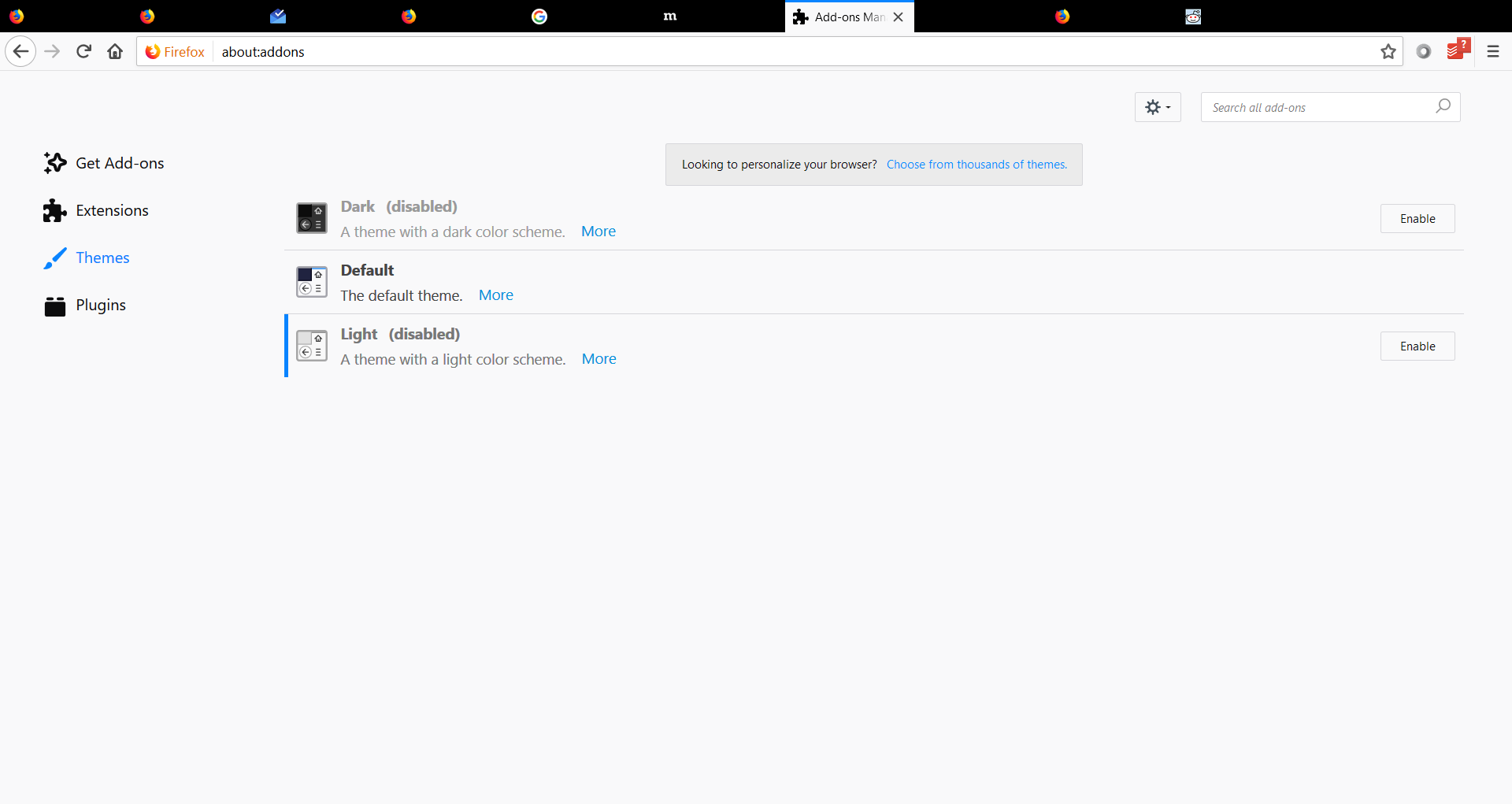
My Firefox is set on the Default theme as I much prefer it to Dark and Light or any other theme for that matter. It works on my other two computers, but on this particular one, it shows up with the text on the unactive tabs as well as the controls black on the black background. This doesn't really work, as I'm unable to see anything. It should, of course, look like this: https://www.mozilla.org/media/img/firefox/products/developer/quantum/hero-screenshot.08ecc51c8cac.png
Gekoppelde schermafbeeldingen

Bewerkt door alexandernext op

Alle antwoorden (3)

meer opties

This doesn't happen on any of my other computers, so I have no idea either.

Bewerkt door alexandernext op

meer opties

Can anyone help?

meer opties

Did you have any other FF install prior to this one? Did you uninstall all prior FF before reinstall this version?