


Firefox 9.0 Not Working With 1Password

Since upgrading to Firefox 9.0 (iPad & iPhone, iOS 11) I can't login to websites using 1Password — the 1Password button does not appear in the sharesheet when I tap on it. This was working fine in Firefox 8.x and earlier.
Anyone else seeingbthis? Any solution?
Gekozen oplossing
Firefox 10.0 has fixed this problem.
Dit antwoord in context lezen 👍 1Alle antwoorden (9)

re-install that clod...
Re-install did not help, still no 1Password in sharesheet.
I just upgraded iPhone and iPad to Firefox 9.1 and still no 1Password shows up in sharesheet. Deleted and reinstalled Firefox - made no difference.
Ok, this issue is being tracked by Bugzilla # 1397887. Sadly the root cause appears to be a bug in iOS 11, so timeline for a fix is unknown.
Not an iOS bug after all? Bug # 1397887 has been marked as fixed in Firefox 10.0.
Gekozen oplossing
Firefox 10.0 has fixed this problem.
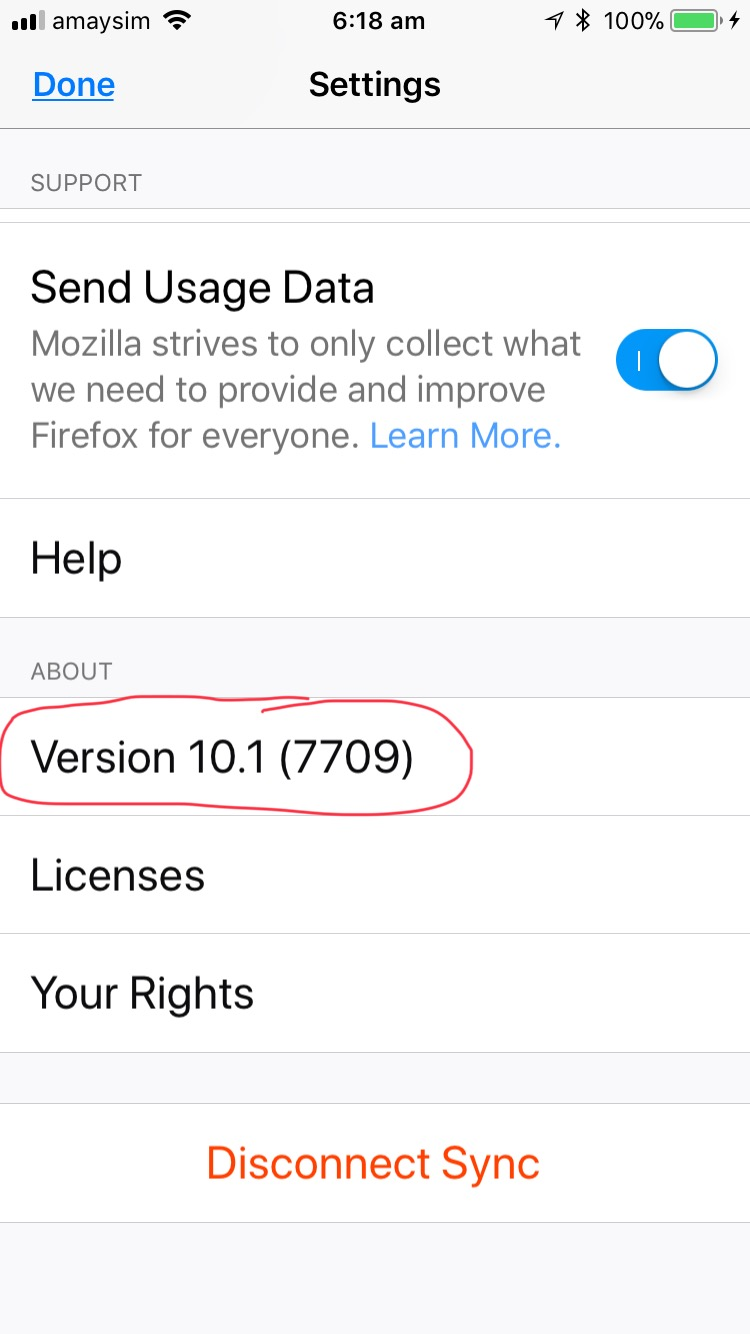
How do we get FF 10.0? How do I even know what version of FF is on my iPhone? The Settings info for FF does not show the version #.
CORRECTION... just learned that I downloaded FF 10.1 to my iPhone and this issue does exist... looking for a solution.
Bewerkt door AMCarter3 op
The FF version is in the settings info for the Firefox app, but you have to scroll all the way down to the botttom of the Settings screen to see it. (See attached screenshot.)
This 1Password problem does not exist in FF 10.0 or later, 1Password works fine with FF 10.0 and above.
This is strange... I cannot find the "usage" for my phone apps in Settings. Under what heading do they show up?
What was not clarified is that you must touch and hold the 3 dots to get to the share screen with 1Password. It would have helped if someone had mentioned this.