

Deze conversatie is gearchiveerd.
Stel een nieuwe vraag als u hulp nodig hebt.

Gearchiveerd
why in the inspector can not copy a text element?

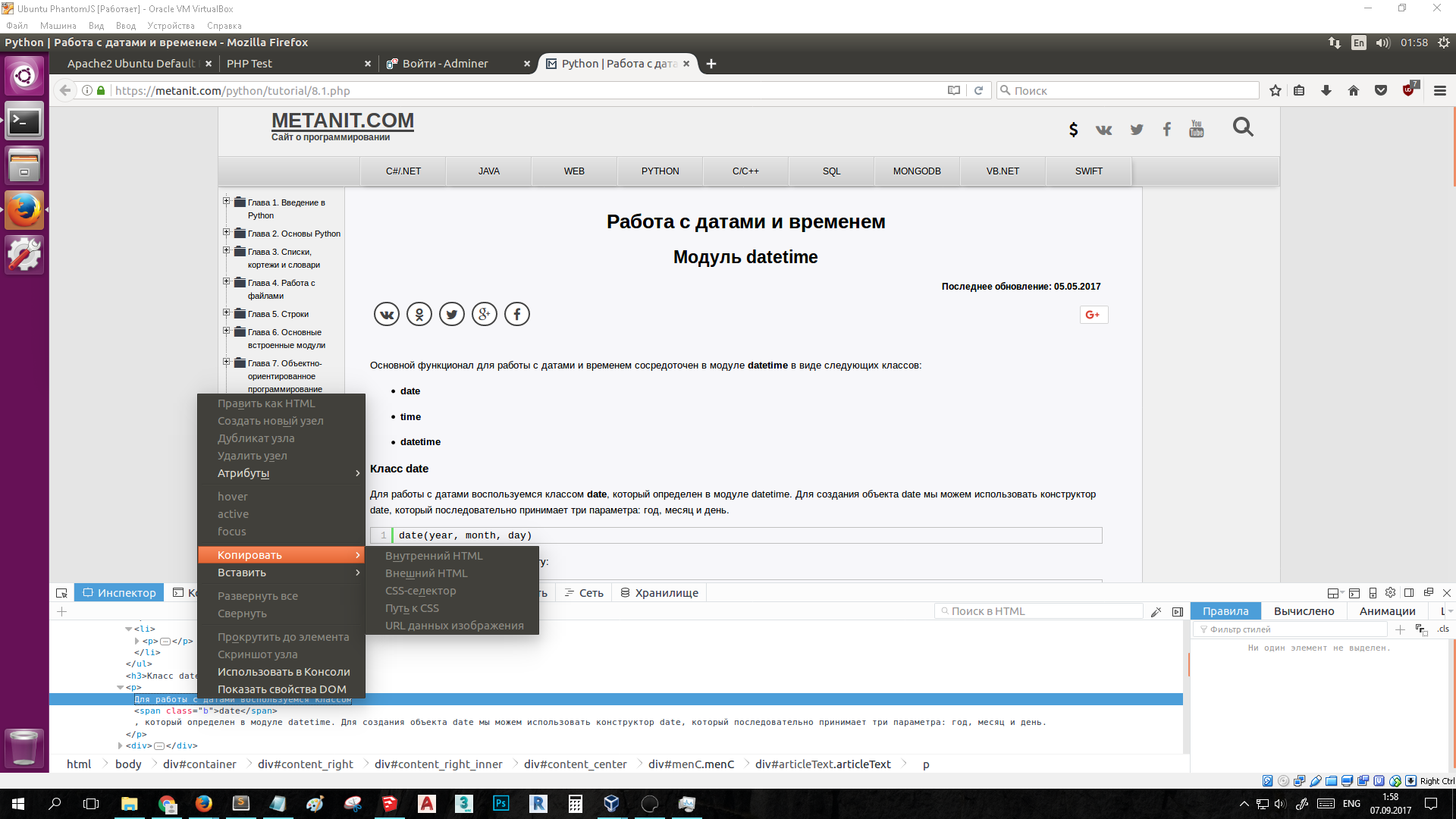
I needed to know the xPath of the text element on the page (win10 x64, Firefox 56.0b9(64bit)). If you select a text element in the Page Inspector, then all copy options will be inactive.
Why is that? Why can't get the link "../ text ()"? So does Chrome. Why can not I copy a text element?
I wanted to copy xPath in Firefox(55) to Ubuntu, but there was not even an option to "copy xpath". Offensively.
Sorry for my bad english)) Thanks for the help))
I needed to know the xPath of the text element on the page (win10 x64, Firefox 56.0b9(64bit)).
If you select a text element in the Page Inspector, then all copy options will be inactive.
Why is that?
Why can't get the link "../ text ()"? So does Chrome.
Why can not I copy a text element?
I wanted to copy xPath in Firefox(55) to Ubuntu, but there was not even an option to "copy xpath". Offensively.
Sorry for my bad english))
Thanks for the help))

Alle antwoorden (2)
Not_included said
I needed to know the xPath of the text element on the page (win10 x64, Firefox 56.0b9(64bit)). If you select a text element in the Page Inspector, then all copy options will be inactive. Why is that? Why can't get the link "../ text ()"? So does Chrome. Why can not I copy a text element? I wanted to copy xPath in Firefox(55) to Ubuntu, but there was not even an option to "copy xpath". Offensively. Sorry for my bad english)) Thanks for the help))
It doesn't make sense to get the path of some text. You can only get the path of a specific tag and that should be the containing tag (i.e. the tag that contains this text: P element in first screenshot).