


Should there be any mention of Claro in about:config?

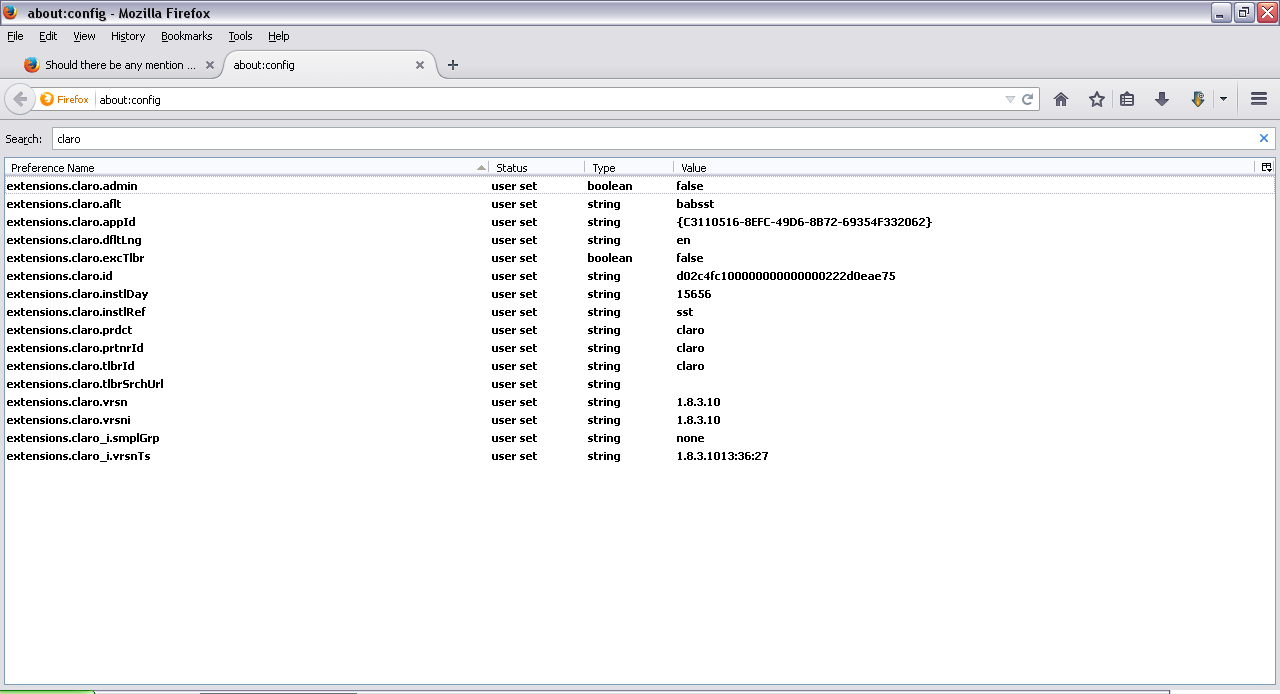
I got rid of Claro long ago but never deleted it from my list of search engines till now. Wondering if I missed something I searched for "Claro" in about:config and got some results. Is anything in Firefox and/or about:config named Claro? Should I remove these entries from about:config? If so, how?
Gekozen oplossing
When you uninstall an extension then prefs created by the extensions aren't removed.
You can reset those prefs via the right-click context menu to the default value.
You can delete a possible user.js file and numbered prefs-##.js files and rename (or delete) the prefs.js file to reset all prefs to the default value including prefs set via user.js and prefs that are no longer supported in the current Firefox release.
Dit antwoord in context lezen 👍 0Alle antwoorden (3)
Picture of the entries.
Gekozen oplossing
When you uninstall an extension then prefs created by the extensions aren't removed.
You can reset those prefs via the right-click context menu to the default value.
You can delete a possible user.js file and numbered prefs-##.js files and rename (or delete) the prefs.js file to reset all prefs to the default value including prefs set via user.js and prefs that are no longer supported in the current Firefox release.
Thank you, cor-el. I had to first delete the user.js file then set them to default before they would be permanently gone about:config.